
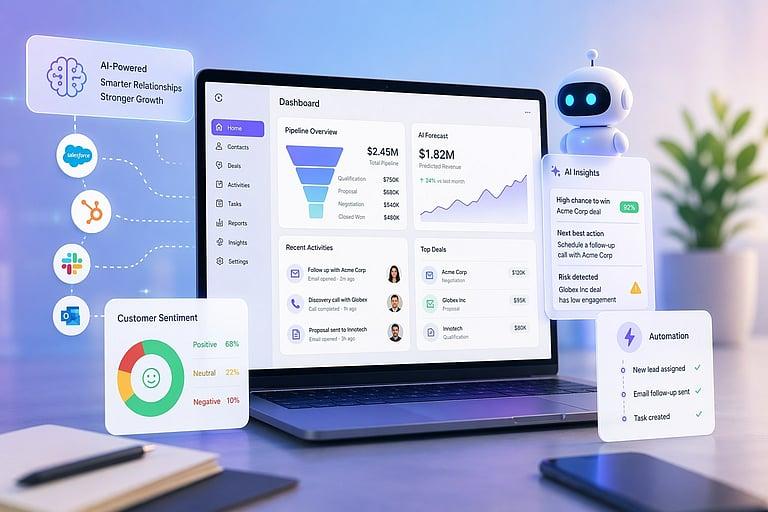
Every software product now advertises AI. Most business owners have no way to tell which claims describe something useful and which are a rebranded feature that existed last year.
This article separates the two — what AI genuinely does for a small or mid-sized Indian business today, what it doesn't, and what has to be in place before any of it works.
The Prerequisite Nobody Mentions
Start here, because it saves most businesses a wasted purchase.
AI works on your data. If your data is scattered and inconsistent, AI produces confident nonsense.
A sales forecast built on records where half the deals were never logged is not a forecast. A chatbot answering from a knowledge base nobody maintained will answer wrongly. A recommendation engine reading three systems that disagree about the same customer will recommend badly.
The sequence that actually works: get your customer, sales, and billing data into one reliable place first. Then automate the repetitive parts. Then add intelligence on top. Businesses that skip to the third step conclude that "AI doesn't work for a business like ours" — when what didn't work was applying it to fragmented data.
What Genuinely Works Today
Handling routine customer questions
A large share of incoming queries are the same handful of questions — order status, timings, prices, availability. AI chatbots handle these well, at any hour, in a way that scales without adding staff.
Where it works: repetitive, factual, low-stakes questions. Where it doesn't: complaints, negotiations, anything emotional. The design that works routes routine queries to AI and escalates everything else to a person quickly — with the customer able to reach a human without fighting for it.
Drafting content
Product descriptions, marketing copy, social posts, email drafts. AI produces reasonable first versions in seconds, and a person edits rather than starts from nothing.
This is a genuine time saving and is being under-used by Indian SMBs, largely because it's less exciting than the things being marketed harder.
Summarising and extracting
Turning long conversations into notes, extracting details from documents, summarising what happened with a customer before you call them. Unglamorous and consistently useful.
Prioritising follow-ups
Where you have enough historical data, AI can indicate which enquiries most resemble ones that converted before. Useful as a ranking aid for a salesperson's day — not as a decision-maker.
What Is Mostly Oversold
Fully autonomous sales. AI does not close deals in relationship-driven Indian markets. It helps a salesperson prepare, prioritise, and follow up. Products claiming otherwise are describing a demo, not a business outcome.
Predictions from thin data. A business with a few hundred transactions doesn't have enough history for meaningful forecasting. The output will look confident and mean little.
"AI-powered" as a label on ordinary automation. An automatic payment reminder is automation — valuable, and not AI. The distinction matters when you're being charged a premium for the word.
Replacing judgment. Pricing decisions, difficult customers, whether to extend credit. These stay human, and treating AI output as an answer rather than an input is how businesses make expensive mistakes politely.
The Cost Reality Founders Miss
Traditional software had close to zero marginal cost per user. AI features do not — every AI interaction incurs compute cost that scales with usage.
Practically, this means: check whether AI features are included in your plan or metered separately, understand what happens if usage grows, and be sceptical of "unlimited AI" claims, since the underlying cost is real for whoever is providing it.
It also means AI should be pointed at high-value repetitive work rather than sprayed across everything. Automating a task that occurs twice a month rarely justifies its cost.
Where to Start (In Order)
1. Consolidate your data. One place for customers, sales, and billing. This is prerequisite, not preparation.
2. Automate the obvious repetitions — invoice generation, payment reminders, appointment and delivery notifications. Rule-based automation, no AI required, and usually the largest time saving available.
3. Add AI to your highest-volume, lowest-judgment task. Usually routine customer queries or content drafting.
4. Measure hours saved after thirty days. If you can't point to a number, the feature isn't earning its cost.
5. Expand only where step four showed a result.
Questions Worth Asking Any Vendor
What specific task does this do, and how many hours does it save? An answer in outcomes rather than adjectives.
What data does it need to work well, and do we have that?
What happens when it gets something wrong, and how do we correct it?
Is AI usage included in the plan or charged separately?
Where does our data go, and is it used to train models? Increasingly important for businesses handling customer information.
How We Approach This
DataBridgeCRM includes AI capabilities — chatbots for routine queries, content generation, and workflow assistance — inside the same platform that holds your customer, sales, and billing data. That combination is deliberate: AI applied to consolidated data produces useful output, while AI applied to scattered data produces confident guesses.
Our practical advice to businesses evaluating this remains the same regardless of who they buy from: fix the data foundation, automate the repetitions, then add intelligence — in that order.
Want to see what AI features would actually do for your business, with your own data and workflows? Book a free demo, or explore our AI CRM solutions.

