
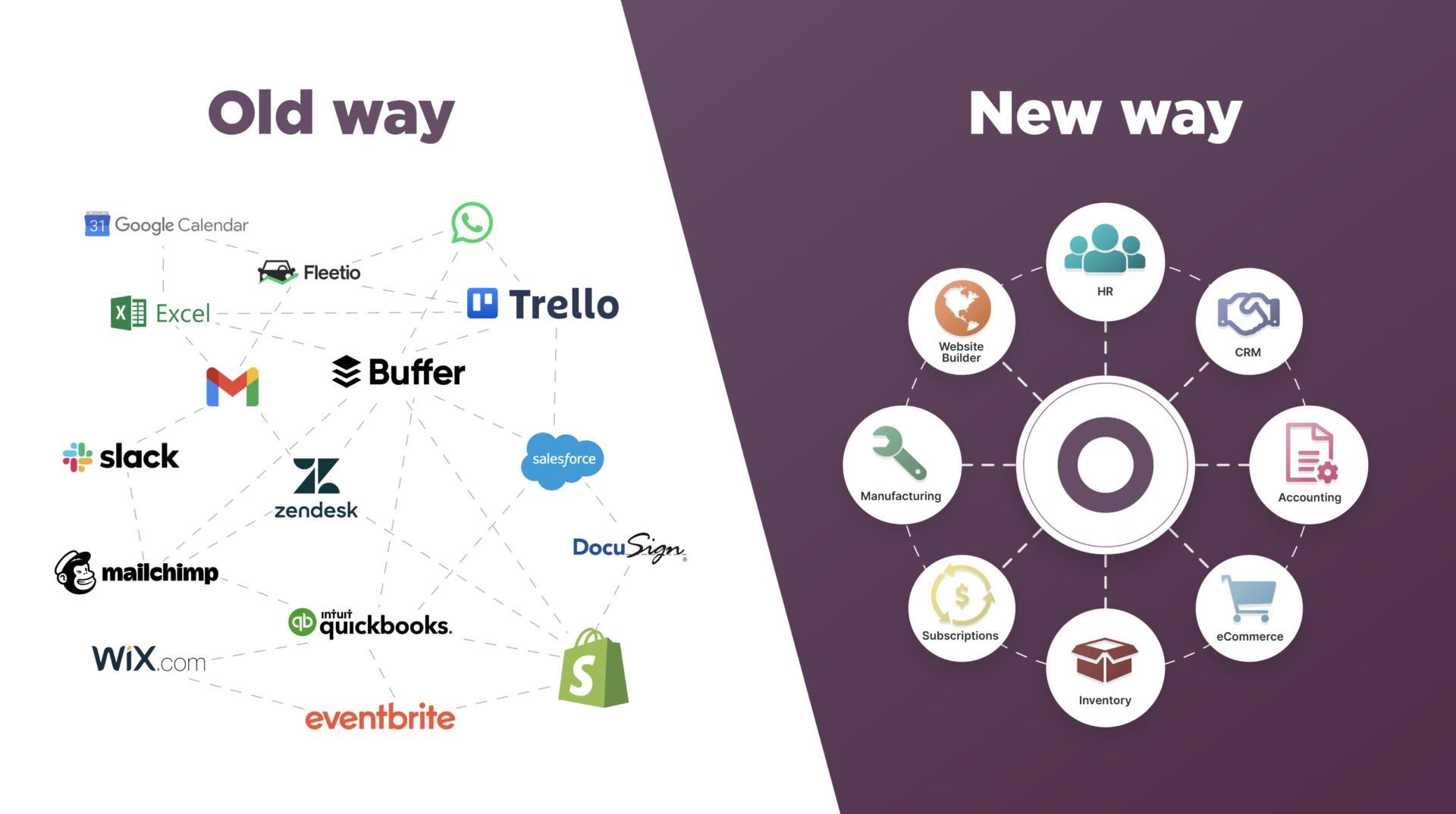
Most growing Indian businesses arrive at the same place without deciding to. A billing tool bought three years ago. A separate accounting package. A WhatsApp group for orders. Someone's Excel file for stock. A marketing tool signed up for during a sale. Each was a sensible decision individually.
Together, they create the problem that costs more than any of them: nothing talks to anything else, and staff spend hours every week moving data between systems by hand.
This article looks at the actual trade-off between using separate specialised tools and using one connected platform.
The Honest Case for Separate Tools
Let's start here, because it's real.
Specialised tools are usually better at their one job. A dedicated accounting package built over twenty years will handle accounting more deeply than an accounting module inside a broader suite. If your business has an unusually demanding requirement in one area, a specialist may genuinely serve you better.
You can change one piece without changing everything. Unhappy with your email tool? Switch it. With an integrated platform, changing one component often means changing the whole thing.
No single point of failure. If one tool has an outage, the rest keep working.
These are legitimate advantages, and any vendor telling you otherwise is selling rather than advising.
The Costs Separate Tools Actually Carry
The reason businesses eventually consolidate isn't feature quality — it's the accumulated cost of the gaps between systems.
Manual data movement. Count the hours your team spends copying information from one system into another. Multiply by salary cost, multiply by twelve. That annual figure is the real price of a disconnected setup, and it appears on no invoice.
Systems that disagree. Two tools showing different numbers for the same thing, with nobody certain which is right. This is where confidence in your own data quietly dies — and once lost, people stop using reports at all.
Subscription creep. Five tools at a few thousand rupees each feels manageable monthly. Annually, it's a number most owners are surprised by when they actually add it up.
Customer context scattered. The enquiry is in one place, the invoice in another, the support conversation in a third. Nobody can see the whole relationship, which shows in how customers get treated.
Dependence on one person. Usually a single employee understands how data moves between systems. Their absence stops the business.
The Question That Decides It
Not "which is better?" but: how much of your team's week goes into moving information between systems?
If the answer is very little — your tools genuinely don't need to share data, or volumes are low — separate tools are fine and consolidating would be change for its own sake.
If the answer is hours every week, you don't have a tools problem. You have a gaps problem, and adding a sixth tool will make it worse.
What "Connected" Should Actually Mean
The test to apply to any platform claiming to be all-in-one: when something happens in one place, what happens automatically everywhere else?
A sale is recorded — does stock reduce, does the customer's record update, does the invoice generate, does the accounts entry appear? If the answer involves a person typing, the modules are bundled rather than connected, and you've bought the appearance of integration.
Ask this specifically in any demo, with your own example. Watch what the system does rather than listening to what it can do.
The Middle Path Most Businesses Should Consider
This isn't a binary choice, and treating it as one leads to unnecessary disruption.
Consolidate what needs to share data; keep specialists where they don't.
In practice, that usually means bringing customers, sales, billing, inventory, and communication into one connected system — because these constantly reference each other — while keeping a specialist accounting package if your CA is comfortable with it and your requirements are demanding.
The goal is not owning fewer tools. It's eliminating the manual bridges between them.
How to Evaluate Without Getting Sold To
Bring your own scenario to the demo. Not their example — yours. Your most common transaction, including its complications. Watch how many steps it takes and what happens afterwards.
Ask what happens to your existing data. Migration is where consolidation projects quietly fail. Who does it, is it included, and how is it verified?
Ask about the exit. If you leave in two years, can you export your data in usable form? A confident vendor answers this easily.
Calculate total first-year cost, including setup, migration, training, and support — then compare against your current annual subscriptions plus the hours of manual work being eliminated. That second component is what makes consolidation pay, and it's the one businesses forget to include.
Check it works on a phone. In most Indian businesses, staff use phones more than computers. A system that needs a desktop for daily tasks won't be adopted by field staff or anyone away from a counter.
Why We Built DataBridgeCRM This Way
Our platform brings CRM, billing and POS, inventory, WhatsApp and SMS communication, email marketing, website building, and hosting into one connected system — with industry-specific configurations for retail, hotels, schools, hospitals, restaurants, and other sectors.
That design came directly from what small Indian businesses kept describing: not a missing feature, but the daily tax of maintaining five subscriptions and manually carrying data between them.
Whether you consolidate with us or elsewhere, the principle holds — count the hours lost in the gaps before you buy another tool to sit alongside them.
Want to see how a connected setup would work for your business? Book a free demo — bring your own workflow and we'll run it through the system rather than showing you ours.

