
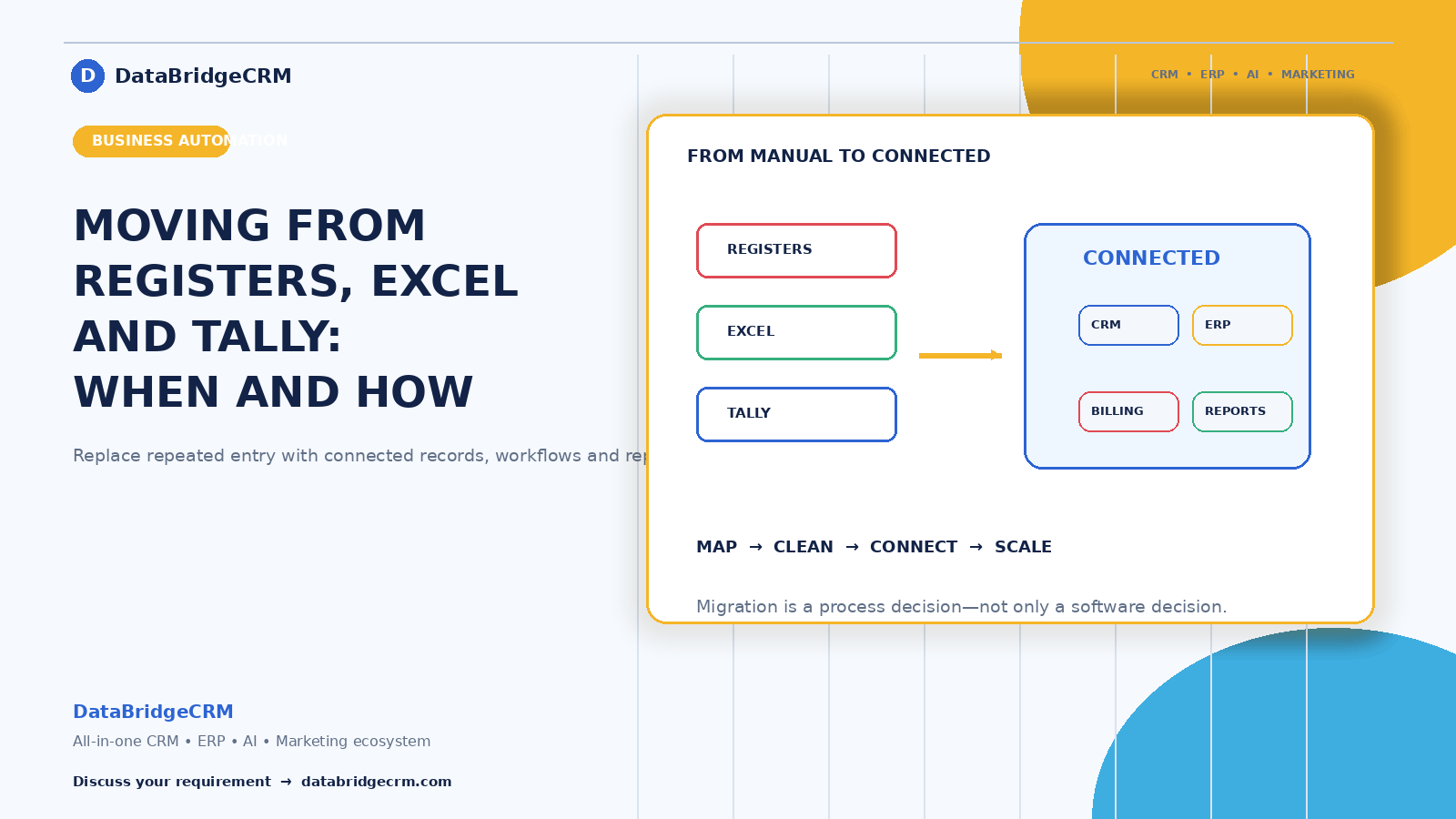
Most Indian businesses run on some combination of Tally, Excel, registers, and WhatsApp. It works — until the day it doesn't, and then everything about it becomes visible at once.
This is about recognising that point, and moving without breaking anything.
First: Tally Is Not the Problem
Let's be clear, because vendors are frequently not. Tally is excellent accounting software, and for a large number of Indian businesses it is entirely sufficient. If your challenges are bookkeeping, GST, and compliance, you don't need to replace it.
The honest test: what happens outside your accounts?
If your stock levels, customer follow-ups, order tracking, and daily operations live in registers, Excel, and people's memory, you don't have an accounting problem. You have an operations problem — and accounting software won't solve it, however good it is.
Many businesses that "move off Tally" would have been better served keeping it for accounts and adding something for operations.
The Excel Question
Excel is genuinely useful and genuinely dangerous at scale. It fails at exactly three points, and if you recognise any of them you've outgrown it:
It can't remind you. A spreadsheet doesn't chase a follow-up, flag an overdue payment, or alert you that stock is low. Everything depends on someone remembering to look.
Sharing multiplies versions. Two people editing means two versions. Three means nobody knows which is current, and the day you need certainty is the day you discover you don't have it.
History gets lost. Nobody scrolls back through 4,000 rows. The information exists and is functionally unreachable.
Add a fourth for many businesses: the file lives on one person's computer, and that person is a single point of failure for your business.
The Seven Signs You've Genuinely Outgrown Your Setup
The same data gets entered more than once. A sale typed into a billing system, then a register, then a report. Every duplicate entry is a daily tax and an opportunity for a discrepancy.
Stock never matches records. Physical count and register disagree at every check, and nobody can explain the gap.
Month-end takes days. Someone assembling numbers from four sources, and by the time they're ready, the month is long over.
You can't answer basic questions quickly. "Which product made the most profit last quarter?" should take seconds.
One person is irreplaceable. If a specific employee's absence paralyses operations, your business runs on memory rather than systems.
Customer information lives in personal phones. When that person leaves, the relationships leave too.
Growth makes things worse. More orders mean more errors and more firefighting rather than more profit. The clearest signal of all.
Two or three of these, and it's worth exploring. Five or more, and your setup is actively costing you money every month.
What Moving Actually Involves
The software is the smallest part. What determines success:
Getting your data out. Excel exports easily. Tally has export options. Registers require manual entry — and this is where businesses underestimate the effort, particularly for product catalogues and customer lists.
Cleaning before moving. Your data is messier than you think — the same customer under three spellings, inconsistent phone formats, critical information stored in a "remarks" column. It's easier to clean in the old system where staff recognise the records.
Deciding what not to move. Customers who haven't ordered in years, discontinued products. Migration is a chance to leave the mess behind rather than carry it forward.
Getting open items perfect. Pending orders, unpaid invoices, current stock. Historical records can be imperfect; these cannot, because your business runs on them from day one.
Verifying with totals. Outstanding receivables in the old system should match the new one exactly. Count records. Have your billing person look up ten customers they know — they'll spot wrong details instantly.
The Staged Path That Works
The most common failure is switching everything at once. Staff get overwhelmed, workarounds appear, and within weeks the registers are back alongside an expensive subscription.
Stage 1: Billing and customers. Highest daily volume, clearest immediate benefit, and it gets customer data out of personal phones.
Stage 2: Inventory, connected to billing so stock reduces automatically. This is where the stock-mismatch problem disappears.
Stage 3: Follow-ups and communication. Automated reminders, WhatsApp updates.
Stage 4: Reporting and everything else, once the data underneath is reliable.
Each stage should feel routine before the next begins.
Keeping Tally Alongside
A practical arrangement many businesses land on: operations in a business system, accounts in Tally, with sales data flowing between them rather than being entered twice.
Your CA is comfortable with Tally, your compliance workflow already works, and you gain operational capability without disrupting the finance side. This is frequently the lower-risk path — and it's worth asking any vendor whether they support it rather than insisting on replacing everything.
What to Expect in the First Month
Honestly: it will feel slower before it feels faster. Staff are learning, data is incomplete, and the old way seems easier.
What helps: starting during your quietest period, never near festival season or financial year end. Nominating one internal person others can ask. Removing the old path deliberately once the new one works — because as long as the register is on the counter, someone will use it.
By week four it should be routine. If it isn't, something is wrong with the fit or the training, and that's worth addressing rather than pushing through.
Start With Your Worst Process
Don't plan a transformation. Pick the single thing that wastes the most time or causes the most errors — usually billing, follow-ups, or stock. Fix that completely, including the exceptions. Measure what it saves over thirty days.
Then decide what's next, with real information rather than assumptions.
How We Approach This
DataBridgeCRM works with businesses making exactly this move — from registers, Excel, and disconnected tools to a connected system, in stages rather than all at once, with migration support from your existing setup.
And where a business is genuinely fine on Tally and Excel, we say so. Software a business doesn't need yet is a cost, not an upgrade.
Wondering whether your business has outgrown its current setup? Book a free demo — bring your actual daily process and we'll look at where the time is going.

