
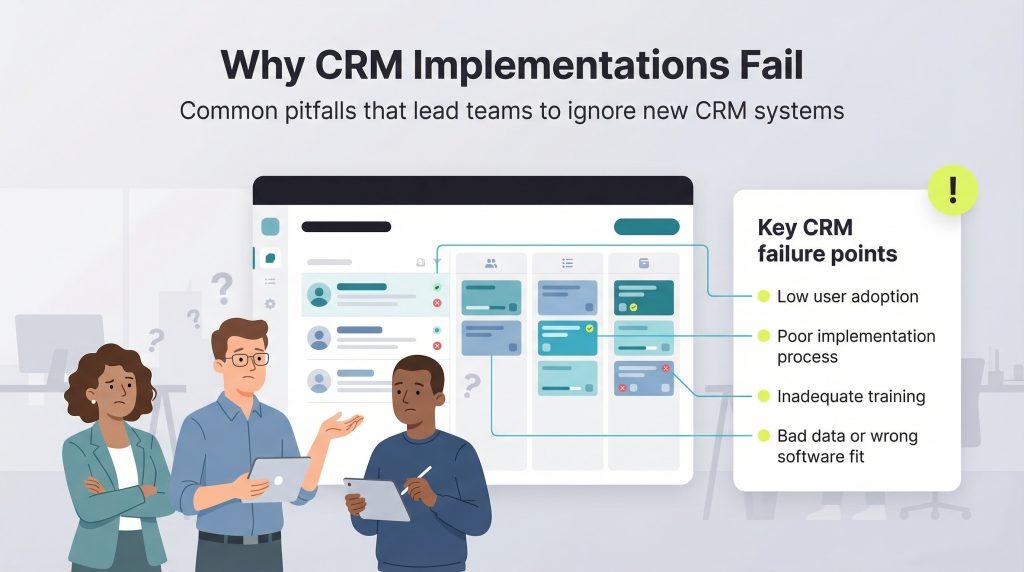
Most CRM failures are not software failures. The system gets bought, configured, demonstrated to the team — and three months later half the staff are back to their notebooks and WhatsApp groups, while the subscription quietly renews.
The software worked. The rollout didn't.
This guide covers what actually determines whether a CRM gets used, based on what we see across the businesses we work with at DataBridgeCRM.
Adoption Is the Only Metric That Matters
A CRM with every feature you asked for, used by nobody, is a complete loss. A simple system used daily by everyone is a success even if it does less.
This sounds obvious and yet most implementation plans focus entirely on configuration and barely at all on adoption. The questions that decide the outcome are not "does it have this feature?" but "will my billing clerk actually use this on a busy Saturday?"
Before Anything: Two Weeks of Watching
The single highest-return step, and the one most businesses skip.
For two weeks, record what actually happens: every enquiry that comes in and what happened to it, where customer information currently lives, who does what at each stage, and where things go wrong.
Business owners are consistently surprised by this exercise — particularly by how many enquiries were never followed up. That record becomes your requirement document, and it's far better than any feature list, because it describes your business rather than someone else's idea of it.
Start With One Process, Not Everything
The most common implementation failure we're called to fix is a business that switched everything at once — leads, billing, inventory, communication, reporting — in a single month. Staff got overwhelmed, adoption collapsed, registers came back.
The sequence that works:
Stage 1 — Get customer data into one place. Out of personal phones, out of individual notebooks, into a shared system. Nothing else works until this does, because every subsequent feature depends on reliable data underneath it.
Stage 2 — Follow-ups and pipeline. This is where the revenue return shows up fastest. Enquiries with owners and follow-up dates, visible to a manager.
Stage 3 — Connect billing. A closed deal becomes an invoice without re-entry.
Stage 4 — Everything else. Inventory, marketing automation, advanced reporting — once the earlier stages are habitual.
Each stage should prove its value before the next begins. Businesses that follow this rarely fail; businesses that attempt all four together frequently do.
Data Migration: Where Implementations Quietly Die
Your existing customer records, pending orders, and outstanding payments have to move. This is treated as a technical detail and it is not.
Audit first. Your data is messier than you think — the same customer under three spellings, inconsistent phone formats, critical information stored in a "remarks" column.
Decide what not to move. Customers who haven't ordered in eight years, discontinued products. Migration is a chance to leave the mess behind rather than carry it forward.
Get the open items perfect. Pending orders, unpaid invoices, current stock. Your business runs on these from day one — historical records can be imperfect, these cannot.
Verify with totals, not impressions. Outstanding receivables in the old system should match the new one exactly. Count records. Have your billing clerk look up ten customers they know well — they'll spot wrong details instantly.
The Adoption Work Nobody Budgets For
Involve the actual users before launch, not at launch. The person specifying the CRM is usually not the person using it daily. Requirements come from management; the pain lands at the counter. Show your billing staff and sales team the system before it's finalised.
Train on their real work, not on features. A training session that walks through every module teaches nothing. A session where each person does their own actual daily task in the new system teaches everything.
Nominate one internal champion. Someone in the business — not the vendor — who others ask when stuck. Without this, every small question becomes a support ticket and momentum dies.
Remove the old path deliberately. As long as the register is on the counter, some people will use it. Once the new system is working, the parallel path has to close, or you'll maintain two systems forever.
Make the common task genuinely faster. If entering a lead takes longer than writing it in a notebook, staff will write it in the notebook. Count the clicks for your most frequent action — that number is your adoption forecast.
The Signals That Adoption Is Failing
Watch for these in the first eight weeks, when they're still fixable:
Records entered in bursts rather than daily — meaning someone is catching up on Friday from paper notes. Key fields left empty consistently. A parallel spreadsheet appearing. Staff asking questions to each other rather than using the system. And the clearest one: usage that drops after the first fortnight rather than settling into routine.
Each of these has a cause worth finding. Usually it's that some real situation the system doesn't handle well, and staff worked around it rather than reporting it.
Measuring Whether It Worked
Not features delivered. Thirty and ninety days after launch, ask:
What proportion of enquiries now have a recorded follow-up? How long does it take to answer "how did we do last month?" How many hours has the team stopped spending on duplicate entry? And how many people are actually logging in daily?
If these haven't moved, the problem is adoption or scope — both fixable, and both worth addressing before adding anything new.
What to Expect From Your Vendor
A CRM provider's job doesn't end at configuration. Before committing, establish: who handles data migration and is it included, what training is provided and for how many people, what the response time is for support, and who you call when something breaks in month six.
At DataBridgeCRM we build this into how we work — dedicated account management, migration support from your existing system, and industry-specific configuration rather than a generic setup — because we've seen enough implementations fail on rollout rather than software to know where the risk actually sits.
Planning a CRM rollout and want to discuss how it would work for your business? Book a free demo or talk to our team.

