
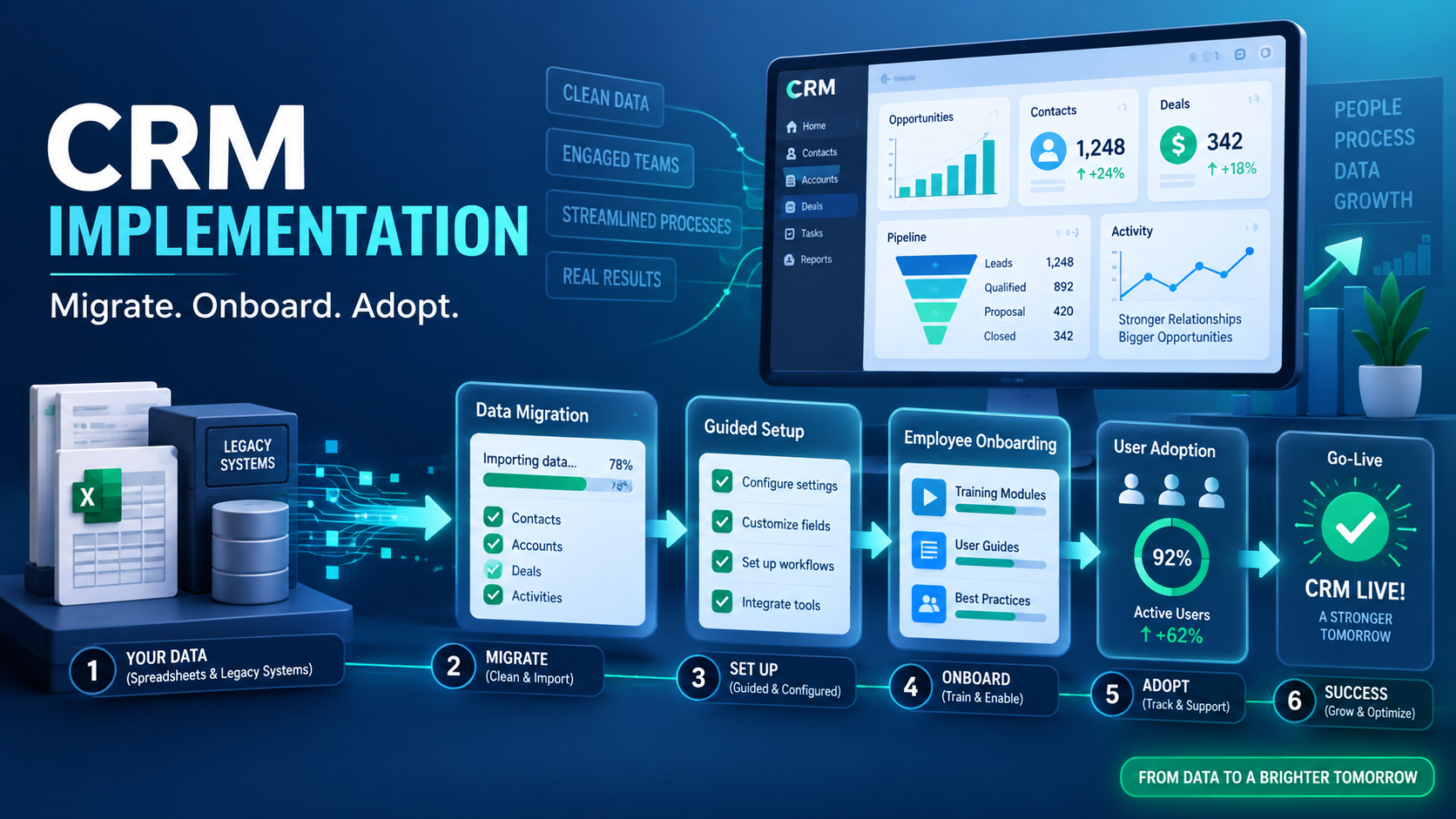
Buying CRM software is the easy part. The real determinant of whether a CRM actually delivers value is what happens in the weeks after — whether the team genuinely adopts it, whether data gets migrated properly, and whether the system gets configured around how the business actually works. A poor CRM implementation process is the most common reason businesses end up with expensive software nobody actually uses.
Why CRM Projects Fail After the Purchase Decision
The purchase decision often gets the most attention — comparing features, pricing, and demos — while the actual rollout gets treated as an afterthought. Teams that aren't properly trained, data that isn't cleanly migrated, and workflows that aren't adapted to fit the new system all lead to low adoption, regardless of how capable the software itself is.
What a Proper CRM Implementation Should Include
Clean Data Migration
Moving existing customer data — from spreadsheets, a previous CRM, or scattered notes — into the new system accurately, removing duplicates and outdated entries rather than migrating disorganized data as-is.
Configuration Around Actual Workflows
Setting up pipeline stages, lead assignment rules, and automation to match how the business genuinely operates, rather than adopting generic defaults that don't fit the specific sales or service process.
Team Training That Goes Beyond a Single Session
A single onboarding call rarely creates lasting adoption. Ongoing support during the first few weeks, as the team encounters real situations the training didn't cover, significantly improves actual usage.
A Clear Adoption Plan
Setting expectations for what the team should be doing in the CRM daily, and having a manager or champion who actively reinforces this, prevents the tool from quietly falling out of use after the initial rollout excitement fades.
Why Data Migration Deserves Extra Attention
Migrating messy, duplicate, or outdated data directly into a new system just moves the same problems into a new place. Taking time to clean data before migration — removing duplicates, standardizing formats, archiving irrelevant old records — pays off significantly in how usable and trustworthy the new system feels from day one.
Common Implementation Mistakes
- Rushing the rollout without adequately training the team on daily workflows, not just features
- Migrating messy data as-is, carrying forward the same disorganization into the new system
- Using generic default settings instead of configuring the CRM around actual business processes
- No follow-up support after initial training, leaving staff to figure out real-world issues alone
What Good Ongoing Support Should Look Like
Implementation shouldn't end once the system is technically live. Ongoing support — answering questions as they come up, adjusting configuration as the business's needs evolve, and being available when something doesn't work as expected — significantly affects whether adoption sticks in the months after launch, not just the first week.
DataBridgeCRM's Approach to Implementation
DataBridgeCRM includes onboarding support as part of adopting the platform, helping businesses migrate existing data cleanly and configure the system around their actual operations, backed by 24/7 support so questions during and after implementation don't go unanswered.
Get a CRM Rollout That Actually Sticks
If you're considering a CRM but worried about whether your team will actually adopt it, book a free demo of DataBridgeCRM and ask about the onboarding process before you commit.

