
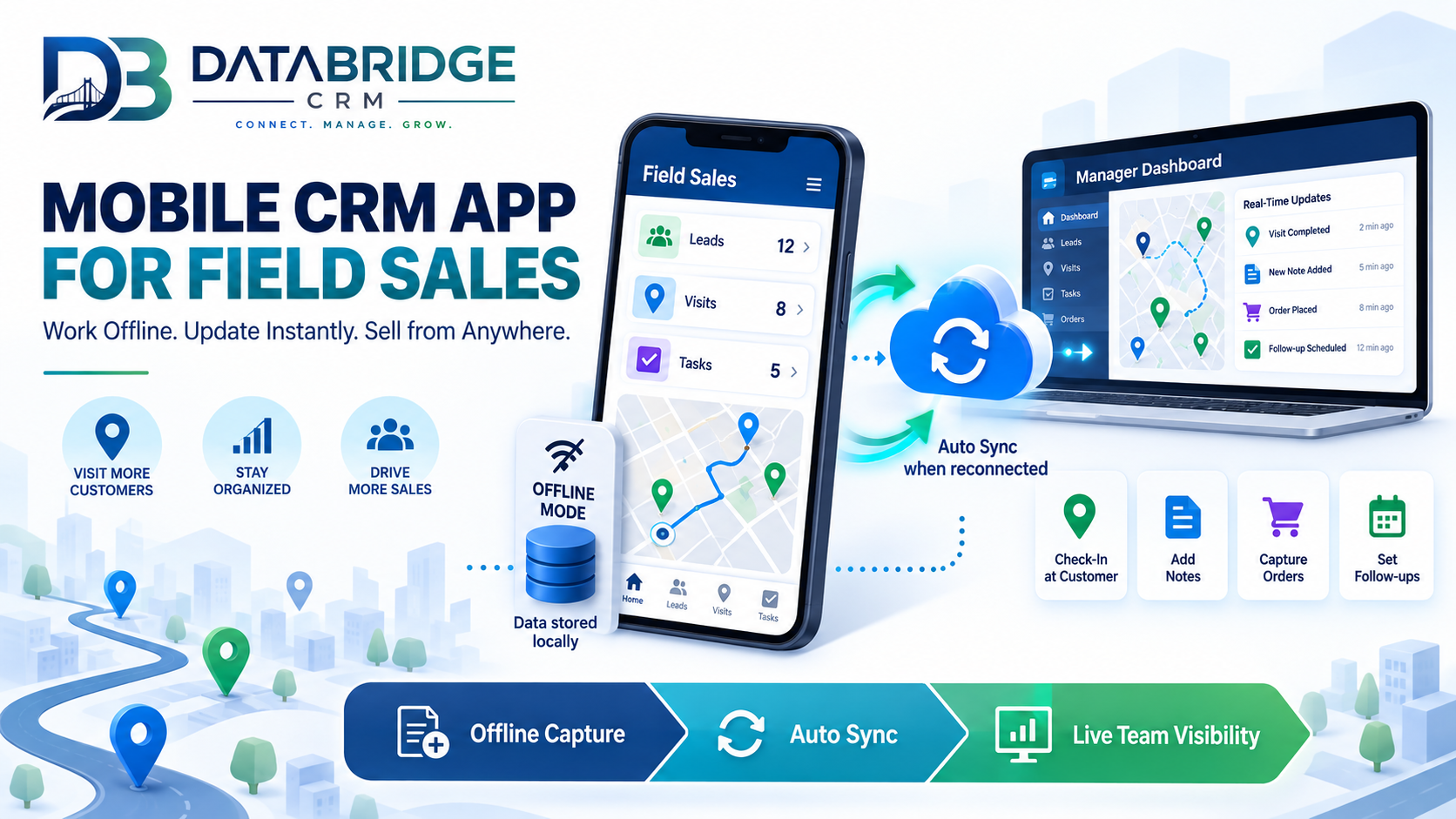
A sales rep visiting multiple customers throughout the day often ends up updating CRM records hours later, from memory, back at a desk — by which point details are forgotten, follow-up timing has already slipped, and the data entered is noticeably less accurate than it would have been in the moment. A proper mobile CRM app for field sales solves this by making the CRM usable directly from wherever the rep actually is.
Why Desktop-Only CRM Fails Field Teams
A CRM that's genuinely only practical to use from a desktop computer creates a built-in delay for any team member who spends most of their day outside an office — field sales reps, service technicians, delivery staff. This delay compounds: information updates late, follow-ups get scheduled less precisely, and managers lose real-time visibility into what's actually happening in the field.
What a Mobile CRM App Should Actually Provide
Full Functionality, Not a Stripped-Down View
A mobile CRM that only allows viewing information, without the ability to log calls, update lead status, or schedule follow-ups, still forces reps back to a desktop to do real work — genuine mobile usability means the app supports full daily workflows, not just read-only access.
Offline Access With Automatic Sync
Field reps frequently work in areas with poor connectivity. A mobile CRM needs to function offline, storing updates locally and syncing automatically once a connection is available, rather than becoming unusable the moment signal drops.
Quick Logging of Visits and Calls
Logging a customer visit or call should take seconds, not minutes — a mobile CRM with a cumbersome data entry process will simply be avoided by busy field staff, defeating its purpose regardless of how capable it is on paper.
Location-Based Features
For field sales specifically, features like nearby customer lookup or visit check-ins tied to location add genuine value that a desktop-only CRM structurally can't offer.
Why Real-Time Updates Matter for Managers, Not Just Reps
When field data updates in real time rather than at the end of the day, sales managers get an accurate, current picture of pipeline activity — which is especially valuable for identifying issues (a stalled deal, a missed follow-up) while there's still time to intervene, rather than discovering problems after the fact in an end-of-day report.
Common Mobile CRM Adoption Challenges
- Overly complex mobile interfaces that are harder to use than the desktop version, discouraging genuine field use
- No offline support, making the app unreliable in areas with inconsistent connectivity
- Slow data entry, causing reps to revert to notes and update the CRM later, defeating the purpose
- Inconsistent data between mobile and desktop versions, creating confusion about which record is accurate
What to Look for in a Mobile CRM
- Does it support full CRM functionality, not just a limited, view-only mobile experience?
- Does it work reliably offline, with automatic sync once reconnected?
- Is data entry genuinely fast enough for a busy field rep to actually use consistently?
- Does it stay in sync accurately with the desktop version, with no data conflicts?
DataBridgeCRM's Mobile App
DataBridgeCRM's mobile app gives field sales and service teams full CRM functionality on the go — logging visits, updating leads, and accessing customer history directly from the field, with the same real-time data used across the rest of the platform, part of the broader all-in-one system starting at ₹50/day.
Give Your Field Team a CRM They'll Actually Use
If your field sales team is updating records late or inconsistently, book a free demo of DataBridgeCRM's mobile CRM app and see real-time field updates in action.

