
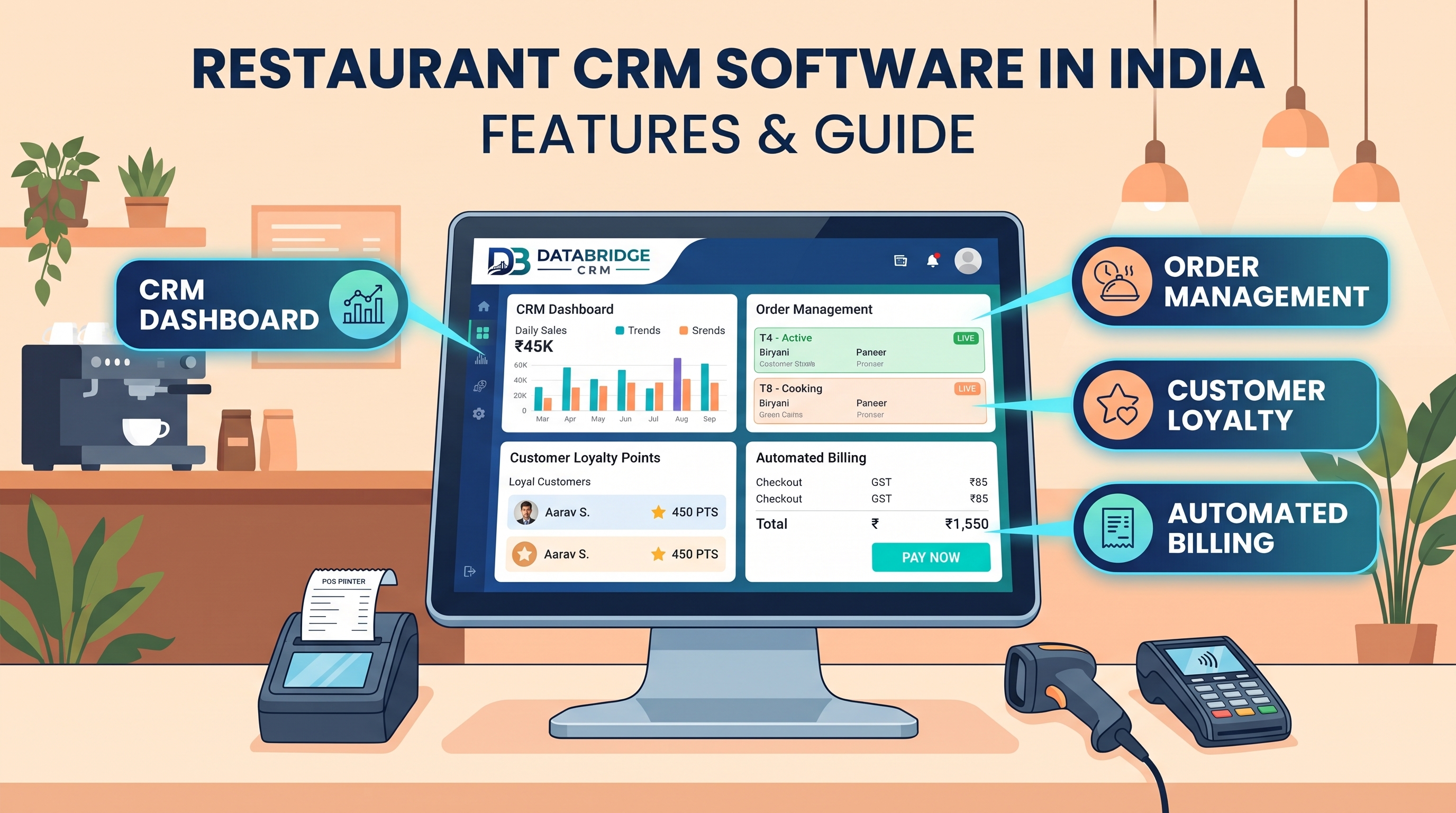
Every restaurant business runs on a handful of daily activities: serving customers, recording work, tracking money and following up. When these live in notebooks, spreadsheets and phone chats, mistakes and missed opportunities are inevitable. If you are looking for restaurant CRM software or reliable CRM software for small business India, this guide explains what a Restaurant CRM does, who needs it, the features that matter and how to pick and roll out the right system.
What Is a Restaurant CRM?
A Restaurant CRM brings your day-to-day operations and customer relationships into one platform. Instead of asking staff to search through registers and chats, everything about a customer, an order, a job or a booking is available in one screen. Owners get reports; staff get reminders; customers get faster, more consistent service.
Who Is It For?
This type of software is built for businesses such as: Cafés, Bars, Pubs, Lounges, Fast Food outlets, QSRs, Cloud Kitchens, Bakeries, Sweet Shops, Ice Cream parlours, Food Courts and Caterers. Whether you run one location or several, the core need is the same: a reliable record of what happened, what is pending and what should happen next.
Common Problems a Restaurant CRM Solves
- Orders from dine-in, phone and delivery apps are scattered across tools
- Table and KOT mix-ups slow service and upset guests
- Food cost and wastage are hard to see without ingredient tracking
- Guests visit once and are never invited back
Each of these problems has a direct cost, either in lost sales, wasted staff time or unhappy customers. The goal of a CRM is not to add more work, but to remove repeated manual effort and make follow-up automatic.
Key Features to Look For
1. Table and KOT management
Take orders at the table, send KOTs to the kitchen and split or merge bills easily. For a business that struggles with “orders from dine-in, phone and delivery apps are scattered across tools,” this feature alone can remove a daily bottleneck.
2. Online order consolidation
Bring aggregator, website and phone orders into one screen. For a business that struggles with “table and kot mix-ups slow service and upset guests,” this feature alone can remove a daily bottleneck.
3. Recipe and ingredient inventory
Track stock at ingredient level and see real food cost per dish. For a business that struggles with “food cost and wastage are hard to see without ingredient tracking,” this feature alone can remove a daily bottleneck.
4. Guest database and loyalty
Capture guest details, preferences and visit history for offers and win-back messages. For a business that struggles with “guests visit once and are never invited back,” this feature alone can remove a daily bottleneck.
5. Reservations and events
Manage table bookings, birthdays and party enquiries. For a business that struggles with “orders from dine-in, phone and delivery apps are scattered across tools,” this feature alone can remove a daily bottleneck.
6. Reports
Item-wise sales, peak hours, outlet comparison and staff performance. For a business that struggles with “table and kot mix-ups slow service and upset guests,” this feature alone can remove a daily bottleneck.
How Businesses Use It in Real Life
A neighbourhood café
The café captures guest phone numbers at billing, tracks favourite orders and invites regulars back with birthday offers.
A cloud kitchen
Orders from two delivery apps and WhatsApp land in one screen, and ingredient-level stock shows the true cost per dish.
A sweet shop
The shop collects festival pre-orders, tracks advance payments and plans production from confirmed quantities.
A multi-outlet QSR
The head office compares outlet sales, wastage and peak hours from one dashboard.
Benefits You Can Expect
- Less manual work and fewer data-entry errors
- Faster response to every customer or enquiry
- Better follow-up discipline across the team
- Clear owner visibility through live reports
- Higher repeat business through reminders and offers
- Customer data that stays with the business, even when staff leave
Business Software for Jaipur and the Rest of India
Whether you are searching for CRM software Jaipur, ERP software Jaipur or CRM software for small business India, the decision comes down to the same question: will your team actually use it every day? Businesses in Jaipur and across Rajasthan often run lean teams, handle a mix of walk-in and online customers, and cannot afford software that takes months to learn. Look for a provider that offers local-language-friendly onboarding, quick support and pricing that fits a growing restaurant business. If your business also includes hotels, stays or guest-facing rooms, a dedicated hotel management software India module keeps bookings and billing organised. For billing-heavy counters, pairing your CRM with reliable billing POS software India removes double entry between sales and customer records.
A CRM focuses on customers, enquiries and follow-ups, while ERP software covers back-office areas such as inventory, purchasing, accounts and HR. Smaller businesses usually start with CRM and billing, then add ERP-style modules as they grow. Choosing a platform that can expand in stages protects your investment.
CRM, ERP and POS: How They Fit Together
CRM, ERP and POS are often mentioned together, which can confuse buyers. A CRM manages customers, enquiries, follow-ups and communication. A POS handles billing at the counter. ERP software covers back-office processes such as purchasing, inventory, accounts and HR. In a small restaurant business, a CRM with billing and inventory features is usually enough at the start. As you add branches, staff and suppliers, ERP-style modules become useful. The best approach is to choose a platform that lets you add modules over time, so you never have to restart from zero.
How CRM Data Drives Growth
Once your team records every customer interaction, patterns appear. You can see which services or products sell most, which months are slow, which staff member closes the most enquiries and which customers have not returned for a long time. These insights help you plan stock, staffing, offers and advertising with confidence instead of guesswork. Even basic reports, reviewed weekly, can reveal quick wins such as an overlooked segment of repeat customers or a source of enquiries that never converts.
Data Migration Tips
- Export customers, products and open work from your current sheets or software before the change
- Remove duplicates and fix phone numbers, names and categories
- Start with the minimum useful fields; add more later
- Import a small sample first and check it carefully
- Keep a read-only copy of old data for reference
Helping Your Team Adopt the System
The best software fails if people avoid it. Explain why the change helps them personally, such as fewer repeated questions, faster billing or automatic reminders. Train in short sessions by role, appoint one internal champion and review usage weekly in the first month. Celebrate early wins, like a missed enquiry recovered through a reminder. Owners should use the reports themselves, because staff follow what managers check.
A 10-Point Checklist Before You Buy
- Is the software built for my type of business, or is it a generic tool?
- Can it import my existing Excel customer and stock data?
- Does it work on mobile for owners and field staff?
- Which integrations are included: WhatsApp, payments, telephony, website?
- Can I define my own pipeline stages, fields and reports?
- How are user roles and permissions handled?
- Where is my data stored and how often is it backed up?
- What training and onboarding does the vendor provide?
- What support hours and channels are available?
- Is pricing clear, including users, branches, SMS and WhatsApp costs?
Request a demo, give the vendor a real scenario from your own business and see how the system handles it. A good vendor will welcome the test.
Mistakes to Avoid During Setup
- Not mapping menu items to ingredients, which hides real food cost
- Keeping delivery app orders outside the main system
- Ignoring guest data after billing
- Skipping KOT printer testing before launch
- Never reviewing item-wise sales to trim the menu
A 30-Day Rollout Plan
Week 1
Upload the menu, taxes and tables, and map key recipes.
Week 2
Train captains, cashiers and kitchen staff on KOT flow.
Week 3
Go live at peak-light hours and refine printer routing.
Week 4
Turn on guest loyalty and review cost reports.
Metrics to Track After Going Live
Software only pays off when you measure results. Start with these:
- Average order value
- Table turnover time
- Food cost percentage
- Repeat guest rate
- Delivery order share
Review them weekly in the first month and monthly after that. Small improvements in these numbers usually translate directly into revenue.
Why DataBridge CRM?
DataBridge CRM (databridgecrm.com) is a business software platform designed to help growing companies manage customers, follow-ups, communication and reports in one place. For restaurant businesses, it can be configured with the workflows, reminders, user roles and reports described in this guide, and extended with related modules as you grow. If you want crm software for small business india that is practical rather than complicated, book a free demo of DataBridge CRM and see it run on your own use case.
Frequently Asked Questions
What is the difference between restaurant POS and restaurant CRM?
POS handles orders and billing, while CRM adds guest data, loyalty, feedback and marketing. Many platforms combine both.
Can a cloud kitchen use restaurant CRM?
Yes. Cloud kitchens use it to merge orders from multiple apps, track repeat customers and control food cost.
Does it support multiple outlets?
Yes. Multi-outlet reporting and menu management are standard needs for QSR and food-court operators.
Can it handle dine-in and delivery together?
Yes. Most systems manage both order types and consolidate reports.
Does it support split bills?
Yes. Splitting by item, seat or amount is a standard feature.
Can I track wastage?
With ingredient-level inventory you can log wastage and compare it with consumption.
Is it suitable for bars and pubs?
Yes, with stock tracking suited to bottles, pegs and happy-hour pricing.
Can I run loyalty offers?
Yes. Points, visit-based rewards and birthday offers can be automated.
Does it work on tablets?
Many platforms offer tablet or mobile ordering for captains.
Can I try DataBridge CRM before buying?
You can request a demo at databridgecrm.com to see how the platform fits your workflow before you decide.
Ready to simplify your operations? Visit databridgecrm.com and talk to the team today.

