
Friday, 8:40 pm. A café is full. Table 6 ordered two pastas and a cold coffee, but one KOT slip slid under the counter and the kitchen never saw it. Table 6 waits twenty minutes, the manager apologises, and the bill gets adjusted by hand. Nobody did anything wrong. The process just had too many places for a slip to disappear.
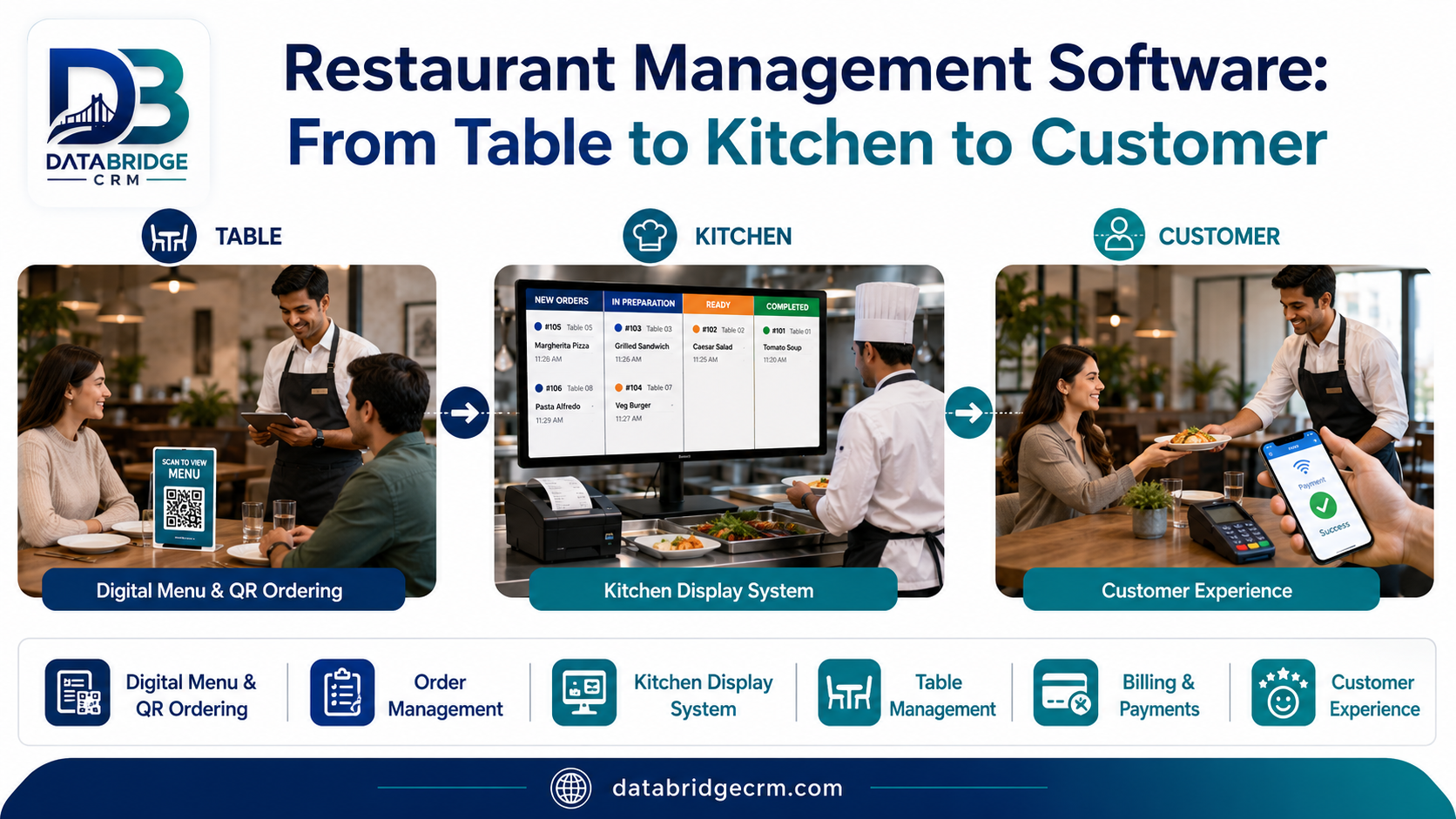
Restaurant software exists to close those gaps. This guide follows one order from the moment a guest sits down to the next morning’s sales report, so you can see what each part of the software is for and what to check before you pick one.
What restaurant management software actually covers
Think of it as five jobs that used to live in five different places:
- Floor and tables: who is sitting where, what’s free, what’s about to turn
- Orders and kitchen tickets (KOT): what was ordered, what the kitchen is making, what’s late
- Billing: taxes, discounts, split bills, payments
- Stock: what you used, what’s running low
- Customers and reports: who visited, what sold, what the day looked like
A good system keeps them in one flow. A weak one gives you a billing screen and leaves everything else to notebooks and WhatsApp groups.
Where restaurants lose money and goodwill
- Orders written on paper and re-keyed in the kitchen, with mistakes in between
- Items that sold out but stayed on the menu
- Discounts given by staff with nobody tracking them
- Bills split manually for large groups, which slows tables
- No record of regulars, so every visit starts from zero
- Daily sales discovered the next day instead of while you can still act on them
None of these looks huge alone. Together they cost covers on busy nights and trust on slow ones.
One order, start to finish
Here is what a well-built system should do on a normal evening.
- Seating. A guest sits at table 6. The table shows as occupied on the floor view.
- Order taking. The waiter enters items with notes like “less spicy” or “no onion”, on a device or at the counter.
- Kitchen ticket. The order reaches the kitchen right away, on a printed KOT or a screen, routed to the right station.
- Changes. The guest adds a dessert and cancels a drink. The kitchen and the bill both update, with a record of who changed what.
- Billing. Taxes and any discount apply, the bill splits if needed, and the guest pays by cash, card or UPI.
- Customer record. The guest’s details are saved with consent, so next visit starts with some memory.
- Reports. By closing time, sales by item, by hour and by payment mode are ready to read.
If a demo can’t show this flow smoothly with your own menu, keep looking.
What DataBridge CRM offers for restaurants
DataBridge CRM lists a Restaurant CRM in its solutions, described as covering tables, orders and kitchen, and it sits alongside a separate Billing POS and a WhatsApp marketing tool in the same ecosystem. All of it is developed under the DataBridge name and powered by Jayshree Technosoft.
Exact features such as table layouts, kitchen ticket handling, online ordering or integrations are best confirmed on the Restaurant CRM page and in a live demo with your own menu. Use the checklist below to run that demo properly.
How different food businesses use this kind of software
Cafés and casual dining. Table turns and order accuracy matter most. Check how modifiers, add-ons and split bills are handled.
QSRs and fast food. Speed is everything. Look for quick order entry, token or order-number handling and a short path from payment to kitchen.
Cloud kitchens. There’s no dining room, so the focus shifts to order intake, preparation tracking and delivery handover. Ask how orders from different sources are managed.
Bars, pubs and lounges. Tabs, happy-hour pricing and stock by the peg or bottle matter. Confirm these before assuming they’re supported.
Bakeries, sweet shops and ice cream shops. Counter billing with weight or piece pricing, custom orders and seasonal rate changes are common. Test with your festive items.
Food courts and catering. Multiple counters or bulk event orders need separate handling. Ask how each is supported, if at all.
Benefits by business size
A single café mostly gains accuracy and a quicker close of day. A growing restaurant with two or three outlets gains one view of sales and stock across locations. A larger group gains consistent menus, pricing and reporting. The software should fit where you are today and have a path to where you’re heading.
What to check before you choose
- Order flow: place, change and cancel an order, and see it reach the kitchen.
- Speed at peak: try it with several orders in a row, not one.
- Billing: tax handling, discounts, service charge, split bills, UPI and card.
- Menu management: how easily can you mark an item unavailable or change a price?
- Customer data: is it saved with consent, and can you actually use it for follow-ups?
- Reports: can the owner read them on a phone?
- Hardware: printers, screens and tablets you already own.
- Support: who answers when the system hiccups on a Saturday night?
- Your data: where is it stored and can you export it?
Rolling it out without stressing the kitchen
Enter the menu and prices carefully before anything else. Train staff on a slow day, not a weekend. Run the new system for a few days in parallel with your old process. Let one or two confident staff members lead the rest. And ask the kitchen for feedback early, since they feel every KOT problem first.
Final thoughts
The best restaurant software is the kind nobody talks about during service. Orders get to the kitchen, bills come out right, and the owner sees the day’s numbers without waiting for the accountant.
If you’re comparing options, look at the DataBridge Restaurant CRM, then book a demo and bring your real menu. If you’re in Jaipur or elsewhere in India, you can also contact the team.
Frequently Asked Questions
What is restaurant management software?
It connects tables, orders, kitchen tickets, billing, stock and customer records in one system so the front and back of house work from the same information.
What is KOT?
A kitchen order ticket. It’s how an order reaches the kitchen, printed or on a screen.
Does a small café need it?
If order mix-ups, manual bill splitting or end-of-day counting eat your time, yes. Start with ordering and billing and add the rest later.
What should I check in a demo?
Run a full order with changes, a split bill, a sold-out item and a day-end report using your own menu.
Can it help bring back regular guests?
If it stores customer details with consent, you can use them for follow-ups. Confirm what the product supports.

