
A clinic runs on small moments. The phone rings while a patient is at the desk, a walk-in arrives just as a doctor finishes a consultation, and someone asks whether last month's report was filed. In a clinic with a small team, one missed detail can slow the whole morning.
Clinic management software helps your team handle these moments in an organised way. This guide explains what it does, how a CRM layer supports patient communication, what to check before you buy and how DataBridge CRM approaches industry-specific software, including Windows and mobile app options.
What Is Clinic Management Software?
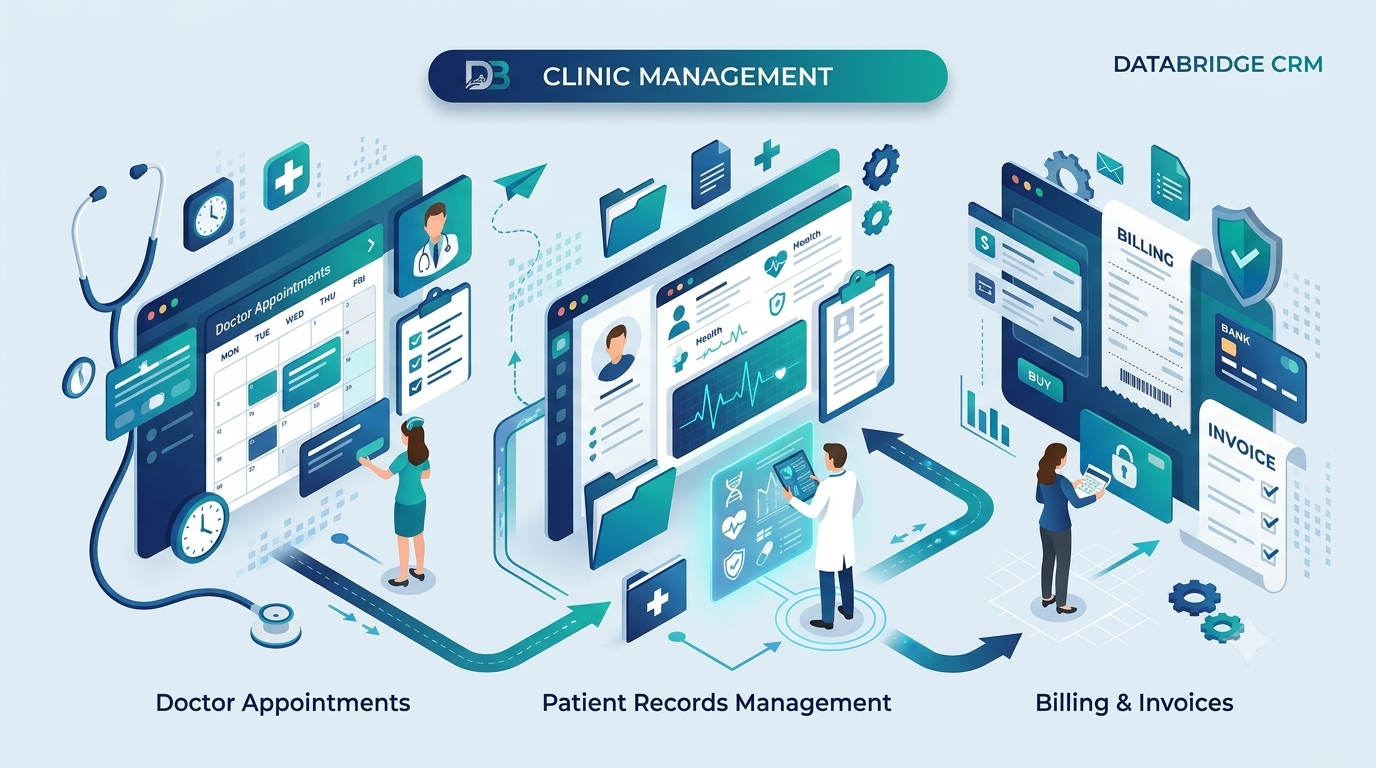
It is a system that handles the administrative side of a clinic: appointments, patient records, billing, reminders and reports. A CRM element helps the clinic stay in touch with patients, for example by reminding them of a follow-up visit.
Clinic software is different from a hospital system. Clinics usually have fewer staff, simpler workflows and a stronger need for speed at the front desk. A good clinic tool should feel light, not heavy.
Everyday Problems Clinics Face
- Appointment clashes: Phone bookings, walk-ins and online requests are noted in different places.
- Missed visits: Patients forget appointments, leaving gaps in the doctor's day.
- Paper files: Finding a previous visit record means searching through folders.
- Repeated data entry: Returning patients are asked for the same details again.
- Billing mistakes: Fees, discounts and pending balances are tracked by hand.
- No follow-up routine: Patients who need a review or a repeat visit are not reminded.
- Unclear numbers: The owner cannot see daily visits, collections or busy hours without counting.
What Good Clinic Software Should Help You Do
1. Manage appointments
Doctor schedules, slots, walk-ins and cancellations should appear in one calendar. The front desk should see at a glance who is waiting and who is next.
2. Keep patient records organised
A patient record stores contact details and visit history in one place. When a returning patient arrives, staff open the record instead of rewriting everything. Ask the vendor precisely what the record can store and who can see it.
3. Handle billing and invoices
Consultation fees, procedures and other charges should produce a clear bill. Pending payments and payment modes should be easy to review.
4. Send reminders and stay in touch
DataBridge offers WhatsApp marketing and email marketing tools. A clinic could use such channels for appointment reminders and general updates, provided patients have agreed to receive messages. Keep messages administrative and never include sensitive health details.
5. Support follow-up care
A CRM can show who is due for a review or a repeat visit, so the team can reach out at the right time instead of relying on memory.
6. Control access
The receptionist, the doctor and the owner need different levels of access. Role-based access is a basic requirement for any system that holds patient information.
7. Report on the clinic's activity
Daily visits, collections, busy hours and pending dues help an owner plan staffing and timings with facts instead of impressions.
Note: Features such as prescriptions, clinical notes, lab links, insurance handling and online booking vary widely between products. Ask the vendor to demonstrate each one you need.
Windows, Android and iOS: Which Device for Which Job?
A clinic's front desk and its doctors rarely use the same device. DataBridge lists app downloads for Windows and macOS and app-store buttons for mobile on its platform, so a clinic can think about devices by role.
- Windows desktop: A natural fit for the reception desk, billing and printing.
- Android: Useful for owners and doctors who want to check the day's schedule or summary on a phone or tablet.
- iOS: Convenient for iPhone and iPad users, subject to availability.
The apps available for the clinic solution may differ from the general platform listing. Please confirm current Windows, Android and iOS options, and how data is protected on each device, with the DataBridge team during your demo.
Use Cases by Clinic Type
- General and multi-specialty clinics: Several doctors, shared front desk and a busy appointment calendar.
- Dental clinics: Recurring appointments, treatment-stage follow-ups and billing for multiple visits.
- Eye clinics: Regular check-ups and reminders for repeat visits.
- Skin and hair clinics: Session-based visits and follow-up scheduling.
- Physiotherapy and rehabilitation clinics: Multiple sessions over weeks, with attendance and billing tracking.
- Pediatric clinics: Appointment reminders for families and periodic visit tracking.
- Gynecology, orthopedic and IVF clinics: Long-cycle scheduling and sensitive record handling.
- Ayurvedic and homeopathy clinics: Repeat consultations and follow-up planning.
- Cosmetic clinics: Consultation bookings and package billing.
Benefits by Clinic Size
Solo practitioners save time on bookings and billing without hiring extra staff. Multi-doctor clinics keep one shared calendar and avoid double bookings. Multi-branch groups gain consistent records and reporting across locations.
A Simple Example
A physiotherapy clinic books patients for a series of sessions. Without a system, the front desk tracks sessions in a notebook, and patients sometimes miss their slot. With a shared calendar and reminders sent with consent, the desk sees who is due, confirms the slot and records attendance. The clinic's day runs more evenly, and patients feel better looked after. The improvement is about organisation, not about medical outcomes.
Privacy Questions to Ask Every Vendor
- How are user roles and permissions set up?
- Is there a record of who opened or changed patient data?
- How are backups handled, and who owns the data?
- Where is the data stored, and how is it protected?
- How can the clinic export its data if it ever changes software?
Patient information is sensitive. Take advice from your legal or compliance adviser on the rules that apply to your clinic.
How to Choose Clinic Management Software
- Does it cover appointments, patient records, billing and reminders together?
- Is it simple enough for a small front-desk team to learn quickly?
- Does it work on the devices you already use?
- Can it be adjusted to your speciality and workflow?
- Is training included, and what support is available during clinic hours?
- Is the vendor clear about what the product does not do?
Bring three real situations to the demo: a walk-in squeezed into a full day, a patient with a pending balance and a follow-up reminder. Watch how easily the software handles each.
Take the Next Step
DataBridge CRM from Jaipur offers industry-specific software across many sectors, and its team can discuss how a clinic workflow would be set up for your practice.
Book a free demo or contact the team to talk through your clinic's needs.
Frequently Asked Questions
1. What does clinic management software do?
It helps clinics manage appointments, patient records, billing, reminders and reports in one organised system.
2. Is it suitable for a single-doctor clinic?
Yes. A small clinic benefits from faster bookings, organised records and clearer billing. Check that the product is simple enough for your team.
3. Can it send appointment reminders?
Many clinic tools can. DataBridge offers WhatsApp and email marketing tools; confirm how reminders work in the clinic solution, and send only to patients who have agreed.
4. Are Windows and Android apps available?
DataBridge lists Windows, macOS and mobile app options on its platform. Confirm current availability for the clinic solution during a demo.
5. How is patient data protected?
Ask the vendor about role-based access, backups, activity records and data storage, and involve your compliance adviser.
#DataBridgeCRM #ClinicManagement #ClinicSoftware #HealthcareTech #AppointmentManagement
Clinic Management Software, Clinic CRM, Clinic Appointment Management, Patient Record Management, Clinic Billing Software, Patient Communication, Clinic Administration, Clinic Software Jaipur, DataBridge CRM

