
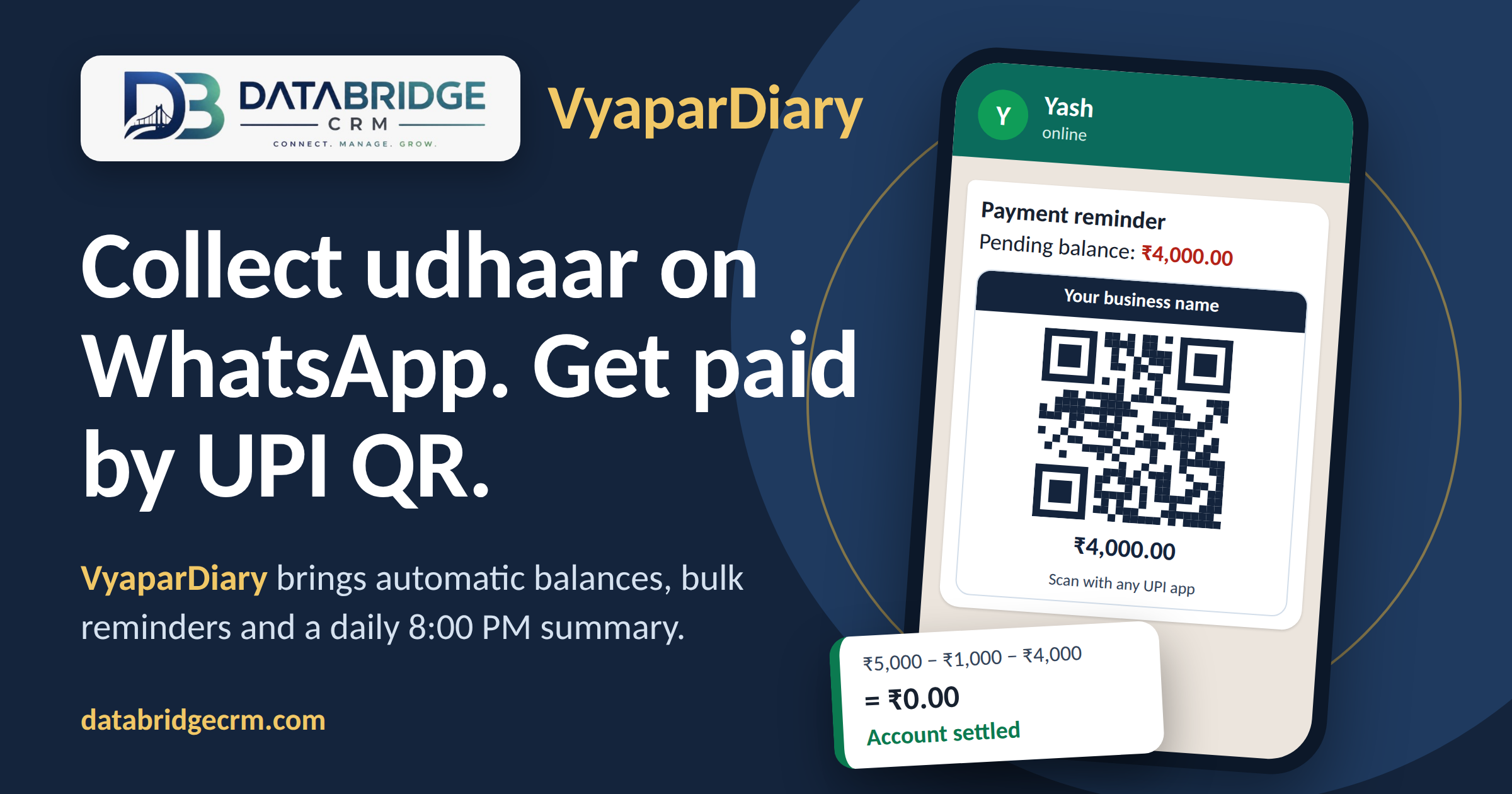
Managing customer credit (Udhaar) on paper notebooks, diaries, or Excel sheets is one of the biggest reasons Indian business owners lose money and waste hours every week. From misplaced records and calculation mistakes to the awkwardness of calling customers for payment, traditional paper ledger methods simply cannot keep up with modern commerce.
Enter VyaparDairy — a purpose-built, cloud-synced digital customer ledger and payment collection powerhouse integrated directly into [DataBridge CRM](https://databridgecrm.com/).
Whether you run a retail shop, wholesale agency, dairy, distribution center, or service business, VyaparDiary replaces messy paper registers with an automated system that calculates customer balances in real-time, generates dynamic UPI QR codes, and sends professional payment reminders directly over WhatsApp.
In this definitive guide, we will break down everything you need to know about VyaparDiary—from initial setup and daily credit-debit tracking to one-click bulk reminders and instant UPI collections.
Ready to streamline your ledger? You can [open your VyaparDairy panel](https://panel.databridgecrm.com/user/vyapardairy) right now to follow along.
Table of Contents
1. [What is VyaparDiary? The Digital Customer Ledger Explained](what-is-vyapardiary-the-digital-customer-ledger-explained)
2. [Key Features at a Glance](key-features-at-a-glance)
3. [Understanding the VyaparDiary Dashboard & Balance Cards](understanding-the-vyapardiary-dashboard--balance-cards)
4. [Step-by-Step Setup: Configuring UPI ID & NPCI QR Codes](step-by-step-setup-configuring-upi-id--npci-qr-codes)
5. [How to Add and Manage Customer Accounts](how-to-add-and-manage-customer-accounts)
6. [Mastering Udhaar (Debit) vs Jama (Credit) with Real Examples](mastering-udhaar-debit-vs-jama-credit-with-real-examples)
7. [Automated WhatsApp Payment Reminders & Branded QR Posters](automated-whatsapp-payment-reminders--branded-qr-posters)
8. [Bulk Reminders & 8:00 PM WhatsApp Daily Summary](bulk-reminders--800-pm-whatsapp-daily-summary)
9. [Traditional Paper Ledger vs. VyaparDiary on DataBridge CRM](traditional-paper-ledger-vs-vyapardiary-on-databridge-crm)
10. [Frequently Asked Questions (FAQs)](frequently-asked-questions-faqs)
11. [Conclusion: Modernize Your Cash Flow Today](conclusion-modernize-your-cash-flow-today)
What is VyaparDiary? The Digital Customer Ledger Explained
VyaparDiary is the smart digital credit/debit ledger module built inside the [DataBridge CRM all-in-one business suite](https://databridgecrm.com/). It is designed to help micro, small, and medium enterprises (MSMEs) record customer credit, track repayments, and recover outstanding money 3x faster without friction.
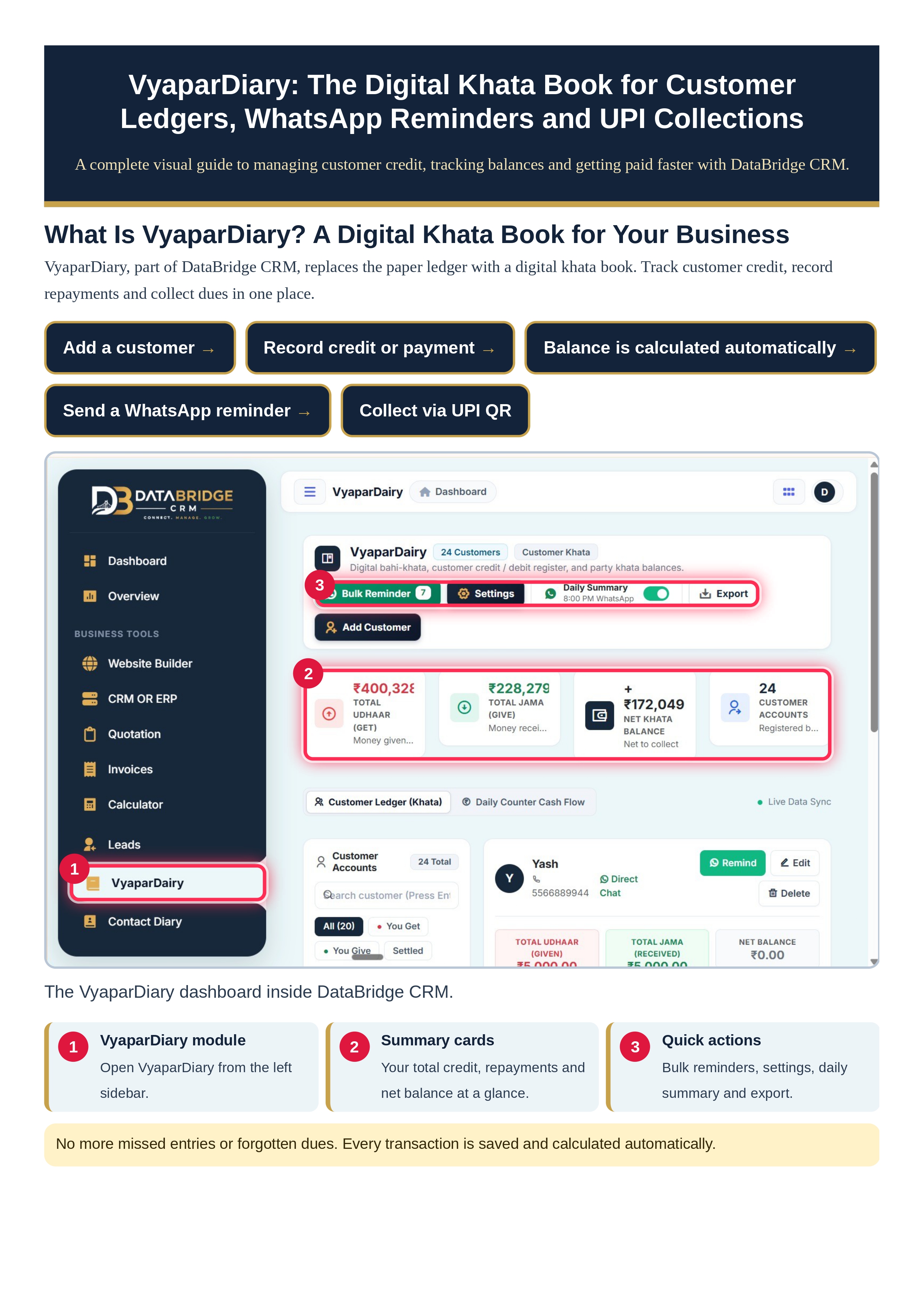
Instead of writing transactions by hand and manually calculating pending amounts, VyaparDiary operates on a seamless 5-step automated loop:
```
[ Add a Customer ] ➔ [ Record Credit or Payment ] ➔ [ Auto Balance Calculation ] ➔ [ Send WhatsApp Reminder ] ➔ [ Instant Collection via UPI QR ]
```
Everything is backed by Live Data Sync, meaning every entry you make is instantly saved on the cloud—accessible anytime, from any device, without fear of losing physical ledgers.
Key Features at a Glance
Live Digital Customer Ledger: Real-time credit (Udhaar) and repayment (Jama) tracking for every customer account.
Instant Auto-Calculated Balances: Never perform manual math again. The system computes net dues on every entry.
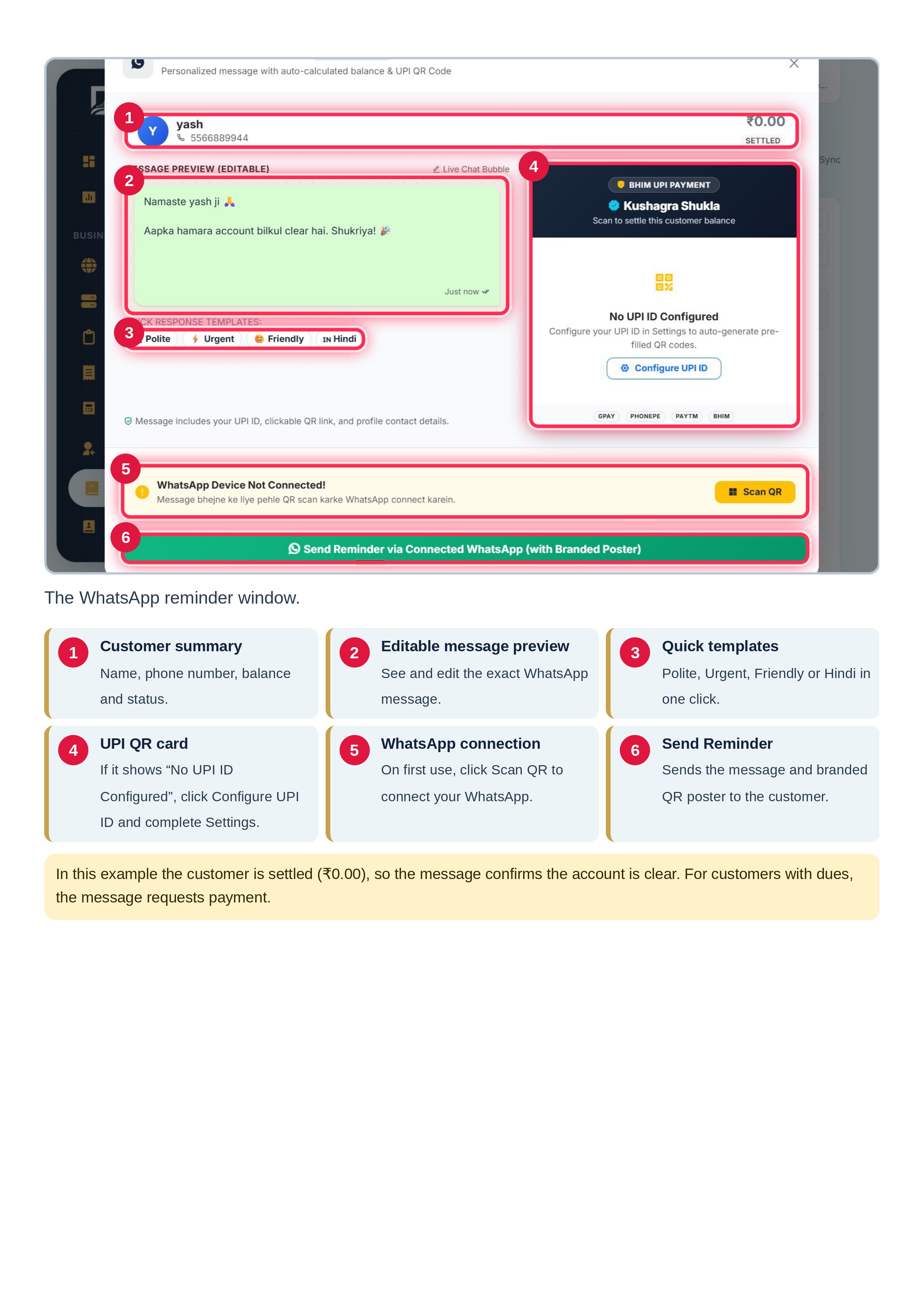
Smart WhatsApp Reminders: Send personalized messages with polite, urgent, friendly, or Hindi templates in one click.
Dynamic UPI QR Code Generation: Customers receive an auto-generated QR code pre-filled with the exact pending amount, compatible with PhonePe, Google Pay, Paytm, BHIM, and CRED.
Bulk Reminder Engine: Notify all debtors with pending dues simultaneously with a single click.
Nightly 8:00 PM WhatsApp Summary: Receive an automated day-end financial briefing directly on the business owner’s WhatsApp.
Data Backup & Export: Download your complete customer credit register anytime for accounting or printing.
To experience these features live, log into the [VyaparDairy customer ledger dashboard](https://panel.databridgecrm.com/user/vyapardairy).
Understanding the VyaparDiary Dashboard & Balance Cards
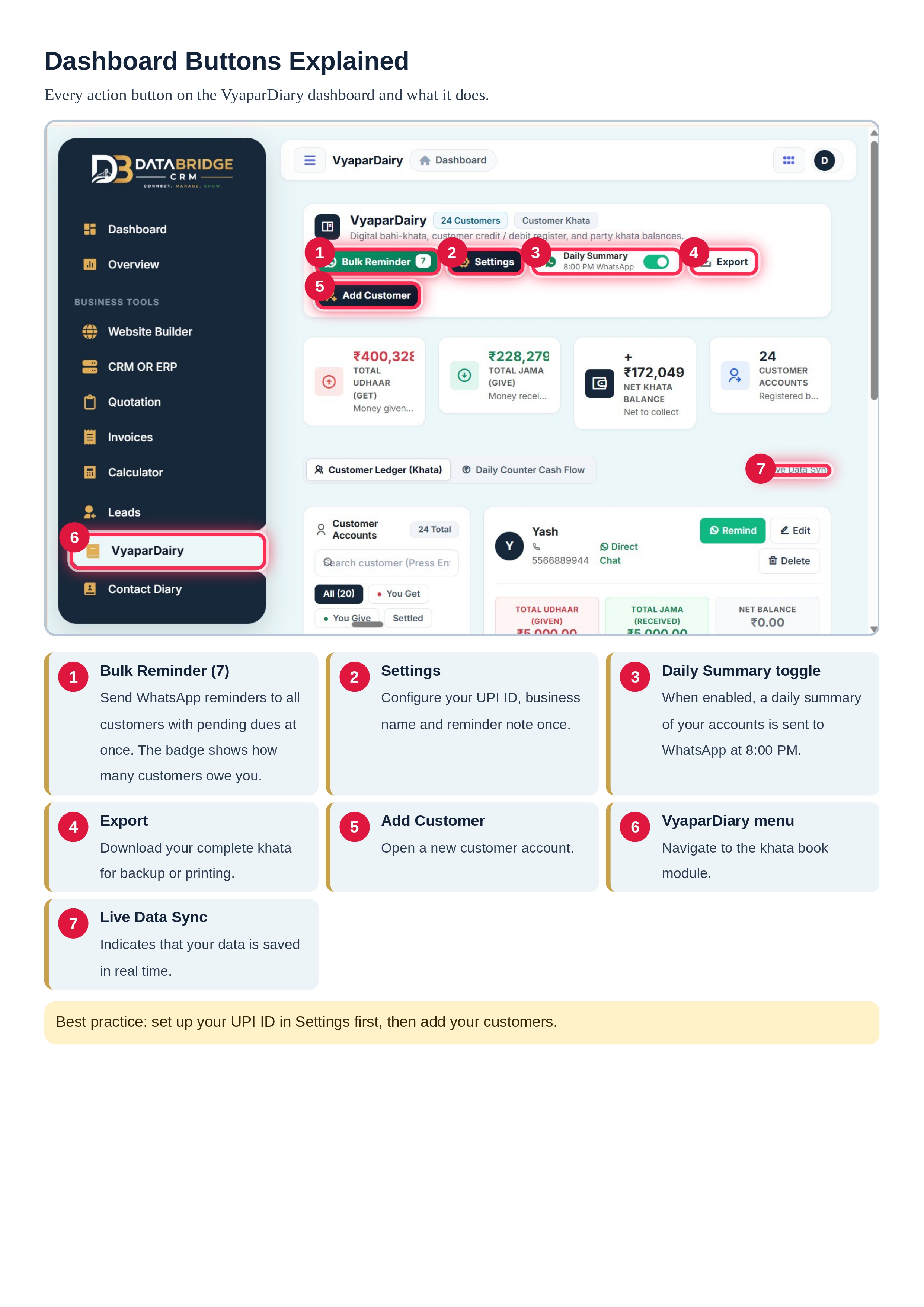
When you access VyaparDiary inside [DataBridge CRM](https://databridgecrm.com/), you are greeted by an intuitive, high-visibility dashboard designed for speed and clarity.
The 4 Real-Time Balance Cards
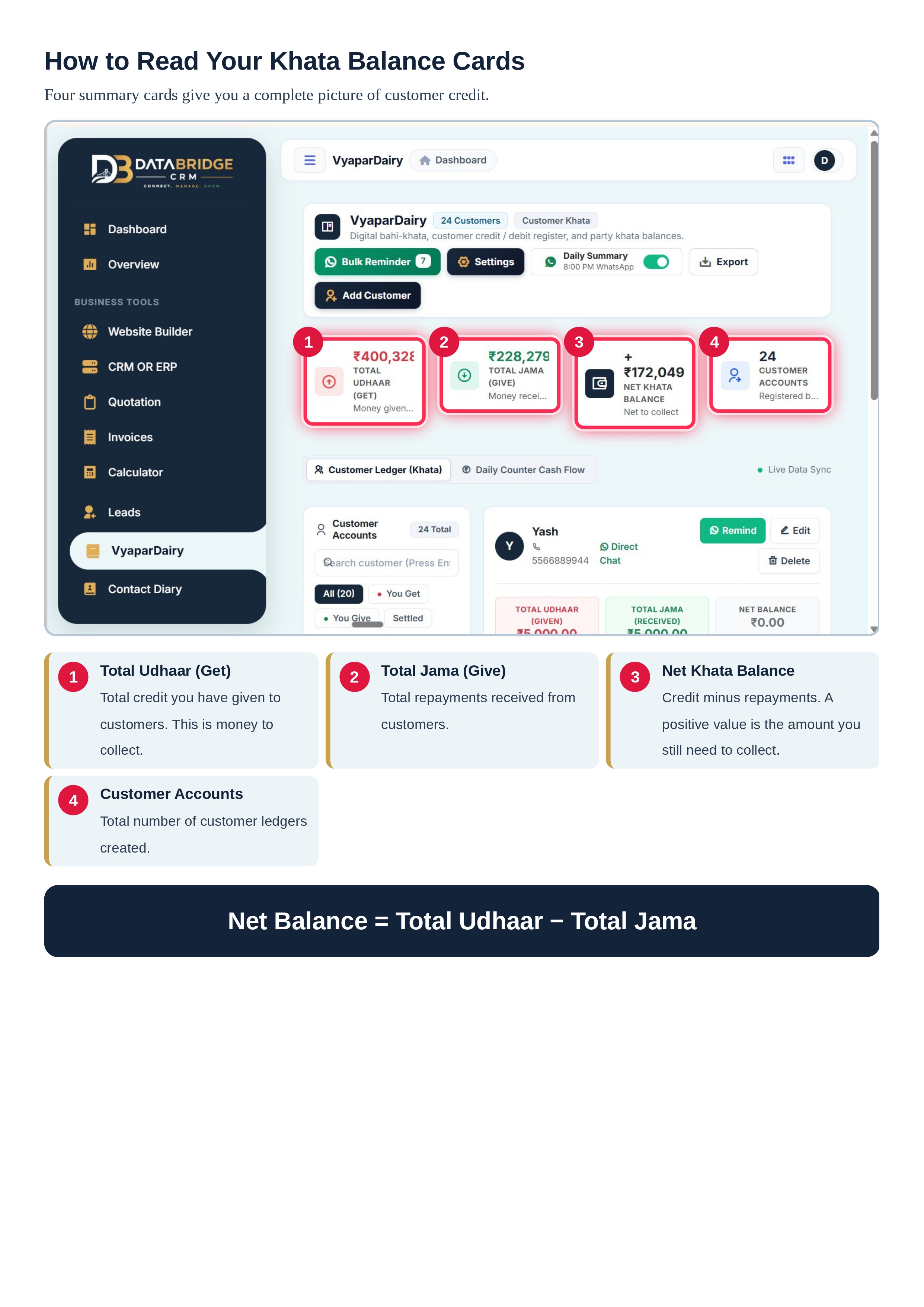
At the very top of the screen, four summary cards provide a bird’s-eye view of your entire business credit health:
1. Total Udhaar (GET): The total money/goods you have given on credit across all customers. This represents the total gross money you are owed.
2. Total Jama (GIVE): The total repayments you have received from customers to date.
3. Net Ledger Balance (Net Khata Balance): The exact net amount remaining to be collected.
$$\text{Net Balance} = \text{Total Udhaar} - \text{Total Jama}$$
A positive balance indicates customer dues that need to be recovered, while ₹0.00 indicates a fully settled account.
4. Customer Accounts: The total number of customer ledgers registered in your system.
Top Action Controls
Above the summary cards, you have quick-action triggers:
Bulk Reminder Button: Features an active counter badge (e.g., `Bulk Reminder (7)`) indicating exactly how many customers currently owe money.
Settings Gear: One-time configuration for UPI ID, business identity, and payment notes.
Daily Summary Toggle: Turn this toggle ON to receive an automated account status update on WhatsApp every night at 8:00 PM sharp.
Export Button: Instantly export your entire customer ledger data for printing, auditing, or local backup.
Add Customer: Fast-action button to onboard a new party in seconds.

