
A hospital is really many small businesses working under one roof. The front desk registers patients, doctors consult, wards need beds, the lab runs tests, the pharmacy issues medicines and the accounts team prepares the final bill. When each of these keeps its own register, the patient feels it as delay: waiting for a bed, waiting for a report, waiting for a discharge bill.
Hospital management software connects those departments so that information entered once is available to everyone who needs it. The Hospital CRM from DataBridge CRM is built for that purpose, and this guide walks through how it fits into the journey of one patient, from the front desk to discharge.
Why Disconnected Departments Slow a Hospital Down
Most hospitals do not set out to run on paper. They add a billing tool here, a spreadsheet there and a register at every counter. Over time you end up with problems like these:
- Nobody can say quickly which beds are free, so admissions wait.
- Patient history sits in files that the next doctor cannot easily find.
- Charges for room, procedures and medicines are added by hand, so the discharge bill takes hours.
- Insurance claims need documents that are scattered across departments.
- Pharmacy and equipment stock is counted only when something runs out.
- Management gets reports a week late, if at all.
Each delay looks small. Together they reduce staff time for patient care and affect how the hospital is seen.
Following One Patient Through the Hospital
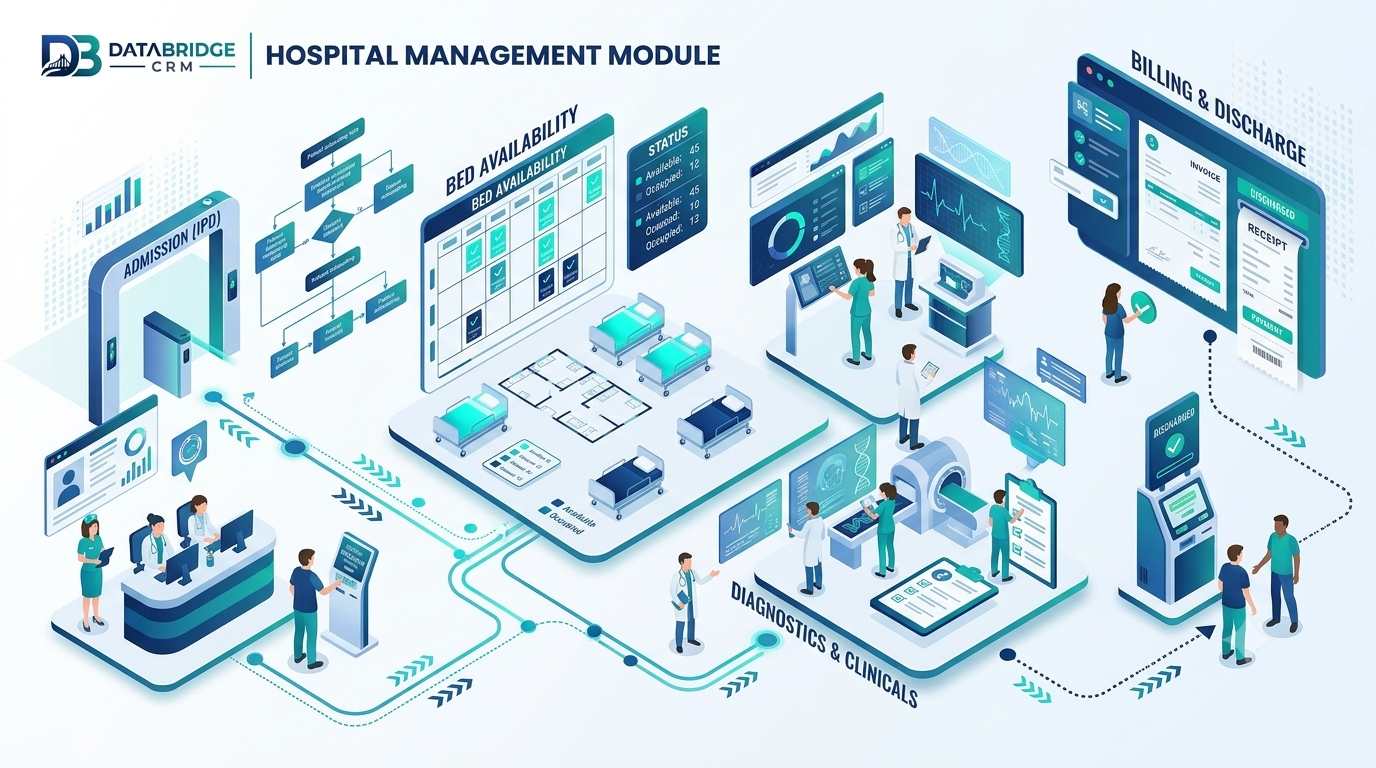
The clearest way to understand hospital software is to follow a patient. DataBridge describes a four-step Clinical Flow, and here it is in a little more detail.
1. Front Office and Registration
The patient arrives, and the front desk registers them or finds their existing record. Enquiries and walk-ins are recorded, and secure electronic health records start building the patient's history.
2. Appointment and Consultation
The doctor's availability, waitlists and online bookings are handled in the system, and queue management helps patients know when their turn will come. After the consultation, prescriptions can be issued digitally.
3. Admission and Bed Allocation
If the doctor advises admission, the IPD and bed management modules help the team see bed availability and place the patient. The ward then works from the same record instead of a separate file.
4. Treatment and Diagnosis
IPD and OPD processes, lab diagnosis and prescriptions are tracked together, so what was ordered and what was done stay connected to the patient's record.
5. Pharmacy, Supplies and Blood Bank
Medicines, medical supplies and equipment are tracked in inventory, and a blood bank module is part of the module list on the DataBridge page.
6. Billing and Discharge
Hospital charges, room charges and IPD or OPD billing flow into the bill. The system also supports insurance claim processing and finance tracking, so the accounts team is not rebuilding the bill from memory on the day of discharge.
What Is Inside DataBridge Hospital CRM
The Hospital CRM page lists more than 19 modules. Grouped by who uses them, they look like this:
- Clinical teams: Patients, Doctors, Appointments, IPD Management, Prescriptions and Diagnosis.
- Ward and bed management: Bed Management, along with doctor and nurse records and ambulance services described on the page.
- Specialised departments: Blood Bank and Inventory for medicines, supplies and equipment.
- Accounts and administration: Billing, Hospital Charges, Finance and Transactions.
- Front desk and communication: Front Office, Enquiries, Documents and a Frontend CMS.
- Control: Users and Roles, so each staff member sees what their job needs.
A dashboard brings the numbers together: daily admissions, OPD visits, revenue and alerts, in one real-time view for the management team.
Windows, Android and Apple Devices
Hospital staff do not all work in the same place. The front office and accounts team sit at desks, nurses and doctors move between wards, and the owner wants a quick look at the day from a phone.
Android
The Hospital CRM page links to an Android app on Google Play. It suits doctors, administrators and owners who want to check information while they move around. The website points to the official store rather than a direct APK file, and installing from the official store is the safer route.
Windows
The page shows a Windows download button, which is the natural fit for the front office, billing and accounts desks. The button does not open a download on the page today, so confirm availability with the DataBridge team.
Mac and iOS
A Mac OS installer is available on the DataBridge homepage, and the Hospital CRM page also shows an App Store button for iPhone and iPad. Because that button is not active yet, ask the team about the current status before you plan around it. You can find installers on the software download page.
A Day in a 30-Bed Nursing Home (Example)
This is an illustration, not a case study. Imagine a 30-bed nursing home with six doctors.
At 9 a.m. the front office registers new patients and finds the records of returning ones. A doctor decides to admit a patient, and the ward in-charge checks bed availability and assigns a bed. Through the day, prescriptions and diagnosis orders are added to the record. In the afternoon, the pharmacy notes the medicines issued and the blood bank is checked for availability. At discharge, the accounts desk reviews room charges and hospital charges, prepares the bill and records the payment. In the evening the owner opens the dashboard on a phone to see admissions and revenue for the day.
Nothing here is complicated. The point is that every step uses the same record.
Benefits for Different Hospital Sizes
- Clinics and small centres: neat records, clear billing and fewer missed follow-ups.
- Nursing homes: bed visibility, IPD tracking and faster discharge billing.
- Large hospitals: role-based access, finance tracking and one view of operations across departments.
DataBridge describes the software as suitable for clinics, nursing homes and large hospitals, as well as medical centres and healthcare organisations. Diagnostic labs and pharmacies can look at the diagnosis and inventory modules in a demo.
How to Choose Hospital Management Software
- Does it connect registration, appointments, IPD, beds, diagnosis and billing in one record?
- Can the accounts team handle room charges, hospital charges and insurance claims?
- Are access levels clear, so each person sees only what they need?
- Which devices can your teams use, and are the apps confirmed?
- Do you need integration with government health systems such as ABDM? The DataBridge page does not mention it, so ask the team directly.
- Is there training and support after set-up?
- Is pricing clear? DataBridge lists CRM suite plans on its homepage, so ask which plan covers the Hospital CRM.
Keeping Patient Data Safe
Patient records are among the most sensitive data a business holds. DataBridge states that it uses security systems and data protection policies to protect patient records, medical details and billing information. Ask the team to explain how logins, access levels and backups work in your set-up, give each staff member a separate login and never share passwords.
Conclusion
A hospital runs well when information moves faster than the patient does. Software cannot replace a doctor's judgement or a nurse's care, but it can make sure the bed, the report, the prescription and the bill are all ready when they are needed. The Hospital CRM from DataBridge CRM, a Jaipur-based software provider, is designed to support that flow from admission to discharge.
Want to see it for your hospital? Book a free demo or talk to the DataBridge CRM team about your wards, departments and billing.
Frequently Asked Questions
What is hospital management software?
It is software that connects registration, appointments, admissions, beds, diagnosis, pharmacy and billing, so a hospital can manage them from one system.
What is IPD management?
IPD, or in-patient department, management covers admitted patients, including bed allocation, treatment tracking, charges and discharge billing.
Is there a hospital management app for Android?
Yes. The DataBridge Hospital CRM page links to an Android app on Google Play. Confirm the latest features with the DataBridge team.
Does DataBridge Hospital CRM have Windows and iOS apps?
The page shows Windows and App Store buttons, but they are not active yet. A Mac OS installer is available on the DataBridge homepage. Confirm current availability with the team.
Can small hospitals and nursing homes use it?
Yes. DataBridge describes the software as suitable for clinics, nursing homes and large hospitals.
#HospitalManagementSoftware #HospitalCRM #DataBridgeCRM #HealthcareIT #IPDManagement
Hospital Management Software, Hospital CRM Software, IPD Management Software, Bed Management Software, Hospital Billing Software, Patient Management System, Diagnostic Lab Software, Blood Bank Software, Hospital App Android, Nursing Home Software, Hospital Software Jaipur, DataBridge CRM

