
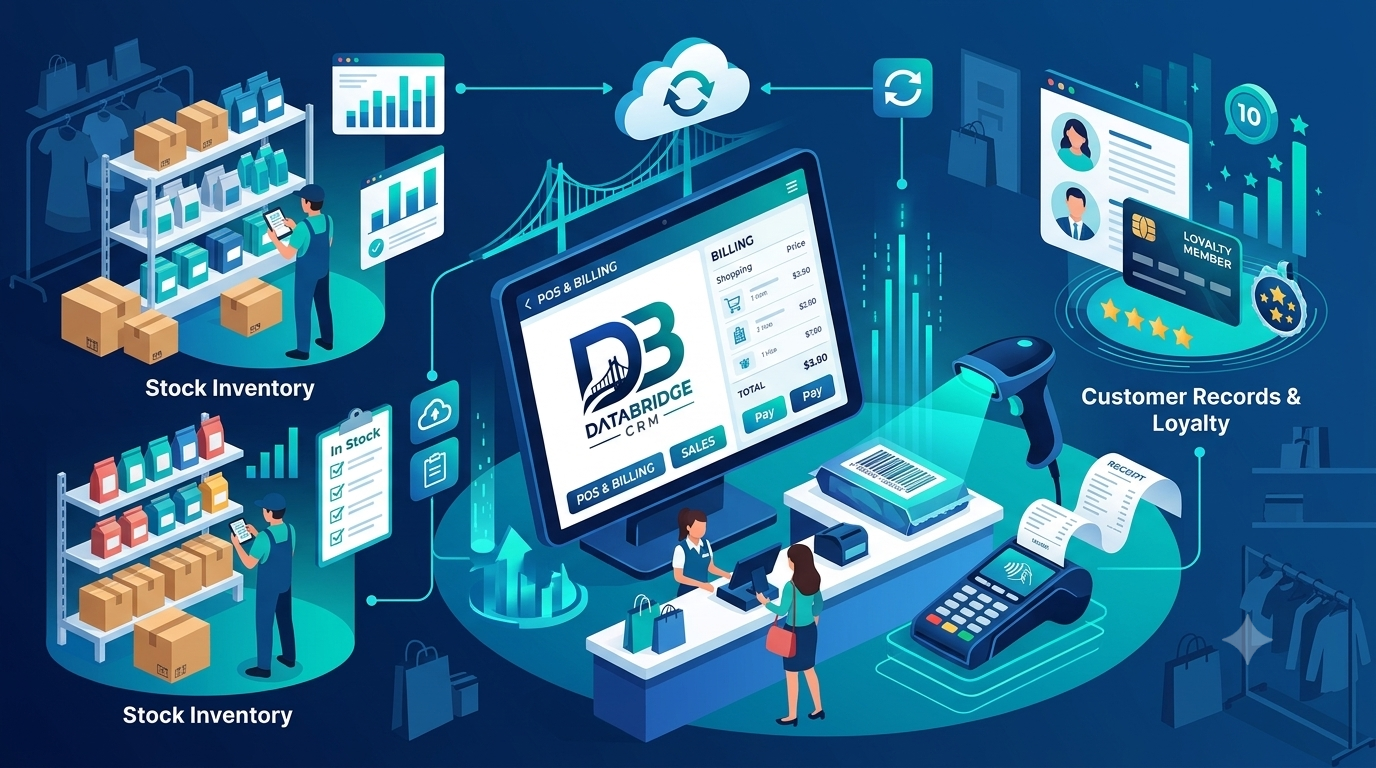
Ask any shop owner what slows down the day, and the answer is rarely "too many customers." It is the queue at the counter, the handwritten bill that needs a recalculation, the shelf that ran out of stock on a Saturday, and the register that never quite matches the cash in the drawer.
Good POS billing software for retail stores removes most of that friction. It speeds up checkout, keeps stock numbers honest and remembers your customers so you do not have to. In this guide, we look at how a modern billing system works, what retailers should look for, and how DataBridge Billing POS fits into a store that runs on Android phones, Windows counters and iOS devices.
Why Retail Stores Are Moving Away from Manual Billing
A notebook and a calculator work when you have twenty customers a day. They stop working at two hundred. The problems are familiar:
- Slow checkout. Typing prices by hand creates queues and mistakes.
- Stock surprises. You find out a product is finished only when a customer asks for it.
- Tax confusion. Calculating GST line by line on paper invites errors.
- No customer memory. Regular buyers get treated like strangers every visit.
- Blind spots in profit. Sales are visible. Margins and daily profit are not.
A POS system connects billing, inventory and customer records so that every sale updates everything else automatically.
What a Retail POS and Billing System Should Do
Different shops have different needs, but a few capabilities matter almost everywhere.
Fast, accurate billing
Scanning a barcode should add the item, price and tax to the bill in a second. Discounts should be easy to apply, and the final invoice should print on a thermal roll or an A4 sheet, whichever your counter uses.
Flexible payments
Customers pay in cash, by card or by UPI, and sometimes they pay part now and part later. Your software should record all of these cleanly and update the day's cash flow without extra entries.
Real-time inventory
Every sale should reduce stock instantly. Low-stock alerts help you reorder before shelves go empty, which matters most for fast-moving items like groceries, medicines or mobile accessories.
Customer records and loyalty
Purchase history and loyalty points turn a one-time buyer into a repeat customer. Even a simple record of what someone bought last month helps your staff make better suggestions.
Reports you can act on
Daily sales, profit and product-wise performance reports help you decide what to stock more of and what to stop buying.
How DataBridge Billing POS Works
DataBridge Billing POS is built for retail stores, supermarkets, wholesalers and warehouses. According to the product page, it covers billing, invoice generation, inventory tracking, warehouse handling, stock monitoring and product management in one platform, with GST-compliant invoicing.
The billing flow is deliberately simple. It has four steps:
- Add products. Enter items manually or scan barcodes, with pricing and tax details.
- Scan and bill. At the POS terminal, scan items into the cart and apply discounts.
- Collect payment. Accept cash, card, UPI or partial payments. Daily cash flow updates on its own.
- Print the invoice. Generate a GST-compliant thermal or A4 receipt for the customer.
Behind the counter, the system offers modules for the dashboard, POS terminal, products, stock management, customers, reports, branches, warehouses, stock transfer, suppliers and purchases. That list is useful because it shows the software is meant for more than a single till. A store with two branches and a godown can track stock movement between them rather than guessing.
Using Billing POS on Android, Windows and iOS
Most retailers do not work from one device. The owner checks sales on a phone, the cashier bills on a Windows computer, and a manager walks the floor with a tablet. DataBridge lists download options for each of these on its Billing POS page.
Android app
An Android app suits owners and staff who want to check numbers away from the counter. Think of a shop owner glancing at the day's sales while travelling, or a supervisor checking stock in the storeroom. The Android app is available through Google Play.
Windows app
The counter is where speed matters. A Windows desktop setup pairs naturally with a barcode scanner, a thermal printer and a cash drawer. DataBridge provides a Windows download from the Billing POS page, which makes it the practical choice for busy checkout lanes.
iOS app
For stores that use iPhones or iPads on the shop floor, DataBridge lists an App Store option on the same page. Retailers who rely on Apple devices should confirm the current iOS availability and supported features with the team before rollout.
Whichever device you pick, the aim is the same: one set of stock, sales and customer records, visible wherever your team works. You can see all available downloads on the software downloads page.
Practical Examples: How Different Shops Use POS
Kirana and grocery stores
These shops sell hundreds of small items quickly. Barcode billing cuts counter time, and low-stock alerts stop the classic problem of running out of sugar, oil or tea on a busy weekend. Loyalty points encourage neighbours to keep coming back instead of drifting to the next supermarket.
Clothing and footwear stores
Here the challenge is variety, with sizes, colours and seasonal stock. Product-level tracking and daily sales reports show which styles move and which sit on the rack, so you can plan discounts before the season ends.
Electronics and hardware shops
Higher-value items mean customers expect proper GST invoices and a record of what they bought. Purchase history inside the customer record makes it easier to handle repeat visits and follow-up queries.
Pharmacies and cosmetics stores
Fast stock turnover and frequent repeat buyers make inventory visibility and customer history valuable. Stores that handle regulated products should check their own compliance requirements and confirm with DataBridge how batch or expiry tracking is handled, since the product page does not list it.
Supermarkets and multi-branch retailers
Branch, warehouse and stock-transfer modules help larger operations see the whole picture. Instead of phoning the godown to ask what is left, the manager can check the system.
Benefits for Different Business Sizes
- Small shops: faster billing, fewer arithmetic errors and a clear record of daily cash.
- Growing stores: stock alerts, supplier and purchase tracking, and reports that show what is actually making money.
- Multi-branch businesses: central visibility of branches, warehouses and stock transfers.
How to Choose the Right POS Software
Before you commit to any billing system, ask a few straightforward questions:
- Does it support GST invoicing and the receipt format your counter uses?
- Can it handle barcode scanning and the hardware you already own?
- Will it run on the devices your team actually uses: Android, Windows or iOS?
- Can you track stock across more than one location if you expand?
- Is there a demo, and will someone help your staff learn it?
- Can it be customised if your workflow is unusual?
Run a demo with your own products and a few real bills. The software that feels natural to your cashier on day one is usually the one that sticks.
A Sensible Way to Get Started
Do not try to switch everything overnight. Start by loading your top-selling products and billing a few sales on the new system alongside your old method. Once staff are comfortable, add customer records, then stock alerts, then reports. Most stores find that the dashboard becomes the first thing they open each morning.
Conclusion
Retail runs on speed, accuracy and repeat customers. A well-configured POS and billing system helps with all three by speeding up checkout, keeping stock real and remembering the people who shop with you. DataBridge Billing POS brings billing, inventory, customers and reports together, with app options for Android, Windows and iOS so your team can work from the device that suits them.
Frequently Asked Questions
1. What is POS billing software for retail stores?
It is software that handles billing, invoice printing, payment recording and inventory updates at the point of sale. It replaces manual bills and reduces errors.
2. Does DataBridge Billing POS support GST invoices?
Yes. The product page describes GST-compliant thermal and A4 invoices.
3. Can I use the billing software on Android, Windows and iOS?
DataBridge lists a Google Play app, a Windows download and an App Store option on its Billing POS page. Confirm the current version and feature set for each platform during your demo.
4. Which payment methods can the POS record?
Cash, card, UPI and partial payments, according to the product page.
5. Is POS software useful for a small kirana store?
Yes. Even a small shop benefits from faster billing, stock alerts and a clear daily cash record.
Ready to Simplify Your Billing?
See DataBridge Billing POS in action with your own products. Book a free demo or contact the DataBridge team to discuss your store's requirements.
#DataBridgeCRM #POSBillingSoftware #RetailSoftware #GSTBilling #SmallBusinessIndia
POS Billing Software, Retail POS, GST Billing Software, Barcode Billing, Inventory Management, Retail CRM, Billing App for Android, Windows POS Software, Kirana Store Software, Supermarket Billing Software, Retail Business Management, DataBridge CRM

