
Look at the wall of a busy workshop and you can usually read the whole story. A whiteboard lists the cars in the bay. A stack of paper job cards sits near the counter, one of them stained with grease. Somewhere there is a notebook for spare parts, and a billing book that never quite matches either of them.
Most garage owners will tell you that the repair work is not the hard part. The hard part is knowing what is happening across the workshop: which vehicle is waiting for a part, which mechanic is free, which estimate the customer has not answered, and whether yesterday's invoices were actually collected.
Garage management software puts those answers in one place. DataBridge CRM, built in Jaipur, offers a Garage Management CRM for bike garages, car workshops, repair stations and automobile service centres. This guide explains what the system covers, how its Windows, Android and iOS options fit into daily workshop life, and what to check before you buy.
What a Garage Management System Should Do
A good garage system follows a vehicle from the moment it rolls in until the invoice is paid. It also connects the people behind that journey: the front desk, the mechanics, the store keeper, the accountant and the owner.
The DataBridge Garage CRM page lists 17 modules. Grouped by the work they support, they look like this:
| Area of workshop work | Modules listed on the product page |
|---|---|
| Jobs and service | Job Cards, Vehicle Observations, Services List, Quotations |
| Parts and stock | Inventory Control, Part Sales |
| Money | Invoicing, Accounting |
| People and locations | User Management, Branch Management, Session Control |
| Customer records | Complaints, Internal Notes, Email Templates, Custom Fields |
| Insights | Dashboard, Workshop Reports |
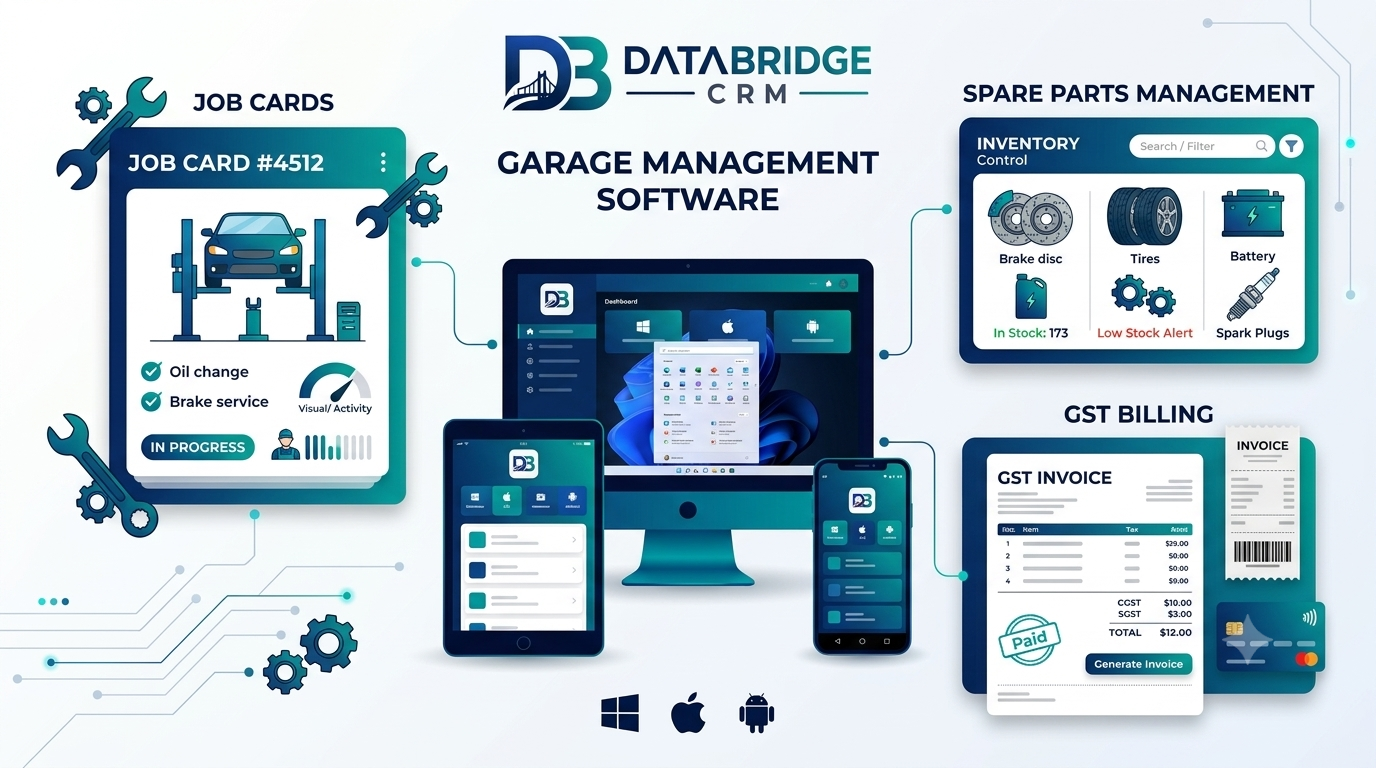
The dashboard works as the workshop's command centre. It shows active jobs, pending deliveries, daily revenue and low-stock alerts on one screen, so the owner does not have to walk the floor to find out where things stand.
The Four-Step Workshop Flow
The product page describes a four-step flow from intake to delivery. It is a useful way to think about any garage system.
- Create the job card. Log the vehicle's issues, generate a digital repair order and assign mechanics.
- Track inventory. Allocate spare parts to the job and watch stock levels as parts move.
- Complete the service. Update repair progress, record mechanical observations and finish the work.
- Generate the invoice. Convert the completed job card into a GST-compliant invoice with one click.
The strength of this flow is that each step feeds the next. The invoice is built from the job card, so nobody has to retype labour and parts at the end of a long day.
Windows, Android and iOS: What Each Option Means for a Garage
A workshop is not an office. The service advisor stands at a counter, the mechanic works at a vehicle, and the owner may be checking numbers from home. That is why the device question matters.
Windows for the service desk and billing counter
DataBridge offers a Windows application for the Garage CRM, listed as GarageGO for Windows on its software downloads page. A desktop application suits the front desk, where staff open job cards, print invoices and review reports for long stretches. For most workshops, this is the natural starting point.
macOS option
A macOS installer is also offered on the same page. It is useful if the office runs on Apple computers.
Android and iOS: confirm before you plan around them
The Garage CRM page shows Google Play and App Store buttons. When this guide was prepared, the Android link on the page was not active, and the iPad option pointed to the macOS installer. So if you want your mechanics or owners to work from phones and tablets, ask the DataBridge team to confirm which mobile apps are live today, which roles they serve and what they can do.
What to check in a demo
- Which tasks the service advisor can finish on the Windows app, from job card to invoice
- Whether mechanics can see their assigned jobs and update progress
- How parts are allocated to a job and how stock changes after that
- Whether the Windows, mobile and web views show the same current data
- How user logins and sessions are created, limited and closed
How Daily Workshop Work Changes
Software earns its place only if ordinary days get easier. Here is where the modules help most.
Job cards. Digital job cards let you create repair orders, assign mechanics and track repair status. Nobody hunts for a paper card that went home in someone's pocket.
Vehicle observations. Mechanical observations are logged against the job, so the next visit starts with what the last visit found. The product description also mentions vehicle service history, which makes returning customers easier to serve.
Spare parts. Inventory control tracks parts and suppliers and raises low-stock alerts. Part sales cover customers who buy a part without booking a service.
Quotations and billing. Quotations come before the work, and invoices follow it. Converting a finished job card into a GST-compliant invoice cuts out a long manual step, and the accounting module keeps the money side in the same system.
Complaints. A complaints module gives a customer's concern a place to live and be resolved, instead of getting lost in a phone call.
Branches. Garages with more than one location can manage them from one central dashboard.
Who Benefits, and How
The product is described as suitable for bike garages, car workshops, repair stations and automobile service centres, from small garages to large ones. The gains look different at each size.
- Small garages: replace paper cards and notebooks with one record for each vehicle and one bill for each job.
- Growing workshops: use user management and session control so each person sees only the work that belongs to them.
- Multi-branch service centres: compare branches in workshop reports and keep stock, jobs and invoices under one roof.
Custom fields help here too. A two-wheeler garage and a car detailing studio track different details, and being able to add them keeps the software from forcing one template on every business.
Protecting Customer and Vehicle Records
Garage data includes customer contact details, vehicle records and billing information. The product description mentions security systems and data protection policies for exactly these records. As you evaluate any system, ask how permissions are assigned, what a mechanic can open, and how access is closed when someone leaves the workshop.
Questions to Ask Before You Choose
- Which of our daily tasks happen at the counter, and which happen on the shop floor?
- Is the Windows app ready to use today, and are Android and iOS apps live for the roles we need?
- How will our existing customer, vehicle and parts records move into the new system?
- Who trains the staff, and who helps when a problem appears in the middle of a busy day?
- Does the invoice format match how we bill, including labour, parts and taxes?
- Do we need links to other tools, and have those been confirmed in writing?
Note what the product page does not state. It does not describe a customer-facing booking app or pickup and drop scheduling, and it does not list integrations with payment or messaging services. If you need those, ask for them directly instead of assuming.
See the Garage CRM Run Your Workshop
The best test is to bring a real job through the system. Take one vehicle that came in last week, with its complaint, parts and final bill, and ask the team to run it from job card to invoice on the Windows app, then show you what the mobile options can do.
You can book a demo or contact the DataBridge CRM team to discuss your workshop. The applications are listed on the software downloads page. If you also run a parts counter, you can look at the Billing POS solution, or read more on the DataBridge CRM blog.
Frequently Asked Questions
1. What is garage management software?
It is a digital system that helps a garage or workshop manage job cards, vehicle records, spare parts, quotations, billing and reports in one place, instead of in registers and notebooks.
2. Does DataBridge Garage CRM have a Windows app?
Yes. DataBridge lists a Windows application for the Garage CRM, GarageGO, on its software downloads page. A macOS installer is also listed.
3. Is there an Android or iOS app for the Garage CRM?
The Garage CRM page shows Google Play and App Store buttons, but when this guide was prepared the Android link was not active and the iPad option pointed to a macOS installer. Confirm current mobile availability with the DataBridge team.
4. Can the software manage spare parts and billing?
Yes. The product includes inventory control, part sales, quotations, invoicing and accounting. Completed job cards can be converted into GST-compliant invoices.
5. Is it suitable for bike garages and small workshops?
The product is described as suitable for bike garages, car workshops, repair stations and automobile service centres, including small garages. A small garage can begin with job cards, parts and invoices and add other modules later.
#DataBridgeCRM #GarageManagementSoftware #WorkshopManagement #AutoRepair #GarageCRM
Garage Management Software, Garage Management CRM, Workshop Management Software, Car Garage Software, Bike Garage Software, Job Card Software, Auto Repair Management, Garage Billing Software, Spare Parts Inventory, Garage Software Jaipur, Windows Garage Software, DataBridge CRM

