
A hotel front desk is a busy place. A phone is ringing, a guest is asking for an early check-in, a travel agent wants to confirm a group, and the housekeeping supervisor needs to know which rooms are ready. If every one of those answers lives in a different register, spreadsheet or chat thread, mistakes become part of the routine.
A Hotel Management CRM is designed to bring that information together. This guide explains what it covers, how it helps hotels, resorts, guest houses and homestays, and what to check before you choose one, including how DataBridge CRM approaches the hospitality industry.
What Is a Hotel Management CRM?
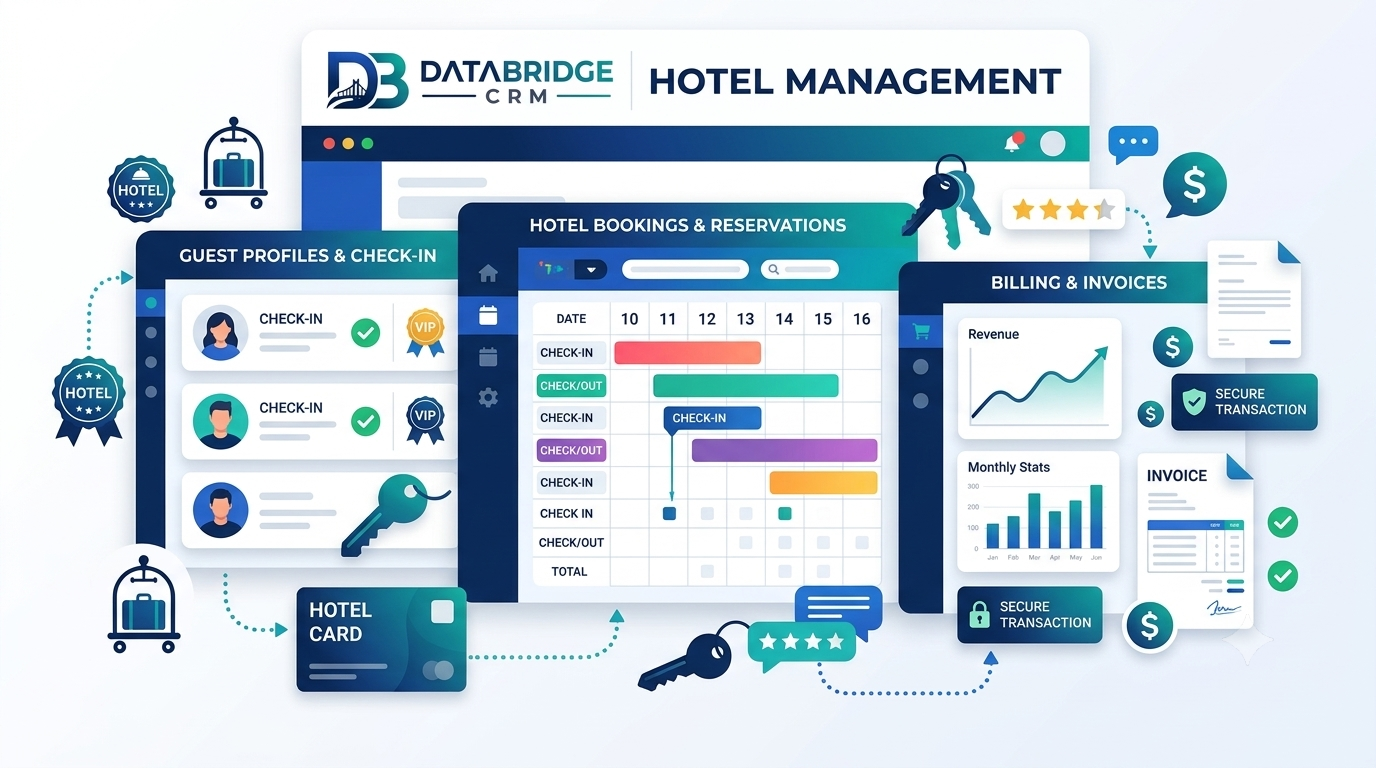
A hotel CRM stores and organises guest and booking information so your team can serve people faster and more consistently. Unlike a general sales tool, it is built around the hotel's own rhythm: enquiry, reservation, arrival, stay, billing, departure and follow-up.
On its website, DataBridge CRM lists a dedicated Hotel CRM under its industry solutions, positioned around managing bookings and guests. The rest of this article explains what such a system should help you do in practice, so you can compare any product against your own needs.
Everyday Problems Hotels Face
- Lost enquiries: A guest calls to ask about rates, nobody follows up, and the booking goes to another property.
- Double bookings: A room is promised to two guests because records were not updated in time.
- Repeated questions: Returning guests are asked for the same details every visit.
- Slow check-in and check-out: Paper forms and manual bill calculations create queues at the desk.
- Billing disputes: Extra charges are not recorded properly, so the final bill is questioned.
- Weak follow-up: After the guest leaves, there is no routine for feedback or future offers.
- No clear picture: Owners cannot easily see occupancy, pending payments or enquiry status.
What a Good Hotel CRM Should Cover
1. Enquiry and lead tracking
Every call, walk-in, website enquiry or agent request should be recorded with the guest's name, dates and requirements. Follow-up reminders help staff reconnect with people who have not confirmed yet. For many properties, this single habit recovers bookings that would otherwise be lost.
2. Reservation and booking management
A reservation record should show dates, room type, number of guests, payment status and special requests in one place. Staff should be able to see at a glance what is confirmed, what is pending and what has been cancelled.
3. Guest profiles and history
Preferences, past stays and notes help staff personalise the experience. Remembering that a guest prefers a quiet room or arrives late can make a stay feel considered rather than routine.
4. Front desk operations
Check-in and check-out should be quick and clear, with guest details already available. The fewer times staff type the same information, the fewer errors occur.
5. Billing and invoicing
Room charges, extra services and payments should be recorded against the guest's stay and produce a clear invoice. This reduces end-of-stay confusion and makes accounting easier.
6. Communication
Booking confirmations, reminders and thank-you messages keep guests informed. DataBridge also offers marketing tools such as WhatsApp marketing and email marketing, which hotels can consider for guest communication where consent has been taken.
7. Reports and visibility
Owners and managers should be able to review bookings, enquiries and collections without asking three different people. Reports turn daily activity into decisions.
Note: Not every hotel system includes room inventory distribution to online travel agencies, housekeeping modules or channel management. If you need those, ask the vendor to show them live before you commit.
Apps for Windows, Android and Other Devices
Hotels run on several devices. The front desk usually works on a desktop computer, while managers and owners often check numbers from a phone. DataBridge lists app downloads for Windows and macOS, along with Android and App Store buttons, on its platform.
- Windows: Comfortable for the front desk, long billing sessions and report review.
- Android: Convenient for managers and owners who want to check bookings or enquiries on the move.
- iOS: Useful for iPhone and iPad users, subject to availability.
The exact apps and features available for the hotel solution can differ from the general platform listing, so please confirm current Windows, Android and iOS availability with the DataBridge team during your demo.
Who Can Benefit?
- Hotels and boutique hotels: Guest records, billing and front desk organisation.
- Resorts: Larger guest volumes, group enquiries and additional services.
- Guest houses and lodges: Simple booking records and clearer billing without complex tools.
- Homestays and holiday homes: Enquiry tracking and repeat guest communication.
- Hostels and serviced apartments: Booking and payment follow-ups across many short and long stays.
Benefits by Property Size
Small properties gain from replacing notebooks and chat threads with one dependable record. Mid-sized hotels benefit from clearer coordination between front desk, accounts and management. Larger properties value reporting and role-based access, which help leaders review operations without interrupting staff.
A Quick Example
Imagine a 20-room hotel that receives enquiries by phone and WhatsApp. Without a system, one receptionist remembers a family's request for adjoining rooms, but she is off duty when they call back. With a shared record, the next person sees the earlier conversation, confirms the booking and notes the request for check-in. The guest feels recognised, and the hotel keeps the booking.
How to Choose Hotel Management Software
- Does it cover enquiries, reservations, guest records and billing together?
- Can your front desk team learn it quickly?
- Are Windows and mobile apps available for the devices you use?
- Can you set user roles for owner, manager, receptionist and accounts?
- Does it support the integrations you need, such as OTA or payment connections? Ask directly.
- Is training, onboarding and support included?
- Can the workflow be adjusted to match your property?
Prepare three real situations from your hotel, such as a group booking, a last-minute cancellation and a late checkout, and ask the vendor to walk through them live.
Next Step
DataBridge CRM serves many industries, from hotels to clinics and schools, and its team can discuss how a hotel workflow would be configured for your property. If you also operate a restaurant within your hotel, you can look at the Restaurant CRM as well.
Book a free demo or contact the team to discuss your hotel's requirements.
Frequently Asked Questions
1. What is a hotel management CRM?
It is software that organises enquiries, reservations, guest details, billing and follow-ups for a hotel or similar property in one system.
2. Is it suitable for small guest houses and homestays?
Yes. Even small properties benefit from a single record of bookings, guest details and payments. Discuss your scale with the vendor to confirm the right setup.
3. Does it include online travel agency (OTA) integration?
Not every hotel CRM does. Ask the vendor to confirm which integrations are available and request a live demonstration.
4. Can I use hotel software on Windows and mobile?
DataBridge lists Windows, macOS, Android and App Store options on its platform. Confirm the current availability for the hotel solution during a demo.
5. How can I try DataBridge's hotel solution?
You can book a free demo through the DataBridge website and review how it fits your property's workflow.
#DataBridgeCRM #HotelManagement #HotelCRM #HospitalityTech #GuestExperience
Hotel Management CRM, Hotel Management Software, Hotel Booking Management, Hotel Billing Software, Guest Management Software, Hotel Front Desk Software, Resort Management Software, Guest House Software, Hotel Software Jaipur, DataBridge CRM

