
Walk into any busy shop at 6 pm and you can feel the pressure. The queue at the counter is growing, someone is asking whether a size is in stock, another customer wants an old bill, and the owner is trying to remember who still owes money. None of this is about selling. It is about keeping records.
That is where POS and billing software earns its place. This guide explains what it does for a retail store, which features matter, how to think about Windows and mobile apps, and what to check before choosing a vendor, including how DataBridge CRM fits in.
What Is POS and Billing Software?
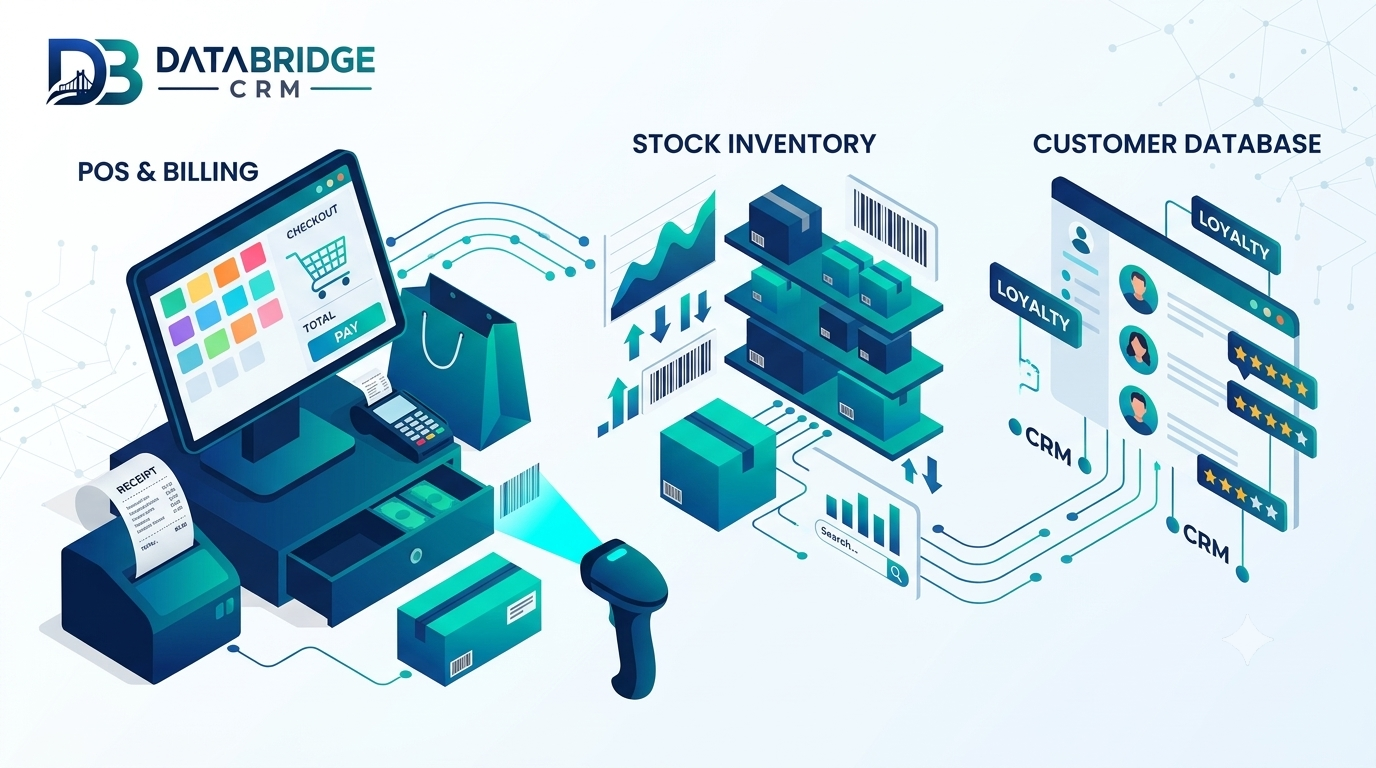
POS stands for point of sale, the moment a customer pays. POS and billing software handles that moment: it records items, calculates the total, generates the bill and saves the sale. Good software goes further and connects billing to stock levels, customer details and daily reports.
DataBridge CRM lists POS and billing among its business solutions. The sections below describe what a retail POS should help you do, so you can judge any product, including this one, against your own shop.
Everyday Problems Retail Shops Face
- Slow counters: Manual calculation and handwritten bills create queues.
- Billing mistakes: Wrong prices or missed discounts cost money and trust.
- Unclear stock: The shelf says one thing, the notebook says another.
- Forgotten dues: Credit given to regular customers is hard to track.
- No customer memory: You cannot tell who your best customers are or when they last visited.
- Late reports: The day's sales are known only after hours of adding up.
- Staff dependence: Only one person knows how things work.
What a Retail POS Should Cover
1. Fast, accurate billing
The counter screen should let a cashier add items quickly, apply discounts and print or share a bill without hunting through menus. Fewer clicks mean shorter queues.
2. Product and price management
Your item list, prices and categories should be easy to update. When a supplier changes a price, you should not need technical help to change it in the system.
3. Inventory and stock tracking
Each sale should reduce stock, so you know what is running low before a customer asks for it. This is what separates simple billing from real shop management.
4. Customer records
Saving customer names, numbers and purchase history turns a counter into a relationship. You can see who buys regularly, who has pending payments and who deserves a thank-you.
5. Payments and dues
Cash, card, UPI and credit sales should all be recorded clearly. Pending amounts should be visible without digging through old pages.
6. Reports
Daily sales, best-selling items and slow movers help you decide what to reorder and what to discount.
7. Customer communication
Once you have customer details, you can send bills, offers or reminders, with permission. DataBridge also offers WhatsApp marketing and email marketing tools that businesses can consider for this.
Note: Features such as GST formats, barcode scanning, label printing, multi-store control and hardware support differ from product to product. Ask the vendor to show each one live rather than assuming.
Windows, Android and iOS: Which Device Does What?
Retail work does not happen on a single screen. DataBridge lists app downloads for Windows and macOS and app-store options for mobile on its platform.
- Windows: The usual choice for the main billing counter, especially if you use a printer or scanner.
- Android: Useful for owners and managers who want to check sales, stock or dues from a phone or tablet.
- iOS: Helpful for iPhone and iPad users, subject to availability.
The apps available for the POS solution may differ from the general platform listing. Please confirm current Windows, Android and iOS options, and which hardware works with them, during your demo.
How It Works for Different Retail Stores
- Kirana and grocery stores: Quick billing for many small items, regular customers and credit tracking.
- Clothing and footwear shops: Size and variety management, seasonal discounts and repeat buyers.
- Electronics shops: Higher-value sales, warranty notes and customer follow-up.
- Pharmacies: Careful item records and fast counter billing. Check regulatory needs with your advisor and the vendor.
- Cosmetics stores: Many small items, brand-wise stock and loyal customers.
- Bakeries: Daily changing items and quick counter service.
- Hardware stores: Large item lists and customer accounts.
- Supermarkets: Multiple counters, high volume and stock control.
Benefits by Business Size
A single-counter shop saves time at billing and stops losing track of dues. A growing store gains stock visibility and customer history. A multi-counter business gets reports that show how each counter and staff member performs.
A Simple Example
Consider a footwear shop with one counter. Before software, the owner wrote bills by hand and counted stock every month. After moving to a POS, each sale reduces stock automatically, customers are saved with their numbers, and the owner can see by evening which sizes sold out. When a festival approaches, he messages regular customers about new arrivals. Nothing dramatic changed, but the shop runs with less guesswork.
How to Choose POS and Billing Software
- Is billing fast enough for your busiest hour?
- Does it track stock as sales happen?
- Can it store customer history and pending payments?
- Does it support the devices and printers you already own?
- Are Windows and mobile apps available for the way your team works?
- Can you get reports without an accountant's help?
- What training and support are included?
Bring a real bill, a return and a discount case to the demo. See how the software handles each.
Next Step
DataBridge CRM, from Jaipur, offers business software for several industries. If your retail business also serves food, you can look at its Restaurant CRM as well.
Book a free demo or contact the team to discuss your shop's needs.
Frequently Asked Questions
1. What is POS and billing software?
It is software that records sales, calculates totals, generates bills and, in better systems, links them to stock, customer records and reports.
2. Can a small kirana store use it?
Yes. A small shop benefits from faster billing, clearer dues and better stock awareness. Confirm that the setup matches your item range.
3. Does it work on Windows and mobile?
DataBridge lists Windows, macOS and mobile app options on its platform. Confirm the exact availability for the POS solution during a demo.
4. Is POS the same as a CRM?
No. POS handles billing at the counter, while a CRM manages customer relationships. Together they let a shop know who its customers are and what they buy.
5. How can I try it before buying?
You can book a free demo through the DataBridge website and test it with your own billing situations.
#DataBridgeCRM #POSSoftware #BillingSoftware #RetailBusiness #InventoryManagement
POS and Billing Software, Retail Billing Software, POS for Retail Shop, Inventory Management, Retail CRM, Kirana Billing Software, Billing Software Windows App, POS Software Jaipur, DataBridge CRM

