
It is five in the evening and a customer walks into a repair shop asking for her phone. The shop has forty devices on the shelf. Some are waiting for parts, some are with the technician, some are ready and some are waiting for approval. Someone starts checking slips, scribbled tags and chat messages to find hers.
Anyone who runs a repair shop has lived that moment. When devices, faults and promises are tracked on paper and memory, delays and disputes are only a matter of time. Mobile repair shop software gives every device a job record that the whole team can see, from drop-off to pickup.
How a Repair Shop Is Different From Other Shops
Most shops sell something and the transaction ends at the counter. A repair shop holds a customer’s device, often their most personal belonging, for hours or days. That changes what the business needs:
- Custody. You are responsible for each device and its accessories while it is in your shop.
- Status. Customers constantly ask “is it ready yet?”
- Parts dependence. Many jobs wait for a screen, battery or board.
- Trust. Customers worry about data, replaced parts and surprise charges.
- Mixed work. Phones, laptops, printers and CCTV all need different details.
Common Problems Repair Shops Face Without a System
- Lost or mixed-up devices. Tags fall off, slips get lost and devices are handed to the wrong person or delayed.
- No record of condition. A customer claims a crack was not there at drop-off, and there is nothing to check.
- Repeated status calls. Staff spend hours answering “has it been fixed?”
- Untracked parts. Parts are used but not recorded, so stock and bills do not match.
- Unclear estimates. Customers are surprised by the final charge.
- Warranty confusion. A device returns with a problem and nobody remembers what was repaired or when.
What Repair Shop Software Should Cover
Device and customer records
Record the customer, the device (brand, model, IMEI or serial number), accessories left with it and the condition at drop-off. Photos can help where supported. This record protects both you and the customer.
Repair job tracking
Each device gets a job with a fault description, the technician’s findings, the estimate, the status and the expected delivery. Ask how status stages work and whether you can adapt them, for example, waiting for parts, waiting for approval and ready for pickup.
Estimates and approvals
When a technician finds extra faults, the customer’s approval should be recorded. Ask how estimates are prepared, revised and logged.
Spare parts and stock
Record parts used on each job and keep a basic view of stock, so you know what to reorder. Ask how part costs, returns and low stock are handled.
Billing and receipts
Prepare bills that combine service charges and parts, with applicable taxes. If you issue GST invoices, check the format with your accountant.
Service history and warranty
A record of past repairs for each device helps you handle repeat visits and any warranty you offer on your own work. State warranty terms clearly and record them on the job.
Customer communication
Tell customers when their device is ready, with their consent to receive messages. This reduces status calls and speeds up pickups.
Handling Customer Devices and Data Responsibly
Devices carry photos, messages and banking apps. Good practice builds trust:
- Tell customers what you will and will not access, and record their consent for any testing that needs the device to be unlocked
- Advise customers to back up data and remove accounts where appropriate before repair
- Restrict who can see customer and device records in your software
- Never copy or share customer data
- Verify ownership when a device seems suspicious and follow local rules
Working Across Android, Windows and iOS
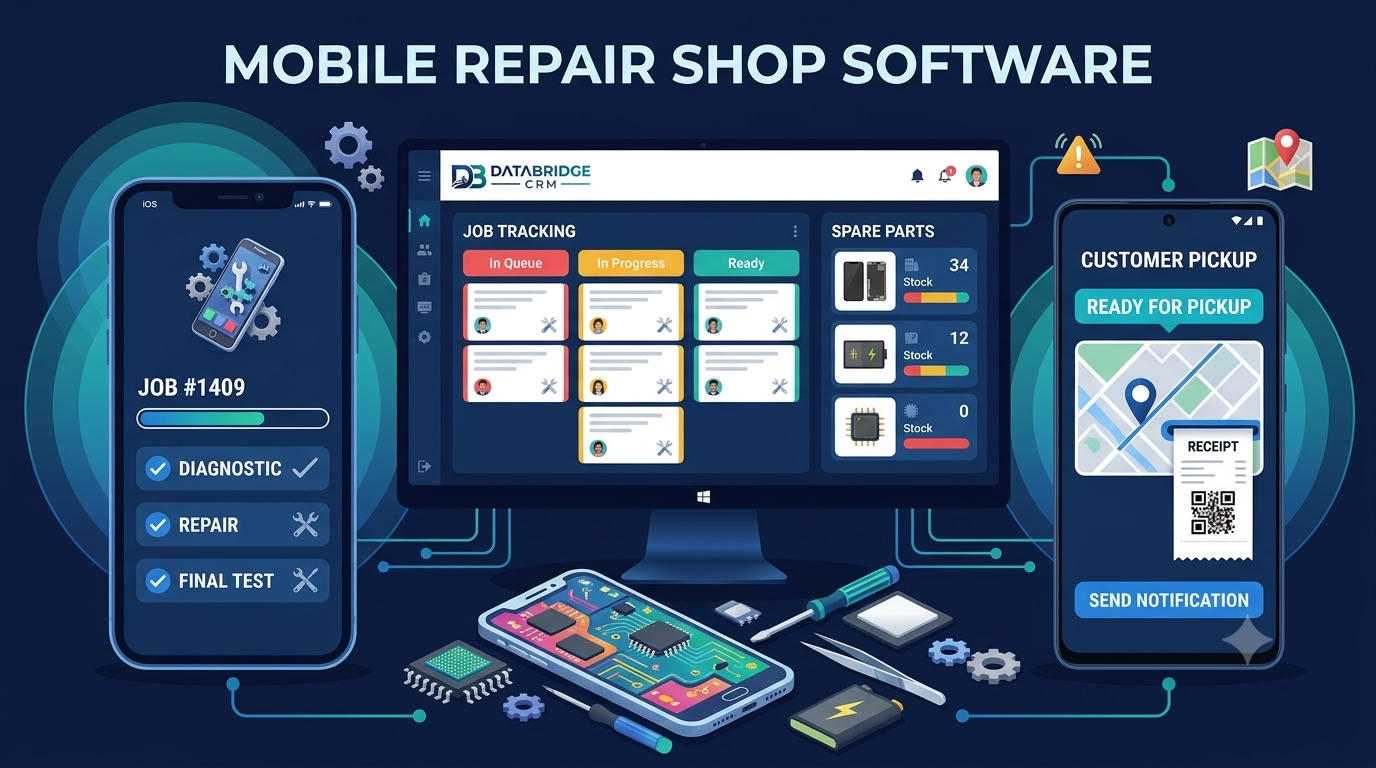
A repair shop uses different devices in different places. DataBridge CRM is offered as an Android APK, a Windows application and an iOS app, so each role can use the device that suits its job.
Windows. A computer at the front counter is a good fit for registering devices, preparing estimates and bills, managing parts and reviewing reports.
Android (APK). A phone or tablet at the technician’s bench is handy for checking job details, updating status and noting parts used without leaving the workbench.
iOS. The owner’s iPhone is useful for checking pending jobs, delayed repairs and daily revenue away from the shop.
Features can differ by platform and version, so confirm what is available on each before relying on it for daily work.
A note on installing an Android APK
An APK is installed directly instead of through the Play Store, so be careful. Download it only from the official DataBridge CRM source shared by the team, keep devices updated and avoid files from forwarded links or unfamiliar websites. Because your shop handles customer data, use screen locks on every device that runs the app.
Use Cases for Different Repair Businesses
Mobile repair shops and phone service centres. High volume, quick jobs and many small parts make device records, job tracking and pickup notices the biggest help.
Laptop and computer repair shops. Longer jobs, diagnostics and parts delays benefit from clear status stages and customer updates.
iPhone and premium device centres. Customers expect careful handling and clear communication. Record condition and accessories meticulously.
Tablet and printer repair centres. Varied devices need flexible job details. Ask how different device types are handled.
CCTV and IT hardware service centres. Field visits, installations and annual maintenance need records of site, equipment and visit dates. Confirm how visits and contracts are handled.
Chip-level and electronics repair centres. Complex jobs and long diagnostics need detailed notes and clear customer expectations.
Multi-brand service centres. Many brands, parts and customers require well-organised records and parts tracking.
A Simple Example
Consider a phone and laptop repair shop with three technicians. Earlier, devices were tagged with paper slips and customers called repeatedly for updates. After moving to a shared job record, the counter staff register each device with its condition and accessories, technicians update status from a tablet and customers who agreed to receive messages are told when their device is ready. The owner checks delayed jobs from an iPhone each evening. Status calls dropped and disputes about condition became easier to resolve. The shop did not change, but the confusion did.
Benefits for Different Business Sizes
Single-counter shops gain tidy records, fewer lost devices and quicker pickups.
Growing service centres benefit from shared job status, parts tracking and role-based access for staff.
Multi-branch service networks need consolidated reports and consistent processes. Confirm multi-branch support with the vendor.
How DataBridge CRM Fits In
DataBridge CRM, powered by Jayshree Technosoft in Jaipur, provides CRM and business software with billing support. For repair shops, the aim is to connect customer records, device details, jobs, parts and billing so the team works from one set of information.
The best way to judge fit is a demonstration based on your own shop. Share your job process, how you handle estimates and parts and the devices your team uses, then ask the team to show how each would work.
Selection Checklist for Repair Shop Owners
- Can I register a device quickly with its condition and accessories?
- Does it support IMEI or serial numbers for my device types?
- Can I define status stages that match how my shop works?
- Does it record estimates, approvals and added work?
- Can it track spare parts used and basic stock?
- Can it prepare invoices that suit my tax and billing needs?
- Does it work on the Android, Windows and iOS devices my team uses?
Conclusion
A repair shop earns trust by looking after other people’s property. Customers remember whether their device was handled carefully, the estimate was clear and the job was ready when promised. Software does not replace skill at the workbench, but it makes sure every device has a clear record from drop-off to pickup. If your shop has outgrown paper tags and memory, a shared record on the devices you already own is a sensible next step.
If you would like to see how this could work for your repair shop, request a walkthrough with DataBridge CRM.
Visit DataBridge CRM and book a demo.
Frequently Asked Questions
1. What is mobile repair shop software?
It is software that helps a repair shop record devices and customers, track repair jobs, manage spare parts, prepare bills and keep service history in one system.
2. Can one software handle both mobile and computer repairs?
Many systems can record different device types and job details. Ask how fields such as IMEI, serial number, accessories and fault description are handled for your shop.
3. Can I use repair shop software on Android, Windows and iOS?
DataBridge CRM is offered as an Android APK, a Windows application and an iOS app. Confirm current versions, features and download sources with the DataBridge CRM team.
4. Can the software notify customers when a repair is ready?
Many systems support status tracking and customer communication. Ask exactly how notifications work and send them only to customers who agreed to receive messages.
5. How do I get a demo of DataBridge CRM for my repair shop?
Contact the DataBridge CRM team through its website and share your shop type, repair job process, parts handling and the devices your team uses.

