
Ask any restaurant owner about a typical Friday night and you will hear the same story. Tables fill up quickly, the kitchen gets a flood of orders, a delivery rider is waiting at the door, and someone at the counter is still trying to work out a bill. Most of the stress does not come from cooking. It comes from information that lives in too many places.
A Restaurant CRM brings those pieces together. Instead of paper slips, separate billing software and customer details saved on a phone, your team works from one system. This guide explains what a restaurant CRM does, where it helps most, and how DataBridge CRM's restaurant solution fits into daily operations, including its Android and Windows apps.
What Is a Restaurant CRM?
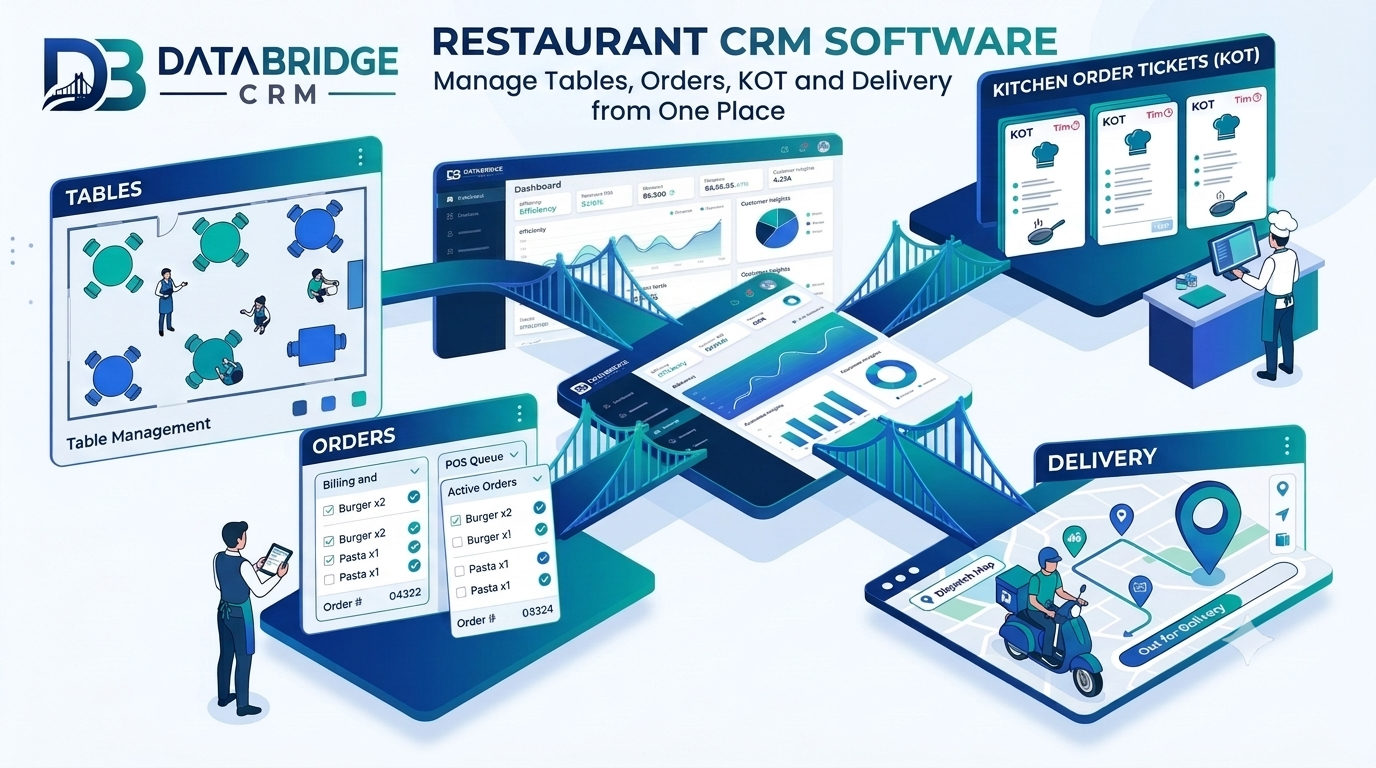
CRM stands for customer relationship management, but in a restaurant it covers more than guest records. A good restaurant CRM connects the front of the house, the kitchen and the delivery team. It tracks who ordered what, which table is occupied, what is pending in the kitchen and how much the day's business has earned.
For a small café, that may simply mean faster billing and fewer mistakes. For a multi-counter food court or a growing cloud kitchen, it means everyone sees the same live picture.
Common Problems Restaurants Face Without Proper Software
- Order mix-ups: A waiter's handwritten note is misread, and the wrong dish reaches the table.
- Slow billing: Guests wait at the counter while staff calculate totals by hand or switch between tools.
- Double-booked tables: Phone reservations written in a notebook clash with walk-ins.
- Outdated menus: A dish runs out, but it is still offered to guests because nobody updated the list.
- Delivery confusion: Owners cannot tell which rider has which order or how long it has been on the road.
- Scattered customer data: Regular guests are not recognised because their details are nowhere in one place.
- Unclear daily numbers: Sales, expenses and staff activity are checked only at the end of the month, if at all.
Key Modules in DataBridge Restaurant CRM
According to the DataBridge Restaurant CRM page, the solution is built around the way a restaurant actually runs. The modules listed include:
Point of Sale (POS) and KOT
The touch-friendly POS handles quick billing and generates Kitchen Order Tickets (KOT). When a waiter or cashier places an order, the kitchen sees it straight away. This removes the shouting across the pass and the lost paper chits that slow every kitchen down.
Table Management and Reservations
A visual floor plan shows which tables are free, occupied or reserved. Online and offline bookings sit in one place, so the host does not have to guess whether a table will be free at 8 pm.
Menu Management
You can update categories, prices and stock availability instantly. If the day's special sells out, switching it off takes a moment, and your staff stop promising something the kitchen cannot make.
Orders, Delivery and Waiters
Dine-in and delivery orders are tracked in the same system. The delivery module helps you assign orders to agents and keep an eye on delivery times, while the waiter module keeps service activity organised.
Customers, Payments and Expenses
Customer records help your team remember repeat guests. Payment and expense modules give you a clearer view of money coming in and going out, so you are not relying on memory or loose bills.
Staff Management, Dashboard and Reports
The dashboard shows daily revenue, active table orders, pending deliveries and top-selling dishes on one screen. Reports help owners see what is working before the month ends.
A Simple Four-Step Restaurant Flow
- Update the digital menu. Set categories, prices and what is in stock.
- Book tables. Map the floor plan and accept online or offline reservations.
- Take orders. Use the touchscreen POS, which syncs with KOT in real time.
- Manage delivery. Track the delivery fleet so food reaches customers hot and on time.
Android, Windows and Other Apps: Work Where Your Team Works
Restaurants rarely run from a single desk. The cashier uses a counter computer, the manager checks numbers from a phone, and someone in the back office wants reports on a laptop. DataBridge offers app downloads on the Restaurant CRM page so each person can use the device that suits their role.
Android app (APK)
The Android app is available as an APK download. It suits managers, owners and floor staff who prefer a phone or tablet. Typical uses include checking the day's sales, viewing active orders and keeping an eye on deliveries while you are away from the counter.
Windows desktop app
The Windows app is offered as a download for counter systems and office computers. A desktop screen is comfortable for long billing sessions, reviewing reports and managing menus and staff details.
macOS and iOS
A macOS download is also listed on the page. For iPhone and iPad availability, please confirm the current App Store status with the DataBridge team before you plan your rollout.
Tip: Install the app on a test device first, run a few sample orders, and train your staff before the weekend rush rather than during it.
Who Can Use Restaurant CRM?
- Cafés and bakeries: Fast billing and a menu that stays up to date with daily bakes.
- Fast food and QSR counters: Quick KOT flow to keep queues moving.
- Cloud kitchens: Order tracking and delivery management without a dining room.
- Sweet shops and ice cream parlours: Counter billing with a clear item list and customer records.
- Bars, pubs and lounges: Table management and reservations for busy evenings.
- Food courts and caterers: Organised orders, payments and expenses across multiple counters or events.
Benefits for Different Business Sizes
Single outlet owners get faster service and fewer billing errors without hiring extra staff. Growing restaurants can keep tables, orders and delivery in sync as volume increases. Larger operations gain a clearer reporting view, which helps owners make decisions from facts rather than guesswork.
How to Choose the Right Restaurant Software
- Does it cover billing, KOT, tables and delivery together, or will you need separate tools?
- Can your cashier, waiter and manager use it comfortably on their devices?
- Are Android and Windows apps available, and has the vendor confirmed what is supported on iOS?
- Can you update menus and prices yourself without calling support?
- Is training and support available during your busiest hours?
- Can the system be configured to match your own workflow?
Ask for a live demo and bring a real situation from your restaurant. Watching your own Friday-night scenario run through the software tells you more than any feature list.
Get Started with DataBridge Restaurant CRM
DataBridge CRM, from Jaipur, offers industry-specific CRM tools across restaurants, hotels, clinics, schools and more. If you also run retail counters, you can look at the POS and billing solution, and if you want to reach regular guests, the WhatsApp marketing tools are worth exploring.
Ready to see it in action? Book a free demo, download the apps from the software downloads page, or contact the team to discuss your restaurant's needs.
Frequently Asked Questions
1. What is a restaurant CRM?
It is software that connects billing, KOT, table management, orders, delivery and customer records so a restaurant team can work from one system instead of several disconnected tools.
2. Does DataBridge Restaurant CRM have an Android app?
Yes. An Android APK download is listed on the Restaurant CRM page, along with Windows and macOS downloads.
3. Can I use it on Windows?
Yes. A Windows app download is available on the Restaurant CRM page and suits counter and office computers.
4. Is it suitable for a cloud kitchen?
The solution includes order management and a delivery system, which are the core needs of a cloud kitchen. Share your exact workflow with the team to confirm the setup.
5. How do I try it before buying?
You can book a free demo through the DataBridge website and review how the modules match your restaurant's daily routine.
#DataBridgeCRM #RestaurantCRM #RestaurantSoftware #KOTBilling #RestaurantManagement
Restaurant CRM Software, Restaurant Management Software, Restaurant POS, KOT Billing Software, Table Management Software, Cloud Kitchen Software, Restaurant Software Jaipur, Restaurant Android App, Restaurant Windows App, DataBridge CRM

