
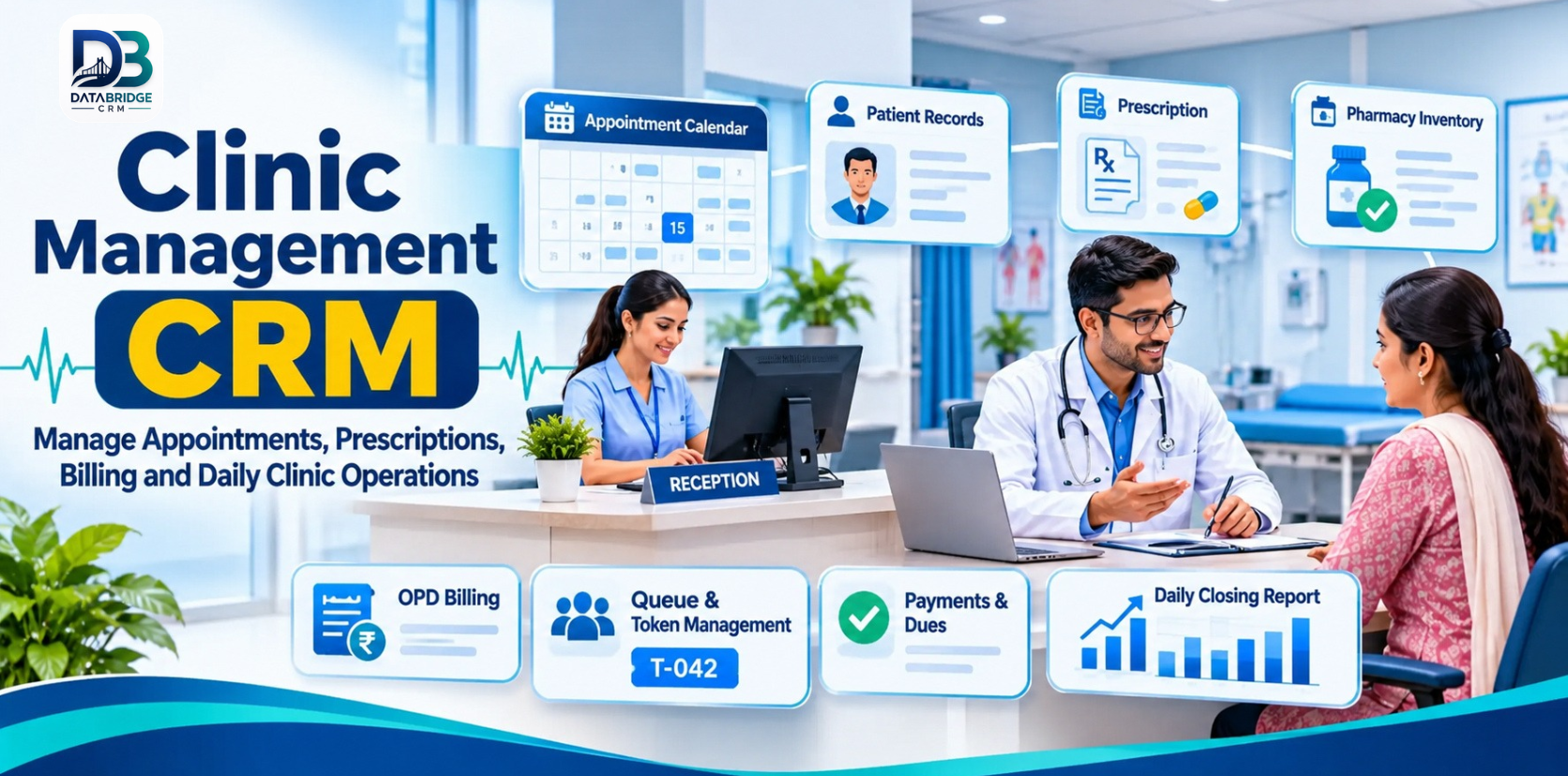
A clinic's day can become busy before the first consultation begins. The front desk is answering calls, checking doctor availability and registering patients. Doctors need access to relevant visit history. The pharmacy may be preparing medicines, while the accounts desk is handling payments and pending dues.
When these activities are tracked in separate registers, spreadsheets and chat messages, small gaps can create extra work: a missed appointment, a duplicate patient entry, a prescription that is hard to locate or a daily collection that takes too long to reconcile.
Clinic management CRM software helps bring key administrative workflows into one organised system. This article focuses on the everyday clinic journey—from the first appointment to the end-of-day review—and the practical features worth evaluating.
What Is Clinic Management CRM Software?
Clinic management CRM software is a digital platform for organising patient administration and clinic operations. Depending on the system, it can include patient registration, electronic health records, doctor schedules, appointments, queue or token management, prescriptions, diagnosis, billing, pharmacy inventory, payments and reports.
It is not a replacement for clinical judgement or professional medical records policies. Its role is to help authorised staff manage information and administrative steps more consistently, while clinicians remain responsible for diagnosis and treatment decisions.
Where a Clinic's Daily Workflow Can Break Down
Appointments are spread across calls and notebooks
When bookings are maintained in multiple places, staff can accidentally double-book a doctor or overlook a schedule change. A shared appointment calendar makes availability easier to review and gives the front desk one place to update bookings.
Returning patients are registered again
Without a reliable search process, the same person may end up with more than one record. A searchable patient history can help staff find earlier visits and reduce repeated data entry. Staff should still verify identity before opening or updating a record.
The waiting-room queue is unclear
Patients may ask repeatedly who is next, especially when walk-ins and scheduled appointments overlap. A queue or live-token view can help the front desk manage the order of visits and communicate more clearly.
Billing and collections are checked at the end of the day
If consultation fees, payments, refunds and outstanding dues are recorded separately, closing the day's accounts becomes a manual exercise. A central dues-and-payments view and daily closing report can make reconciliation more structured.
Clinic CRM Features That Make a Practical Difference
1. Patient Registration and History
Look for quick patient search, a clear registration process and a record of previous visits. The system should help authorised staff access the information needed for their role while limiting access to sensitive details.
2. Doctor Calendar and Appointment Scheduling
Check whether schedules can be maintained doctor-wise, with support for bookings, cancellations, rescheduling and waitlists. If online booking or reminders are important, ask the vendor to demonstrate the exact patient-facing process and supported communication channels.
3. Queue and Live Token Management
A token workflow can make the waiting room easier to manage. Ask how walk-ins are added, how priority cases are handled under clinic policy, and how staff update the queue when a consultation is delayed.
4. Consultation Notes and Digital Prescriptions
Clinicians need a clear process to review relevant history and record consultation information. If digital prescriptions are included, verify the template, print or sharing options, authorisation controls and how corrections are recorded. The software should support the clinician's process rather than dictate clinical decisions.
5. Diagnosis and Lab Workflow
For clinics that request tests, check how diagnosis details and test requests are recorded and how reports are attached to the correct patient record. If an external laboratory is involved, confirm whether integration exists or whether staff must update results manually.
6. OPD Billing, Dues and Payments
Review how consultation fees, procedures, discounts, advances, part-payments and refunds are entered. Staff should be able to see paid and pending amounts clearly, with suitable permissions for corrections and approvals.
7. Pharmacy and Inventory
If the clinic dispenses medicines, evaluate medicine records, stock movements, low-stock visibility and expiry controls. Confirm whether pharmacy activity is linked to prescriptions and billing in the way your clinic expects.
8. Daily Closing and Management Dashboard
A daily closing process helps the owner or manager review collections and pending dues without assembling figures from several registers. Useful dashboard information may include daily visits, appointments, revenue indicators and operational alerts. Check that totals can be reconciled with the clinic's actual payment records.
9. Staff Roles and Access
Reception, doctors, nurses, pharmacy and accounts teams need different levels of access. Ask whether roles can be configured and whether important edits, cancellations and billing adjustments are recorded in an audit history.
A Clinic's Day in One Connected Workflow
- Before opening: Staff review doctor schedules, available appointment slots and expected visits.
- Patient arrival: The front desk searches for an existing patient or creates a new record after checking details.
- Queue assignment: The patient is added to the appropriate queue or token sequence.
- Consultation: The clinician reviews relevant history and records notes and prescriptions according to the clinic's process.
- Next steps: Any diagnosis, test request, follow-up or pharmacy action is recorded for the relevant team.
- Payment: The billing desk records charges, payments and any pending dues.
- End-of-day review: The authorised manager checks visit activity, collections and outstanding amounts against the day's records.
This sequence is a useful way to test clinic software. Ask the provider to demonstrate the complete journey with a sample patient, including a rescheduled appointment, a returning patient and a part-payment—not just a tour of individual modules.
Which Clinics Can Use a Clinic Management CRM?
Single-doctor practices: Appointment scheduling, patient history, prescriptions and straightforward billing may be the main priorities.
Multi-doctor clinics: Doctor-wise calendars, queue coordination, shared patient records and consolidated reporting become more important.
Dental and speciality clinics: Check whether the system can accommodate speciality-specific visit notes, treatment plans and follow-up schedules.
Diagnostic-linked clinics: Review test requests, report tracking and the process for linking results to patient records.
Clinics with an in-house pharmacy: Evaluate medicine inventory, dispensing, expiry controls and the connection between pharmacy and billing.
What DataBridgeCRM Lists for Clinic Management
DataBridgeCRM's official Clinic Management CRM page describes a clinic solution with modules including Dashboard, Patients, Doctors, Appointments, IPD Management, Bed Management, Prescriptions, Diagnosis, Blood Bank, Billing, Clinic Charges, Finance, Transactions, Inventory, Front Office, Enquiries, Documents, Frontend CMS and Users & Roles.
The page describes dashboard analytics for daily admissions, OPD visits, revenue metrics and alerts. It also highlights electronic health records and treatment histories, doctor appointment scheduling and queue management, IPD/OPD billing, insurance claims, finance tracking, and pharmacy stock and medical-supply management.
The clinic product's published workflow describes patient registration, appointment scheduling, treatment management and billing. A related DataBridgeCRM clinic guide also discusses live-token queue management, patient history, pharmacy and inventory, daily closing, dues and payments. Confirm the availability and exact behaviour of these functions in the plan and configuration being considered.
Explore DataBridgeCRM Clinic Management CRM or visit the DataBridgeCRM website.
How to Choose Clinic Software in Jaipur
- Write down your current process: Map calls, appointments, walk-ins, consultations, prescriptions, billing and daily closing.
- List the users: Include reception, doctors, nursing staff, pharmacy and accounts.
- Test a busy-hour queue: Add booked patients and walk-ins, then reschedule one appointment.
- Test patient search: Find a returning patient and check how possible duplicate records are handled.
- Review billing cases: Demonstrate discounts, part-payments, refunds and pending dues.
- Check privacy and permissions: Confirm who can view, edit, export and delete different types of information.
- Ask about migration: Understand how existing patient records and appointment data can be transferred and checked.
- Understand support and cost: Confirm onboarding, staff training, backups, upgrades, support hours and any extra charges.
Protecting Patient Information
Clinic records can contain sensitive personal and health information. Before implementation, ask how the provider protects data in transit and at rest, manages staff permissions, maintains backups and records access or changes. Understand how data can be exported if you change systems, and how retention and deletion requests are handled.
Applicable Indian data-protection and healthcare requirements depend on the clinic's activities and the information it handles. Seek qualified compliance advice for your specific setup. A product description alone should not be treated as proof that a clinic meets every legal or regulatory obligation.
Roll Out the System Without Disrupting Patient Visits
Start with the front desk: configure doctor schedules, patient registration and appointment types. Train reception staff on search, booking, rescheduling and queue updates. Then introduce the consultation and prescription workflow to clinicians, followed by billing and pharmacy teams where applicable.
Run a short pilot and compare the software's appointment and payment records with the clinic's existing process. Collect feedback from staff who use it during busy hours. Once the first workflow is stable, expand to additional modules. Keep a clear support contact available during the transition.
Final Thoughts
Good clinic administration is often about making ordinary tasks dependable: finding the right patient record, keeping the appointment queue clear, recording a prescription correctly and closing the day's accounts without confusion.
A clinic management CRM can help organise these steps when its workflows match the way your clinic operates. Evaluate the system with real examples from your day, check how patient information is protected and choose a rollout plan that gives staff enough time to learn.
Explore DataBridgeCRM Clinic Management CRM and request a demonstration using your appointment, patient and billing scenarios.
Frequently Asked Questions
1. What is clinic management CRM software?
It is software that helps clinics organise patient registration, appointments, records, prescriptions, billing, inventory and daily reports. The available modules depend on the provider and configuration.
2. Can clinic software manage appointments and queues?
Many systems include doctor calendars, appointment booking and queue or token management. Ask for a demonstration that includes walk-ins, rescheduling and waitlists.
3. Can a clinic CRM store digital prescriptions?
Some clinic platforms include prescription records and digital prescription workflows. Confirm the templates, print options, permissions and correction history with the provider.
4. Does clinic management software support billing and pending dues?
Clinic systems may include OPD billing, payments, finance and dues tracking. Test the exact process for part-payments, refunds, discounts and daily reconciliation.
5. How can a clinic protect patient records in a CRM?
Review access controls, encryption, backups, audit history, data export and retention practices. Confirm applicable legal requirements with a qualified adviser.
- Hashtags: #ClinicManagementCRM #ClinicSoftware #HealthcareTechnology #PatientManagement #DataBridgeCRM
When evaluating clinic management software, look beyond the feature list. Test a complete patient journey—from booking and registration to consultation, payment and daily closing.
Explore DataBridgeCRM Clinic Management CRM: https://databridgecrm.com/clinic-management-software-jaipur
#ClinicManagementCRM #ClinicSoftware #HealthcareTechnology #PatientManagement #DataBridgeCRM

