
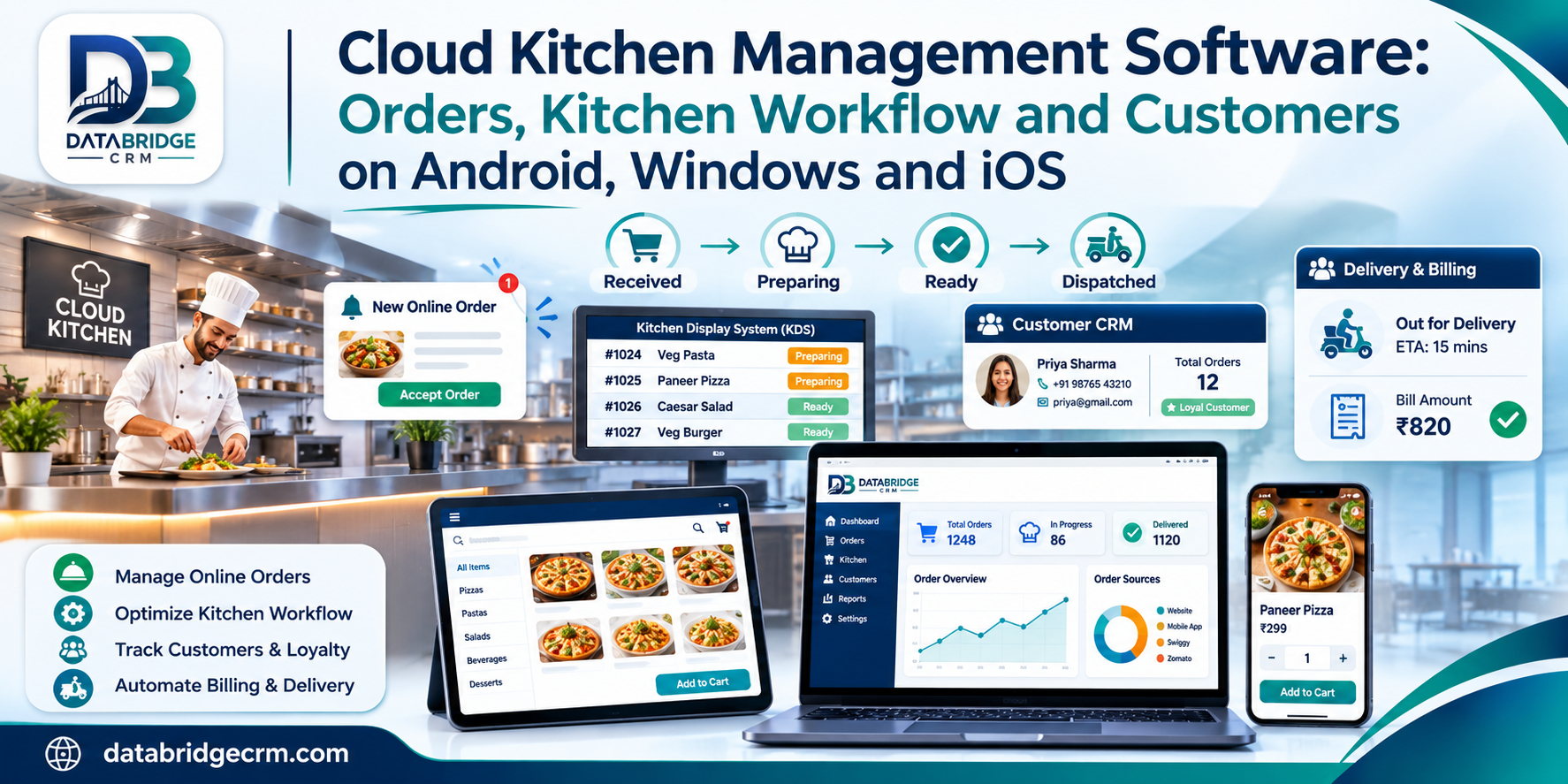
A cloud kitchen has no dining room, no waiter and no walk-ins. Everything arrives as an order: from a delivery app, from a phone call, from a chat message, sometimes all within the same ten minutes. The kitchen team is cooking, the packer is sealing bags and the owner is wondering why two orders are late.
That is the daily reality of a delivery-only business. Cloud kitchen management software does not make the food, but it helps the team see every order, keep the kitchen in sequence and remember the customers who keep coming back.
What Makes a Cloud Kitchen Different
A traditional restaurant gets to know guests by face. A cloud kitchen mostly does not. That changes what the business needs from its software:
- Many order sources. Orders come from several places and need to land in one queue.
- Speed under pressure. Delivery time matters, so the kitchen needs a clear order of work.
- No customer contact. Without a counter, repeat customers and their preferences are easy to lose.
- Tight margins. Ingredient waste, packaging and delivery costs add up fast.
- Multiple brands, one kitchen. Many operators run several menus from the same space.
Common Problems Cloud Kitchens Face
- Scattered orders. Staff check several screens and phones, and orders are missed or delayed.
- Wrong or missing items. Rushed packing leads to complaints and refunds.
- Unclear stock. A popular ingredient runs out in the middle of a rush.
- No view of repeat customers. The kitchen cannot tell who orders every week.
- Slow reconciliation. Sales from different sources are hard to bring together at day end.
- Dependence on a few people. One experienced manager holds all the knowledge.
What Cloud Kitchen Software Should Help With
One order queue
Whether orders come by phone, chat or another channel, they should be recorded in one place so the kitchen can see what is pending, in progress and ready.
Kitchen workflow
Clear order status helps the cook, the packer and the dispatcher stay in step. Ask how the system shows order stages and how staff update them.
Menu and item management
Items, prices, add-ons and availability should be easy to change, especially when an ingredient runs out mid-service.
Stock tracking
Knowing what is left of key ingredients and packaging helps you avoid stock-outs and waste. Check how detailed the stock tracking is and whether it suits your menu.
Customer records
A record of customers, past orders and favourite items helps you plan offers and follow-ups. Use contact details only with consent and give people an easy way to opt out.
Billing and reports
Daily sales, popular items and order counts by source help you decide what to promote and what to drop.
Customer Records When You Have No Storefront
For a cloud kitchen, the customer record is the closest thing to a regular’s face. Over time it can show who orders on weekends, who prefers a particular dish and who has not ordered in a while. That lets you send a thoughtful message, such as a new menu invitation, instead of a blanket offer.
Handle that data with care. Collect only what you need, protect it with access control and avoid sharing it outside the business.
Working Across Android, Windows and iOS
A cloud kitchen team uses different devices in different places. DataBridge CRM is offered as an Android APK, a Windows application and an iOS app, so each role can use the device that suits its job.
Windows. A computer at the kitchen office or billing desk works well for the order queue, billing, stock entries and daily reports.
Android (APK). A tablet or phone near the kitchen pass is handy for order status updates, quick item availability changes and dispatch checks.
iOS. The owner’s or manager’s iPhone is useful for reviewing sales, order counts and customer activity away from the kitchen.
Features can differ by platform and version, so confirm what is available on each before relying on it during a rush.
A note on installing an Android APK
An APK is installed directly instead of through the Play Store, so be careful. Download it only from the official DataBridge CRM source shared by the team, keep devices updated and avoid files from forwarded links or unfamiliar websites. Kitchen tablets also hold sales and customer data, so use a screen lock.
What About Food Delivery Platforms?
Many cloud kitchens take orders through third-party delivery platforms. Connecting those orders automatically depends on the interfaces the platforms allow, which can involve partnership terms. Not every software supports every platform. If this matters to you, ask the vendor precisely what is supported today and what would need custom work. Until then, a clear process for entering or confirming orders in one queue still brings order to the kitchen.
Use Cases for Different Cloud Kitchen Setups
Single-brand cloud kitchens. A focused menu and one team make a clear order queue, quick billing and stock tracking the most useful.
Multi-brand kitchens. Several menus from one kitchen need clear separation of orders and sales by brand. Ask how brands are handled.
Home-based and small-batch kitchens. Owners often juggle cooking and orders themselves, so a simple, phone-friendly record helps.
Bakeries and dessert kitchens. Advance orders, custom requests and festival peaks need clear order notes and delivery dates.
Catering kitchens. Larger orders with advance payments and delivery schedules need organised records. Confirm how bulk orders are handled.
A Simple Example
Consider a cloud kitchen with two brands operating from a single kitchen and a team of five. Orders earlier arrived on phones, chats and delivery tablets, and the manager tracked them on paper. After moving to a shared order and billing record, the kitchen team sees one queue on a tablet near the pass while the manager reviews daily sales on a phone. Within a few weeks the manager notices that one brand’s dinner orders are strong while its lunch orders barely move, and plans a lunch combo. The kitchen did not change, but the decisions did.
Benefits for Different Business Sizes
Single kitchens gain fewer missed orders, clearer billing and a basic view of what sells.
Growing operators benefit from shared records, staff access control and better stock planning across brands.
Multi-kitchen businesses need consolidated reporting and consistent processes. Confirm multi-location support with the vendor.
How DataBridge CRM Fits In
DataBridge CRM, powered by Jayshree Technosoft in Jaipur, provides CRM and business software with POS and billing support. For cloud kitchens, the aim is to connect orders, billing and customer information so the team works from one set of records.
The best way to judge fit is a demonstration based on your own kitchen. Share your order channels, number of brands, kitchen workflow and devices, then ask the team to show how each would be handled.
Selection Checklist for Cloud Kitchen Owners
- Can all my order sources be recorded in one queue?
- Does it show order status clearly to the kitchen and dispatch?
- Can I change menu items and availability quickly?
- Does it track the stock that matters to my menu?
- Does it keep customer records and respect consent?
- Does it work on the Android, Windows and iOS devices my team uses?
- What integrations are supported today, and what training is provided?
Conclusion
A cloud kitchen lives and dies by the quality of its operations. The food has to be good, but it also has to be on time, complete and consistent. Software cannot cook, yet it can keep orders visible, work in sequence and customers remembered. If your kitchen has outgrown paper slips and scattered screens, a simple shared record on the devices you already own is a sensible place to start.
If you would like to see how this could work for your cloud kitchen, request a walkthrough with DataBridge CRM.
Visit DataBridge CRM and book a demo.
Frequently Asked Questions
1. What is cloud kitchen management software?
It is software that helps a delivery-only kitchen record orders, organise kitchen work, track stock and keep customer details in one system.
2. Does a cloud kitchen need a CRM?
A cloud kitchen has no storefront, so customer records help it see repeat buyers, favourite items and gaps between orders. Use contact details only with proper consent.
3. Can I run my cloud kitchen from Android, Windows and iOS?
DataBridge CRM is offered as an Android APK, a Windows application and an iOS app. Confirm current versions, features and download sources with the DataBridge CRM team.
4. Does the software connect to food delivery platforms?
Connections to delivery platforms depend on the interfaces those platforms allow. Ask the vendor exactly what is supported today and what would need custom work.
5. How do I get a demo of DataBridge CRM for my cloud kitchen?
Contact the DataBridge CRM team through its website and share your order channels, number of brands, kitchen workflow and the devices your team uses.

