
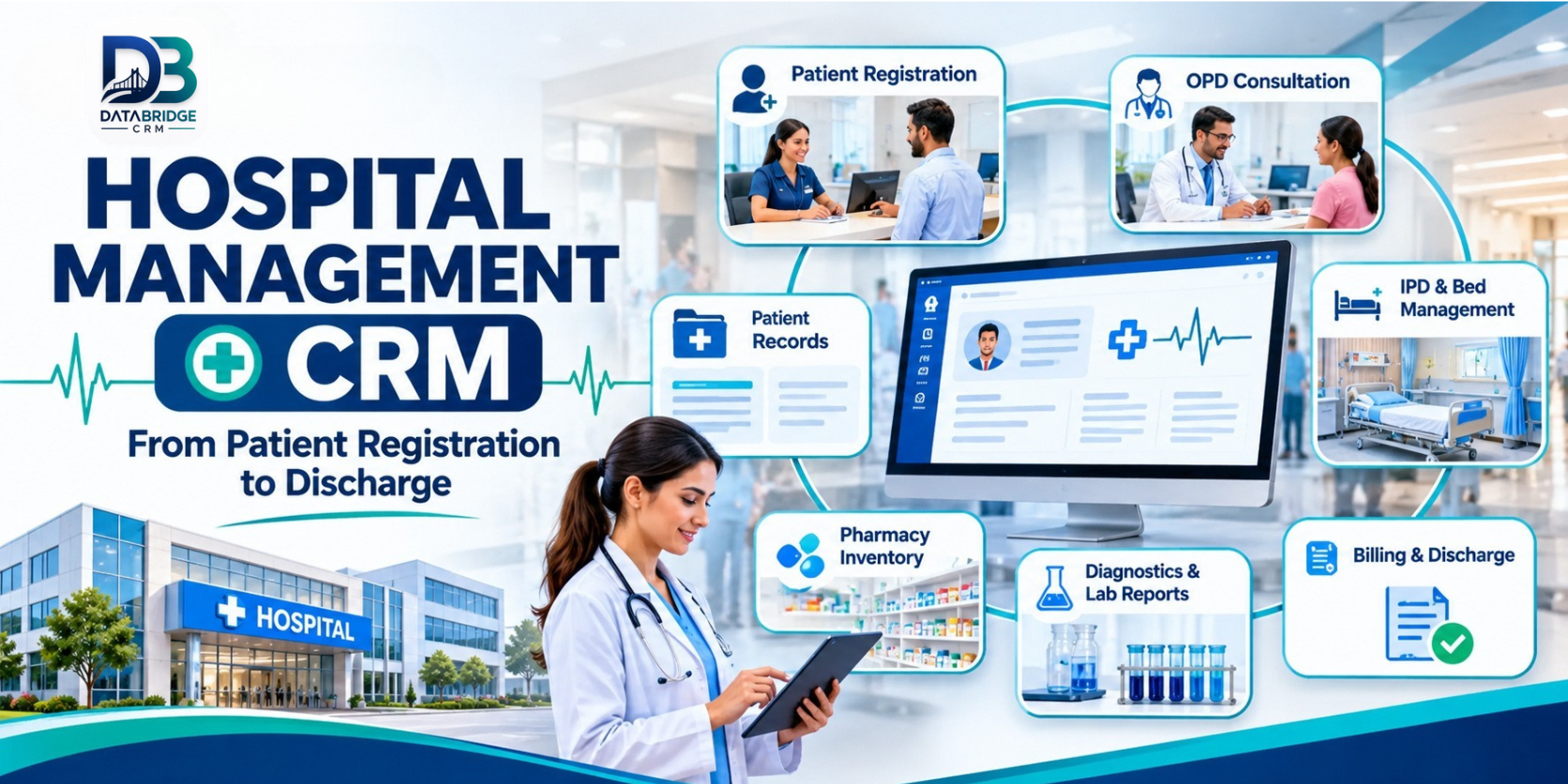
A hospital is made up of many teams, but a patient's experience is one continuous journey. Registration collects the first details, doctors need the right history, diagnostic teams process test requests, pharmacy handles prescriptions, nursing teams coordinate care and accounts prepare the bill. When every department maintains a separate record, staff can spend more time searching for updates than moving work forward.
Hospital management CRM software can help connect these workflows through shared patient information and clearly defined processes. The goal is not to replace the judgement of healthcare professionals. It is to make administrative information easier to record, find and coordinate so teams can focus on their responsibilities.
This guide looks at hospital software from a department-coordination perspective: what should connect, which workflows to test and how to assess whether a platform fits your facility.
What Does a Hospital Management CRM Do?
A hospital management CRM or hospital management system brings operational and patient-administration activities into a structured digital environment. Depending on the product and configuration, it may include patient registration, appointments, OPD and IPD records, doctor and staff information, bed management, prescriptions, diagnosis, laboratory workflows, pharmacy inventory, billing, finance and reports.
Not every hospital needs every module on day one. A small nursing home may prioritise registration, appointments, bed allocation and billing. A multi-speciality facility may need more complex department access, diagnostics, inventory and financial reporting. The right system should support the actual operating model of the hospital.
Why Department Coordination Matters
Patient details should not need to be entered repeatedly
When a returning patient visits, staff should be able to locate the correct record and verify details rather than create another profile by mistake. A shared patient record can reduce duplicate data entry and make relevant history easier for authorised staff to retrieve.
Requests need to reach the right department
A consultation may lead to a diagnostic test, prescription, admission or follow-up. If requests travel only through paper slips or verbal instructions, it can be difficult to know whether the next step has been completed. A digital workflow can make the status visible to the appropriate teams.
Bed status and admission information must stay current
Reception and admission staff need a reliable view of bed availability. A bed may be occupied, reserved, under cleaning or temporarily unavailable. Clear status definitions help avoid assigning a bed before it is ready.
Charges should be recorded as services happen
When services and consumables are recorded in different places, some charges may be missed or disputed later. A connected billing process can help authorised staff review charges, advances, payments and outstanding amounts before discharge.
Key Hospital CRM Modules and What to Check
1. Patient Registration and Electronic Records
Check how new patients are registered, how returning patients are searched and how possible duplicate records are identified. Patient profiles may include demographic details, visit history, documents and clinical information according to the hospital's workflow. Access to sensitive records should be restricted to authorised roles.
2. Doctor Scheduling and Appointments
Doctor availability, appointment slots, walk-ins and queue status should be easy for front-desk staff to review. Ask whether the system can handle schedule changes, cancellations, waitlists and reminders, and confirm which reminder channels are actually included.
3. OPD and Consultation Workflow
For outpatient departments, assess how a patient moves from registration to consultation and then to any follow-up action. The system should make it practical for authorised users to record consultation details, diagnosis and prescriptions in the appropriate patient file.
4. IPD, Admission and Bed Management
Inpatient workflows involve admission details, ward or room allocation, bed status, daily services and discharge. Demonstrate a complete admission and transfer, including how the system handles a bed change or a temporary maintenance block.
5. Diagnostics and Laboratory Tracking
If the hospital manages laboratory work, check how test requests are recorded, how sample and report statuses are updated and how results are linked to the correct patient. If an external laboratory is used, ask whether an integration is available or whether the workflow requires manual updates.
6. Pharmacy and Inventory
Pharmacy teams may need to manage medicine stock, medical supplies, dispensing and inventory movement. Check whether the product supports batch and expiry tracking, stock alerts and links between prescriptions, dispensing and billing. Verify each requirement in the chosen configuration.
7. Billing, Finance and Transactions
Review how consultation fees, procedures, bed charges, pharmacy items, advances, discounts and final invoices are handled. If the hospital accepts insurance, ask the vendor to demonstrate the specific approval and claim-tracking steps you use. Do not assume every insurer or TPA integration is included.
8. Staff, Roles and Audit History
Doctors, nurses, receptionists, pharmacists and finance staff have different responsibilities. Role-based permissions should reflect those responsibilities. Ask whether the system records important edits, cancellations and approvals, and how access is reviewed when employees change roles or leave.
9. Dashboards and Reports
Management may need a view of admissions, OPD activity, bed utilisation, revenue, pending bills and department activity. Ask to see sample reports and check whether filters, exports and date ranges match the hospital's daily review process.
One Patient Journey: How Connected Departments Work Together
- Registration: The front desk creates a patient record or finds an existing one, verifies details and records the visit.
- Appointment and queue: The patient is added to the appropriate doctor's schedule or queue.
- Consultation: The authorised clinician reviews relevant history and records consultation notes and next steps.
- Diagnostics: A test request is recorded and its progress can be followed by the relevant team.
- Pharmacy: Prescribed medicines are dispensed and stock movements are recorded according to the pharmacy workflow.
- Admission, if required: The admission team checks bed availability, assigns the appropriate bed and records inpatient details.
- Billing: Applicable services and payments are brought together for review by authorised billing staff.
- Discharge and follow-up: The final account and discharge documentation are completed, and any follow-up process is recorded.
This journey is a useful live-demo test. Ask the software provider to show the same patient record moving through the departments rather than presenting each module as an isolated screen.
Hospital Software Requirements by Facility Type
| Facility | Priorities to evaluate |
|---|---|
| Single-speciality hospital | Patient records, doctor schedules, OPD, billing and the speciality's core workflow. |
| Nursing home | Registration, admission, bed management, nursing coordination, pharmacy and inpatient billing. |
| Multi-speciality hospital | Department-wise workflows, role permissions, diagnostics, IPD, inventory and consolidated reporting. |
| Small community hospital | Simple front-desk processes, appointments, patient history, billing and manageable staff training. |
| Hospital with in-house diagnostics | Test requests, sample and report status, result records and links to the patient file. |
How to Evaluate Hospital Management Software in Jaipur
Hospitals in Jaipur and across Rajasthan vary in size, specialities, patient volumes and administrative practices. Rather than selecting software based on a long feature list, prepare a short evaluation using your own departments and service rules.
- Map the patient journey: Document how registration, consultation, diagnostics, admission, pharmacy and billing currently work.
- Identify bottlenecks: Note where staff re-enter details, wait for approvals or search for missing information.
- Test patient search: Try finding a returning patient and handling a possible duplicate record.
- Test bed allocation: Change bed status and confirm that the correct staff can see the update.
- Test billing scenarios: Include advances, part payments, discounts, service charges and corrections.
- Check permissions: Confirm that clinical, administrative and financial information is visible only to appropriate users.
- Review migration: Ask how existing patient and billing records can be imported and validated.
- Confirm support: Understand training, implementation, backup, issue escalation and ongoing costs.
Patient Data Privacy and Responsible Use
Hospitals handle highly sensitive personal and health information. Before adopting any digital system, ask how records are stored, protected, backed up and accessed. Review role permissions, audit history, data export, retention and deletion processes, and the provider's incident-response arrangements.
Indian data-protection and health-sector requirements may apply depending on the organisation, data and services involved. Hospitals should obtain appropriate legal and compliance advice rather than treating a software feature label as proof of compliance. Ask the vendor for documentation that supports your own assessment.
What DataBridgeCRM Lists for Hospital Management
DataBridgeCRM's official Hospital Management CRM page describes a healthcare management solution for hospitals, clinics, medical centres and healthcare organisations. The published module list includes dashboard, patients, doctors, appointments, IPD management, bed management, prescriptions, diagnosis, blood bank, billing, hospital charges, finance, transactions, inventory, front office, enquiries, documents, frontend CMS, and users and roles.
The page also describes patient electronic health records and treatment histories, appointment scheduling and queue management, IPD/OPD billing, insurance claims and finance tracking, plus pharmacy stock, medical supplies and equipment lifecycle management. The wider product description mentions doctor and nurse records, ambulance services, medicine management and hospital staff management.
These are the capabilities described on the product page; exact availability, integrations and workflow depth should be confirmed for the plan and implementation being considered. Request a demonstration using your own departments, roles and billing rules.
Explore DataBridgeCRM Hospital Management CRM or visit the DataBridgeCRM website.
Implementation: Start with a Department Pilot
A hospital does not need to digitise every workflow in a single day. Start by selecting a manageable pilot, such as registration, appointments and OPD billing. Clean the initial data, configure staff permissions and train the people who will use the system every day.
Once the pilot is stable, review staff feedback and compare the new process with the hospital's existing records. Then plan the next departments, such as IPD, pharmacy or diagnostics. Keep a clear support route available during the transition and agree on how urgent issues will be handled.
Final Thoughts
Hospital management software is most useful when it connects the work that already happens across departments. A shared patient record, clear appointment status, dependable bed information, coordinated pharmacy and diagnostics workflows, and transparent billing can make administration more organised.
The right hospital CRM should fit the size and structure of your facility, protect sensitive information and be practical for staff to use. Start with your patient journey, test real scenarios and confirm the details before implementation.
Explore DataBridgeCRM Hospital Management CRM and request a demonstration based on your departments and operational requirements.
Frequently Asked Questions
1. What is hospital management CRM software?
It is software that helps a healthcare facility organise patient administration and operational workflows such as registration, appointments, OPD/IPD, beds, pharmacy, billing and reports. The modules vary by provider.
2. What is the difference between OPD and IPD management?
OPD workflows generally support patients who visit for consultation without being admitted. IPD workflows support admitted patients and may include bed allocation, inpatient services, charges and discharge processes.
3. Can hospital software manage beds and appointments?
Many hospital systems include appointment scheduling and bed management. During a demonstration, test schedule changes, cancellations, bed transfers and rooms temporarily marked unavailable.
4. Does hospital management software include pharmacy and billing?
Some platforms include pharmacy inventory and billing modules. Confirm how prescriptions, stock movements, charges, advances, refunds and final invoices work in the specific product.
5. How should a hospital protect digital patient records?
Evaluate role-based access, secure storage, backups, audit history, data export and retention processes. Confirm applicable legal and sector requirements with qualified advisers.
- Hashtags: #HospitalManagementCRM #HospitalSoftware #HealthcareTechnology #HospitalOperations #DataBridgeCRM
When evaluating a system, ask for a live demonstration of one patient journey from registration to discharge—not just separate feature screens.
Explore DataBridgeCRM: https://databridgecrm.com/hospital-management-software-jaipur
#HospitalManagementCRM #HospitalSoftware #HealthcareTechnology #HospitalOperations #DataBridgeCRM

