
A customer leaves a phone for a screen replacement. Another drops off a laptop that will need a few days of diagnosis. A third comes back to ask about a repair completed last month. At the counter, all three conversations can sound similar—but each device has a different condition, repair history, estimate, parts requirement and expected delivery date.
When a service centre relies on loose paper slips, chat messages and memory, keeping those details connected becomes difficult. A misplaced note can lead to a disputed device condition, an unapproved repair or a customer who has to call repeatedly for an update.
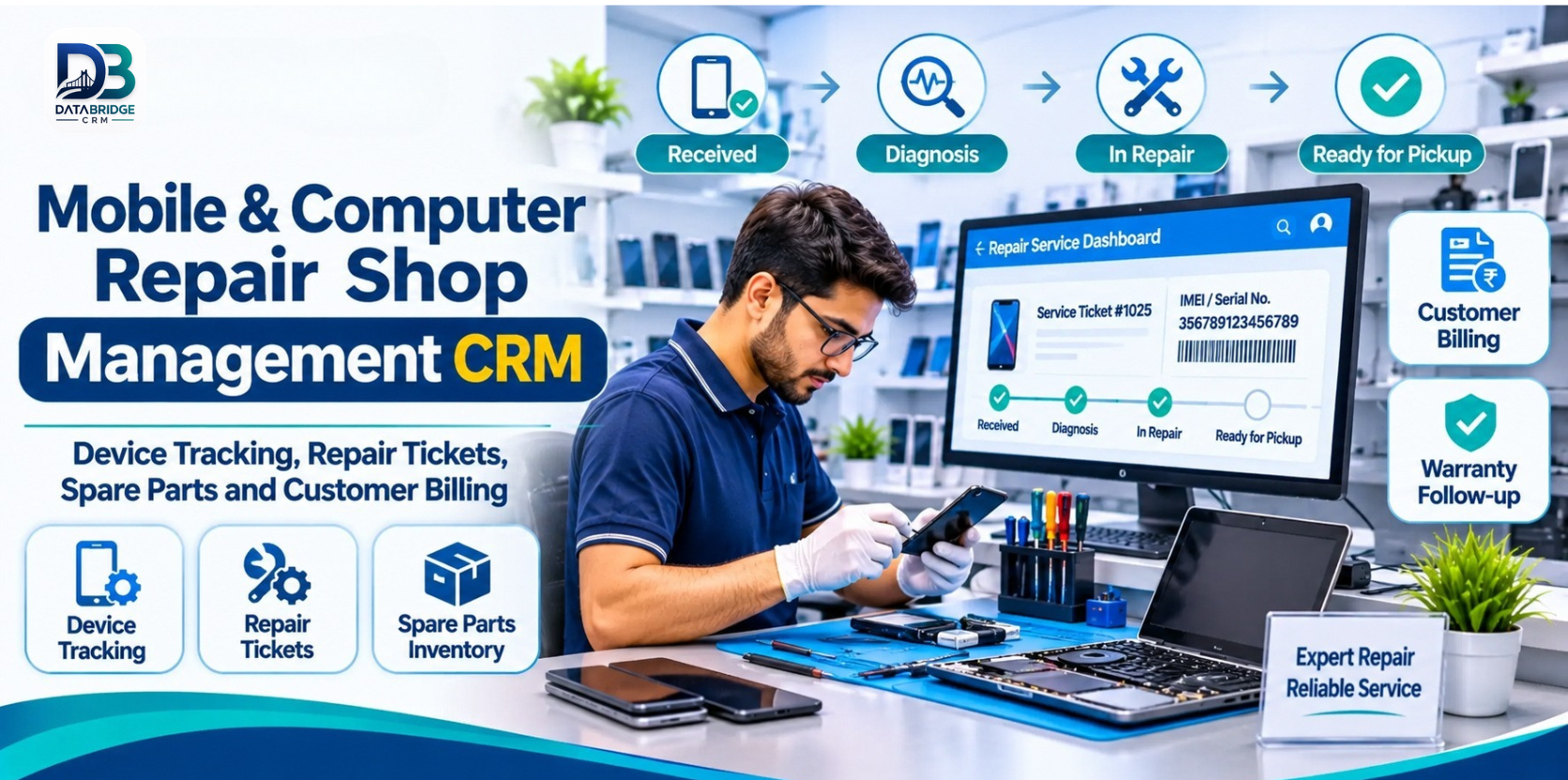
Mobile and Computer Repair Shop Management CRM helps bring customer records, device details, repair tickets, technician activity, spare parts, billing and follow-ups into a more organised workflow. The aim is simple: every device should have a traceable record from the moment it is received until it is returned to its owner.
What Is a Phone and Computer Service Centre CRM?
A service centre CRM is a digital system used to manage customer relationships and the operational records associated with repair jobs. It can help a business register devices, record reported problems, create repair tickets, track job stages, maintain parts usage, prepare bills and retain service history.
It can be relevant to mobile repair shops, phone service centres, laptop and computer repair businesses, tablet repair centres, printer and CCTV service providers, IT hardware support teams, chip-level repair labs and multi-brand electronics service centres. The exact workflow should be configured to match the services a business actually provides.
Why Device-Level Tracking Matters
One customer may have more than one device
A customer profile alone is not enough when someone brings in a phone and a laptop—or returns with a different device later. Each item needs its own ticket and identifying details. This makes it easier to see which device is being discussed and what work has been authorised.
Condition and accessories should be recorded at intake
A clear intake record can include the device model, IMEI or serial number where applicable, visible condition, reported issue and accessories received. Photos and customer acknowledgement can add useful context, if the system and the shop's process support them.
Repair stages need to be visible to the whole team
A device may be waiting for diagnosis, customer approval, a replacement part, repair, testing or pickup. If the current stage is recorded consistently, counter staff can answer status questions without interrupting the technician each time.
Parts and charges should remain connected to the ticket
Recording parts and labour against the relevant repair helps the team prepare a more complete bill and review the cost of a job. It also makes it easier to check what was replaced if the customer returns with a warranty question.
Build a Reliable Repair Workflow: Eight Practical Steps
1. Register the customer and device
Find the customer's existing profile or create a new one. Record a reliable contact number and the device details needed to identify the item. Depending on the device, this may include brand, model, IMEI, serial number or another unique identifier.
For privacy, collect only the information needed to provide the service. A customer's device may contain personal photographs, messages, work files and account information. Staff should not browse or copy personal content simply because the device is in the workshop.
2. Create a repair ticket at the counter
Write down the problem as the customer describes it, then add the technician's initial observations separately. Record visible damage, device condition, accessories received and the date and expected time for the next update. Give the customer a ticket number or receipt so both sides can refer to the same record.
3. Document inspection and diagnosis
After inspection, add the diagnosis, recommended repair and any limitations. If the issue cannot be confirmed immediately, mark the job as awaiting diagnosis rather than promising a completion time that the team cannot yet support.
4. Share the estimate and record approval
Explain the expected parts and labour charges before proceeding. Record the customer's approval and the scope of work accepted. If testing reveals an additional issue, revise the estimate and seek approval for the extra work before continuing.
5. Assign the job to a technician
Assign the repair to a staff member with the relevant skills. Keep notes about the work performed and update the ticket when the job moves to another stage. A consistent set of statuses—received, diagnosis, approval pending, waiting for parts, in repair, testing, ready for pickup and delivered—can make the queue easier to understand.
6. Link spare parts to the repair
Record the components used for each ticket, including quantities and costs where required. If the system supports inventory control, update stock as parts are issued, returned or replenished. This helps reduce confusion when several similar devices are being repaired at the same time.
7. Test, bill and prepare the device for pickup
Record the completed repair and any relevant test results. Prepare the invoice using the approved work and parts actually used. Before handover, confirm the device identity, accessories being returned, outstanding amount and any applicable repair warranty terms.
8. Close the ticket and plan the follow-up
Mark the device as delivered only after the handover is complete. Retain the service record so staff can refer to it if the customer returns. Where appropriate, schedule a follow-up or warranty reminder using the customer's agreed communication preferences.
Features Worth Looking For in Repair Shop Software
| Feature | Why it matters |
|---|---|
| Customer profiles | Keep contact details and service interactions organised. |
| Device identification | Record model, IMEI or serial number to distinguish devices. |
| Repair tickets | Keep the complaint, condition, accessories and job notes together. |
| Status tracking | Show whether a device is being diagnosed, repaired, tested or is ready. |
| Estimates and approvals | Record the agreed scope and price before repair work proceeds. |
| Technician assignment | Make job ownership and workload easier to review. |
| Parts and inventory | Connect components and stock movement to repair jobs. |
| Billing and payments | Combine service charges and parts costs in the customer bill. |
| Warranty and AMC records | Help staff check repair coverage and contract renewal dates. |
| Reports and branch access | Review pending jobs, turnaround and activity across teams or locations. |
Different Service Centres, Different Workflows
Mobile repair shops: Track phone model, IMEI where relevant, reported fault, screen or battery replacement, parts used and pickup status.
Laptop service centres: Record longer diagnosis stages, operating-system or hardware issues, parts ordered, customer approvals and testing before delivery.
Computer repair businesses: Organise desktop, component and peripheral repairs, with job notes that explain what was checked and replaced.
Printer service centres: Track model, fault, consumables or parts, service visits and any maintenance agreement.
CCTV and IT hardware service providers: Where the business offers on-site support, connect service tickets with locations, visit schedules, equipment records and AMC follow-ups.
Chip-level repair labs: Maintain detailed diagnosis notes and stage updates for specialist work that may require more time and careful communication.
Protect Customer Trust and Device Privacy
Phones and computers can contain sensitive personal and business information. A professional intake process should make customers feel that their device is being handled responsibly—not that they are handing over unrestricted access to their digital life.
- Record the device's visible condition and accessories at drop-off.
- Explain the diagnostic process and obtain permission where access to data or accounts is genuinely required.
- Avoid requesting passwords unless strictly necessary for an agreed test; use safer alternatives wherever possible.
- Do not copy, view or share customer files unrelated to the repair.
- Limit staff access to customer and device records according to job responsibilities.
- Document customer consent for any data backup, reset or other action that may affect stored information.
- Explain warranty coverage, exclusions and the process for raising a repeat-repair concern.
These are operational good practices, not a substitute for a legal or security review. Each service centre should maintain written policies appropriate to its services and applicable requirements.
How DataBridgeCRM Fits a Service Centre Workflow
DataBridgeCRM publishes a Phone/Computer Service Center CRM guide describing workflows for mobile repair shops, phone service centres, laptop and computer repair shops, tablet repair centres, printer and CCTV service centres, IT hardware service centres, chip-level repair labs and multi-brand service centres.
The published guide highlights repair intake and tickets, device identification using IMEI or serial number, status tracking, estimates and approvals, spare-parts and cost tracking, warranty and AMC management, and technician performance. It also describes practical use cases such as logging a phone with its condition, recording laptop diagnosis and approved quotes, and tracking AMC contracts and site visits for CCTV service providers.
DataBridgeCRM also publishes related material on digital job tickets, repair tracking and warranty management. Review these resources and ask the team to demonstrate the exact functions, integrations and automation available in the plan you are considering.
- Phone/Computer Service Center CRM: Features & Guide
- Digital Job Tickets: Build Trust in Your Repair Shop
- Warranty and AMC Management for Service Centres
- CRM for Laptop Service Centres
To discuss your own workflow, visit DataBridgeCRM and request a product demonstration using a real repair scenario from your shop.
How to Choose the Right CRM for Your Repair Business
- Test the complete intake process: Register a device, record its condition and create a customer receipt.
- Check unique device records: Confirm that IMEI, serial number and model details can be stored and searched where applicable.
- Follow a repair through every stage: Ask the vendor to show diagnosis, estimate, approval, parts, testing and delivery.
- Review customer notifications: Confirm which channels are supported, whether messages are automatic and what setup or usage charges apply.
- Test inventory handling: Check part issue, returns, purchase entry, stock adjustment and job-wise cost records.
- Understand warranty handling: Ask how a repeat visit can be linked to the original ticket and invoice.
- Check permissions and data protection: Review staff roles, access logs, backups, retention and export options.
- Ask about migration and training: Understand how existing customer records and open repair jobs will be moved into the system.
- Compare the total cost: Include users, branches, messaging, integrations, support and any setup fees.
Common Setup Mistakes to Avoid
- Accepting a device without recording its condition and accessories.
- Using one generic ticket for multiple devices from the same customer.
- Beginning additional paid work without revised customer approval.
- Leaving repair stages outdated when the device is waiting for parts or testing.
- Failing to connect parts used with the correct ticket.
- Marking a device delivered before confirming handover and payment status.
- Keeping warranty terms only in a staff member's memory instead of the service record.
- Giving every employee unrestricted access to customer device information.
Useful Metrics for a Repair Shop Owner
After the team starts using a CRM consistently, review a small set of measures each week:
- Average turnaround time: How long devices take from intake to delivery.
- Pending repair ageing: Which open tickets have not moved for several days.
- Estimate approval rate: How often customers approve the proposed work.
- Repeat-repair rate: How often a device returns for the same or a related issue.
- Parts usage and margin: Which components are used most and how their costs affect repair profitability.
- Ready-for-pickup ageing: How many completed devices are still waiting to be collected.
- Warranty claims: Which repair types or parts generate repeat service requests.
Use these measures to identify bottlenecks, not to pressure technicians into rushing work. Quality, transparent communication and correct diagnosis remain essential.
Final Thoughts
A repair shop earns trust one device at a time. Customers want to know that their phone or computer has been recorded correctly, that the quoted work has been approved, that parts and charges are clear, and that the device will be returned with care.
A well-configured Mobile & Computer Repair Shop Management CRM gives the team a shared record for those steps. Start with accurate device intake and repair tickets, then connect technician updates, parts, billing and warranty follow-ups. Choose software that fits the way your service centre works today and can support the business as it grows.
Explore DataBridgeCRM and request a demonstration based on your device intake, repair ticket, spare-parts and billing process.
Frequently Asked Questions
1. What is mobile repair shop management software?
It is software that helps a mobile repair business record customers and devices, create repair tickets, track job status, manage parts, prepare bills and retain service history.
2. Can a repair CRM record IMEI and serial numbers?
Device identifiers such as IMEI or serial number are useful intake details. Confirm that the chosen system supports the fields and search options your business needs.
3. How do digital repair tickets help reduce disputes?
A ticket can record the reported issue, device condition, accessories received, estimate, approval and repair progress. A shared record makes it easier for staff and customers to refer to the same job details.
4. Can computer repair software track long-running jobs?
A suitable system should let staff update a ticket through diagnosis, parts ordering, repair, testing and delivery. Confirm that the status workflow can be configured for your service process.
5. Can spare parts be linked to individual repair jobs?
Many service-centre systems support job-wise parts records and inventory tracking. Ask the vendor to demonstrate part issue, returns and stock adjustments.
6. How can a shop manage repair warranties?
Keep the original ticket, invoice, parts used, repair date and warranty terms together. When a device returns, staff can review the original service record before deciding the next step.
7. Is this software useful for a small repair shop?
Yes. Even a small team can benefit from consistent device records, repair tickets and customer updates. Choose a setup that is simple enough for staff to use every day.
8. Can customers receive repair status updates?
Some systems support automatic or staff-triggered messages through channels such as WhatsApp or SMS. Verify supported integrations, consent requirements and any messaging charges with the provider.
- Hashtags: #MobileRepairCRM #ComputerRepairSoftware #ServiceCenterManagement #RepairTicketTracking #DataBridgeCRM
The result starts with better records: fewer forgotten details, clearer handovers and a more consistent customer experience.
Explore DataBridgeCRM: https://databridgecrm.com/
#MobileRepairCRM #ComputerRepairSoftware #ServiceCenterManagement #RepairTicketTracking #DataBridgeCRM

