
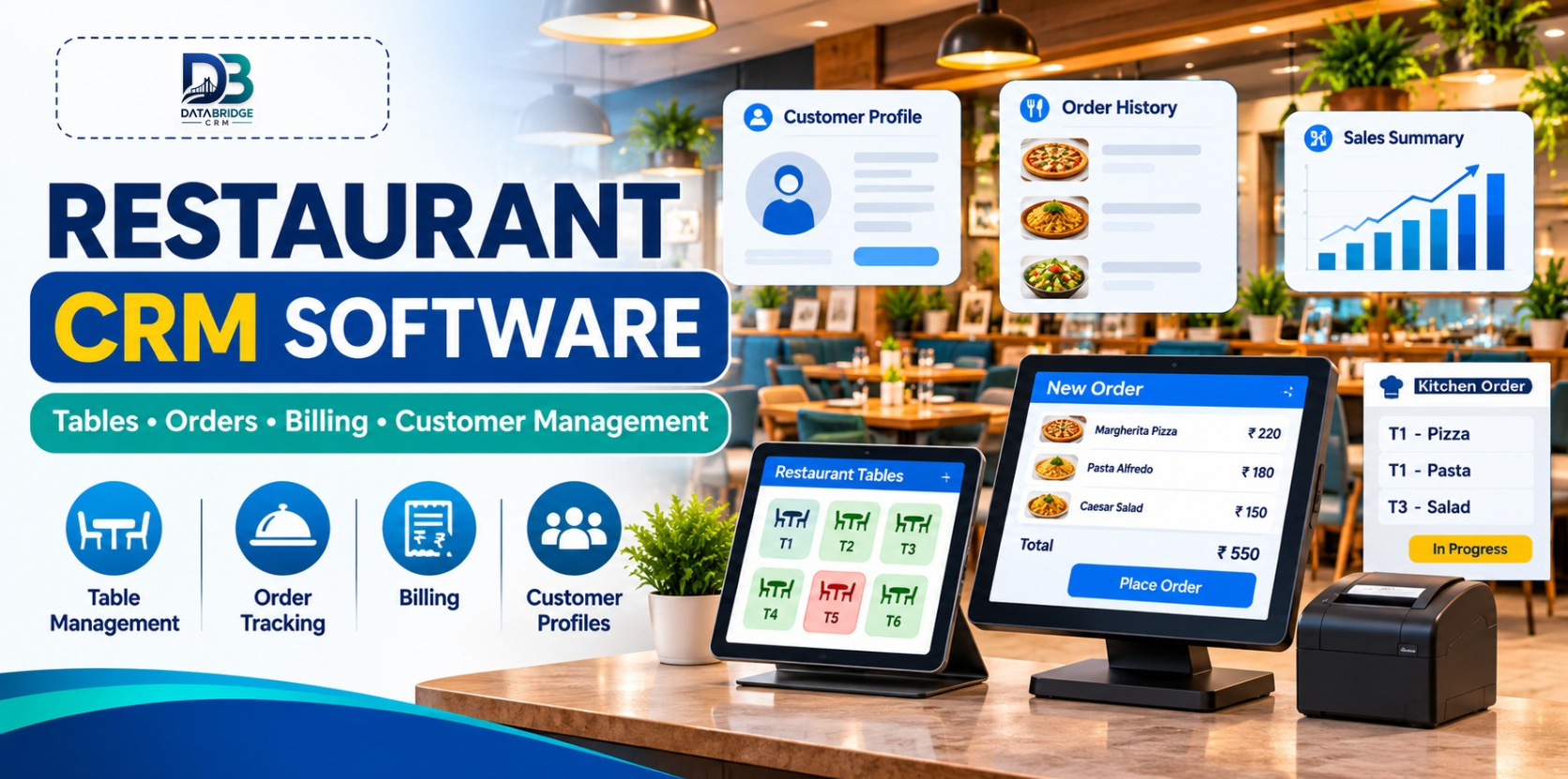
A busy bar or lounge has a different rhythm from a small takeaway counter. Guests may arrive in groups, move between tables, order in rounds, ask for separate bills or return regularly for a familiar atmosphere. Behind the scenes, staff have to keep orders, service and payments organised while managers watch sales and stock.
When guest details sit in one spreadsheet, orders are written on paper and billing happens in a separate application, it becomes harder to see the complete customer journey. Restaurant CRM software can help bring customer information and day-to-day restaurant workflows closer together.
This guide looks at how bars, pubs and lounges can assess CRM, table management, order handling and billing software without assuming every venue needs the same setup.
What Does a Restaurant CRM Do?
A restaurant CRM is a business system that helps a food or hospitality outlet organise guest information and connect it with relevant operational activity. Depending on the product, it may work alongside table management, order entry, point-of-sale billing, customer history and reporting.
For a bar or lounge, the value is not simply storing a guest's phone number. It is being able to understand the relationship over time: when a guest visited, what service they used, whether a follow-up is appropriate and how the venue can provide a more consistent experience on the next visit.
CRM, POS and restaurant operations software are related, but they are not identical. POS is focused on recording orders and payments. CRM focuses on guest information and relationships. Restaurant management tools connect the workflows that staff use to serve guests and run the venue.
Why Bars, Pubs and Lounges Need Connected Workflows
1. Guest information can become scattered
Regulars may make reservations by phone, contact the venue through social media or simply walk in. If each interaction is recorded in a different place, staff may not have the context they need. A central customer record, collected with appropriate consent, can make service more consistent.
2. Group orders can complicate service
A group may order several rounds, add food later and ask to split payment at the end. If staff have to reconstruct the order from handwritten notes, mistakes and delays become more likely. A digital order workflow can make it easier to review what has been entered before the bill is closed.
3. Managers need a clearer view of sales
End-of-shift totals are useful, but managers may also want to understand which menu categories sell well, which hours are busiest and how different days compare. Well-organised sales reports help turn daily transactions into information that can support staffing, purchasing and menu decisions.
4. Repeat guests need thoughtful follow-up
A venue may want to tell opted-in customers about a live music evening, a seasonal menu or a special event. Customer records can help segment communication, but messages should be relevant, permission-based and easy to opt out of. A guest database should support a better relationship, not become a source of unwanted messages.
Key Features to Evaluate in Restaurant CRM Software
Guest and customer records
Check whether the system can store useful customer details, visit history and relevant preferences. Decide which fields your team genuinely needs. Collect only the information required for service and follow applicable privacy and consent practices.
Table and reservation visibility
For a dine-in venue, staff need a reliable way to understand table availability and the status of service. During a demonstration, test how the system handles a new seating, a table change, a reservation note and a delayed party. Confirm whether reservation management is included in the product configuration you are considering.
Order entry and kitchen coordination
Orders should be easy for authorised staff to enter and review. If the venue serves food, test how order notes, item changes, cancellations and kitchen communication work. Ask whether kitchen order tickets or a kitchen display are supported, and whether those features require additional hardware or configuration.
POS billing and payment records
Billing should reflect the venue's actual service pattern. Test itemised bills, discounts, taxes, payment modes and the process for correcting an error. Bars and pubs should specifically demonstrate tabs, split payments, service charges and any rules around opening and closing a guest's bill. Do not assume these specialised workflows are included until the provider confirms them.
Sales reports and performance visibility
Useful reporting may include sales by date, time, item or payment mode. A manager should be able to understand the report without exporting multiple files and manually combining them. Confirm which reports are available and whether they can be filtered by outlet or user.
Stock and product controls
Food and beverage venues often need to monitor ingredients, packaged products and beverage stock. Ask whether the software supports the level of stock tracking your business needs. If you require bottle-level, recipe-level, wastage or serving-size controls, test those exact scenarios before selecting a system.
Staff roles and access
Cashiers, floor managers, supervisors and owners do not all need the same permissions. Check whether the system allows role-based access and keeps an appropriate record of important changes, such as discounts, voids or bill edits.
How Different Food and Beverage Businesses Can Use It
Bars and pubs: Focus on order accuracy, payment handling, customer records and the ability to demonstrate tab or split-bill workflows. If beverage stock needs detailed tracking, make that a separate evaluation requirement.
Lounges: Guest profiles, table service, reservations and event-related communication may be important. The system should help staff deliver a consistent experience without slowing service.
Cafés: Quick counter billing, repeat-visit records and popular-item reporting can be more useful than complex table workflows.
Cloud kitchens: Prioritise order intake, preparation status, customer details and delivery handover. A floor-plan feature may not be relevant.
QSRs and fast-food outlets: Speed at the counter, order accuracy, clear kitchen communication and outlet-level reporting often matter most.
Restaurants and food courts: Table service, multiple order sources, billing and clear reporting can help coordinate a larger service operation.
A Practical Example: One Evening at a Lounge
Imagine a group of six guests arrives on a Saturday evening. The host records the seating details in the venue's chosen workflow. A server enters the group's first order, then adds another round and a food order later in the evening. Before payment, the group asks for two separate bills.
A connected system should make it possible for authorised staff to review the order, check the bill and complete the payment without rebuilding the transaction from paper notes. If the guests have chosen to share their contact details, the venue can retain the appropriate customer record and use it for relevant future communication.
This example is also a useful demonstration script. Ask a software provider to show the same sequence using sample menu items and your real billing rules. The demonstration should reveal gaps before the venue commits to a new process.
How to Choose the Right Restaurant CRM in Jaipur
Whether you operate one venue in Jaipur or manage several outlets, compare software against your daily workflow rather than choosing by the number of features on a brochure.
- Map your service: Write down how guests are seated, how orders are taken and how bills are closed.
- List must-have workflows: Separate essential features from optional requirements such as reservations, tabs or advanced beverage stock.
- Run a realistic demo: Use your menu, taxes, discounts, payment modes and a busy-hour scenario.
- Check hardware: Confirm compatibility with the printers, tablets, terminals and other devices you plan to use.
- Review data and permissions: Ask how customer information is stored, who can access it and how records can be exported.
- Understand support: Confirm onboarding, staff training, support hours and the process for reporting an issue during service.
- Check total cost: Ask about licences, users, outlets, hardware, setup, integrations and ongoing charges.
How DataBridge CRM Fits into Restaurant Operations
DataBridge CRM's published website includes a Restaurant CRM offering described around tables, orders and kitchen coordination, alongside billing POS tools. Its restaurant-related materials also discuss customer records, order workflows and business reporting.
The precise availability of specialist bar and lounge requirements—such as open tabs, split-by-seat billing, beverage inventory controls, reservation features or integrations—should be confirmed directly with the DataBridge team. A live demonstration using your venue's own service flow is the best way to establish fit.
Explore the DataBridge CRM website or contact the team to discuss your requirements.
Common Implementation Mistakes to Avoid
- Trying to activate every feature before the core order and billing workflow is stable.
- Importing duplicate or outdated customer records.
- Collecting guest information without explaining why it is needed.
- Giving all staff the same level of access.
- Skipping training for busy-hour scenarios, refunds and bill corrections.
- Assuming integrations or specialised bar workflows are included without written confirmation.
- Failing to review reports after the first few weeks of use.
Final Thoughts
For bars, pubs and lounges, a good restaurant CRM should support the people and processes behind the guest experience. Customer records, table service, order handling, billing and reporting work best when the team can use them as one practical workflow.
Start with the problems that slow your venue down today. Then evaluate the software with a realistic demonstration, clear feature confirmation and a plan to train staff. The right system should fit the way your business serves guests—not force your team into a complicated process.
Explore DataBridge CRM and request a demonstration based on your venue's actual requirements.
Frequently Asked Questions
1. What is restaurant CRM software?
Restaurant CRM software helps a food business organise guest information and relationships. Depending on the product, it may connect customer records with orders, billing, table workflows and reporting.
2. Can a bar or pub use restaurant CRM software?
Yes. Bars and pubs can evaluate restaurant CRM tools for guest records, order handling and billing. Special requirements such as tabs, split bills and beverage stock controls should be confirmed in a demonstration.
3. What is the difference between restaurant CRM and restaurant POS?
A POS system primarily records orders and payments. CRM focuses on customer information and relationships. Some restaurant platforms combine or connect both functions.
4. Does restaurant CRM software manage tables and orders?
Some platforms include table and order management. Check the exact workflow, including table status, order changes and kitchen communication, before choosing one.
5. How should a restaurant choose CRM software in Jaipur?
List your operational requirements, test a real service scenario, check hardware and support, review data permissions and confirm the total cost before making a decision.
Before choosing a system, test it with your real menu, service flow and billing rules.
Explore DataBridge CRM: https://databridgecrm.com/

